
 CamsAhead.com
Plate readers © OpenStreetMap contributors · Caltrans (CC BY) · © OpenMapTiles
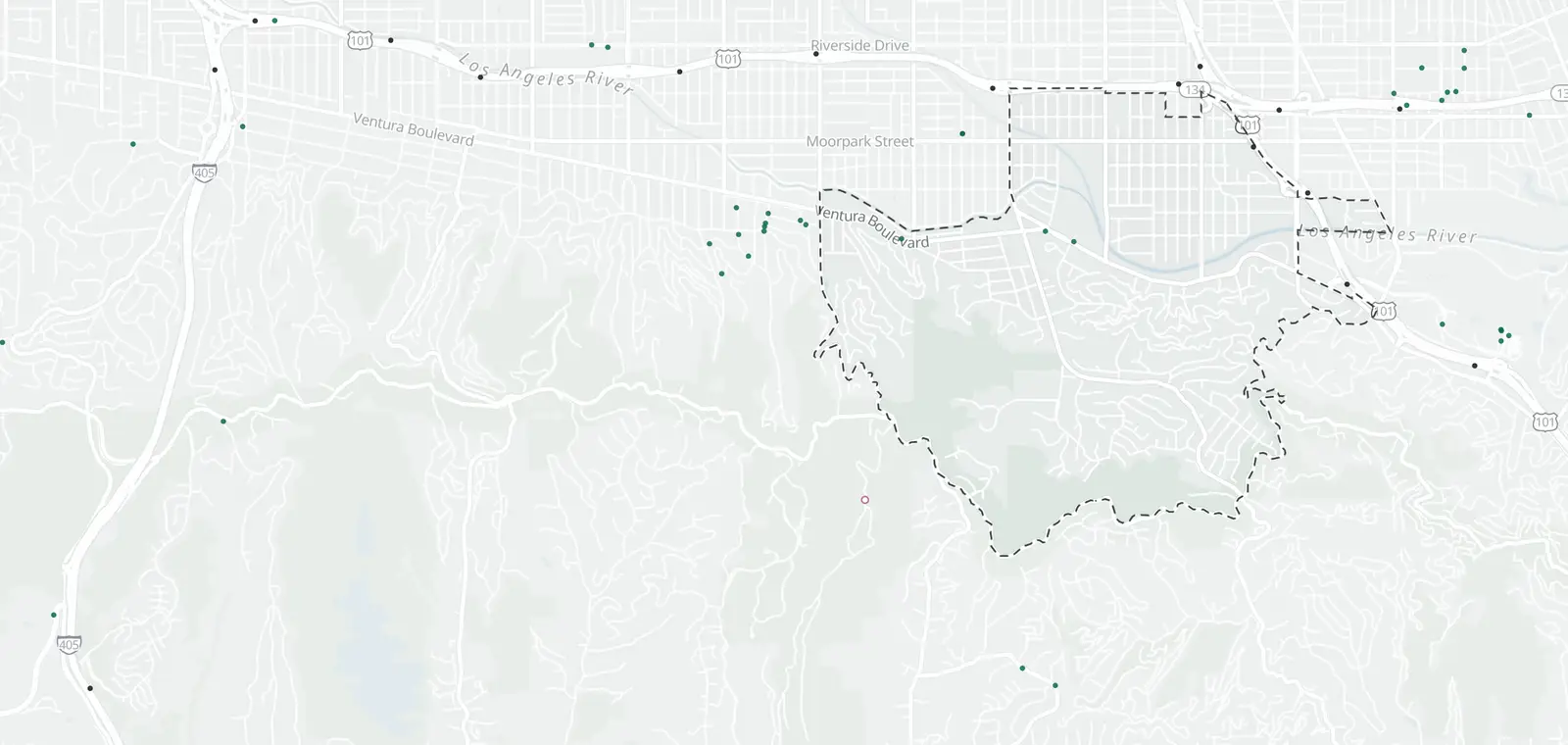
What is inside Studio City, by camera type.
Studio City: 4 cameras listed or mapped. Nearby: Valley Village 2, Toluca Lake 6, Universal City 5 and Toluca Woods 3.
Which streets in Studio City have cameras?
1 camera on 1 street. Tap a street to see it on the map, its cameras in order.
- US-101 1 traffic at Moorpark St
3 plate readers name no street: see them below.
Speed cameras in Studio City
None inside Studio City. The nearest is on Magnolia Blvd (2-3), 0.7 mi outside the boundary.
Red light cameras in Studio City
None from the city. The City of Los Angeles red light camera program ended on Jul 31, 2011.
License plate readers in Studio City
3 plate readers are on the map inside Studio City. 3 carry the Flock Safety tag. 17 more are just outside.
Flock cameras in Los Angeles → · Plate readers by maker →
| Where | Maker tag and operator | Facing | First mapped |
|---|---|---|---|
| Studio City Near ZIP 91604 · Show on map | Flock Safety Run by: Studio City Property & Business Improvement District | Faces east (as mapped) | Sep 22, 2025 |
| Studio City Near ZIP 91604 · Show on map | Flock Safety Run by: Studio City Property & Business Improvement District | Faces west-southwest (as mapped) | Sep 28, 2025 |
| Studio City Near ZIP 91604 · Show on map | Flock Safety Run by: Studio City Property & Business Improvement District | Faces west-southwest (as mapped) | Nov 7, 2025 |
What the plate readers in Studio City keep
- Records
- The plate of each car that passes, with the time and place. Often a photo of the car.
- Run by
- 3 of 3 say who runs them, most often Studio City Property & Business Improvement District (3).
- Kept for
- Not published on the map. Each operator sets its own. Flock Safety’s FAQ: “Flock recommends a 7-day default.”
- Who sees it
- Whoever runs it, and those it shares with. In California, a public agency may share only with other public agencies in the state.
- How to ask
- Read the operator's policy. California requires one. Or ask the city for its records.
Traffic cameras in Studio City
1 Caltrans camera inside Studio City, on freeways and state highways. City streets are not covered.
| Route, direction and place | Status | Picture |
|---|---|---|
| US-101 Southbound 1 | ||
| At Moorpark St · postmile 11.415 | In service | Road picture ↗ |
Cameras just outside Studio City
Just outside the boundary: 17 plate readers and 8 traffic cameras.
- Traffic camera · US-101 North at Vineland Ave 150 ft
- Traffic camera · US-101 South at Lankershim Blvd 300 ft
- Plate reader · Sherman Oaks 400 ft
- Traffic camera · US-101 North at SR-170 / Tujunga 450 ft
- Traffic camera · US-101 South at Laurel Canyon Blvd 450 ft
- Plate reader · Sherman Oaks 0.1 mi
- Plate reader · Sherman Oaks 0.2 mi
- Plate reader · Sherman Oaks 0.2 mi
The closest 4 of each type. See them all on the map.
Areas near Studio City
Speed camera pages nearby: North Hollywood (4)
Flock camera pages nearby: Burbank (64)
Also near Studio City: Beverly Crest · Franklin Canyon · Toluca Terrace
Camera tickets near Studio City
In Los Angeles, speed cameras follow a state law, AB 645. The city's first 60 days of enforcement send warnings only. So do the first 60 days on each street it adds later.
After that, a ticket is a fine with no points on your license. Fines and how to respond.
Know when cameras in Studio City change.
Free email alerts for cameras on your routes that start issuing tickets. One summary email a month.
- In your monthly summary: the day a camera near you starts issuing tickets
- New cameras mapped or reported near you
- What plate readers keep, and who runs them
- Your street, your distance, the camera types you pick
156,883 cameras listed or mapped so far.
Sources and updates
How this page was made: CamsAhead writes each page type once, then fills it with this place's data from the sources below.
- LADOT: speed camera list, checked Nov 7, 2026
- OpenStreetMap contributors: plate readers (surveillance:type=ALPR), data as of Nov 7, 2026; ODbL 1.0
- Caltrans CWWP2: Districts 6 and 7 camera list, updated daily, last Nov 7, 2026; CC BY
- Flock Safety FAQ: the default retention quoted in What they keep, read Oct 24, 2026
- California Civil Code §1798.90.51: the use and privacy policy rule for plate readers
- California Civil Code §1798.90.55: the rule on who a public agency may share reads with
Plate reader points are mapped by OpenStreetMap volunteers (data as of November 7, 2026).
How CamsAhead counts cameras · Report a problem · Report a camera