
 CamsAhead.com
Flock cameras near me
Find the Flock cameras closest to you. Your location stays on your device.
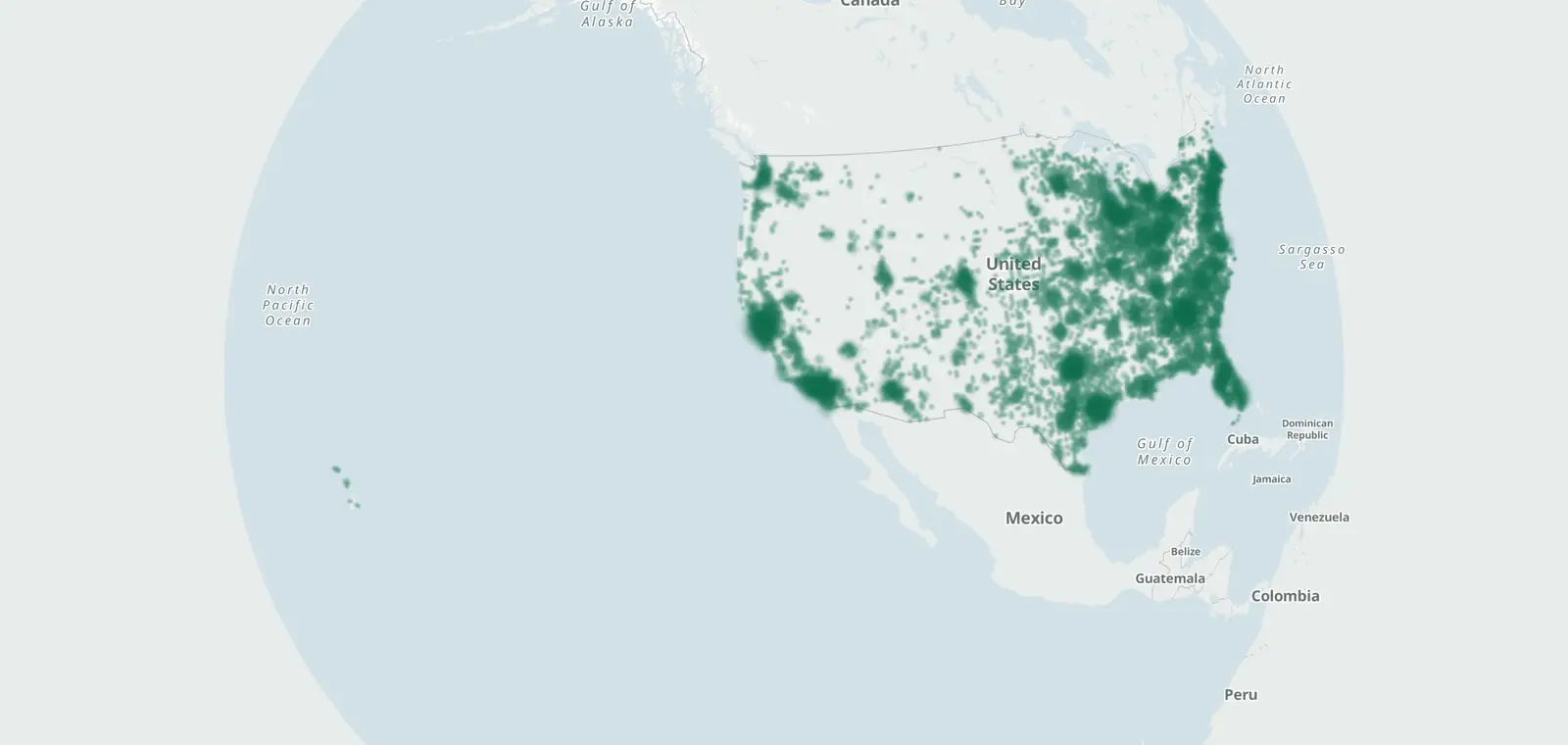
Plate readers © OpenStreetMap contributors (ODbL) · © OpenMapTiles
The list draws on 116,710 license plate readers tagged Flock Safety on OpenStreetMap. Tap "Use my location" to see the places near you with Flock cameras, nearest first.
Your location stays on your device. No location shared? Pick your state below, or search a place.
Places near you with Flock cameras, nearest first
Tap the button. Your browser asks before sharing your location.
Flock-tagged plate readers by state
- Alabama 2,577
- Alaska 25
- Arizona 2,181
- Arkansas 988
- California 17,265
- Colorado 2,338
- Connecticut 659
- Delaware 412
- Washington, DC 92
- Florida 7,187
- Georgia 9,464
- Hawaii 64
- Idaho 350
- Illinois 5,889
- Indiana 3,446
- Iowa 816
- Kansas 1,323
- Kentucky 1,828
- Louisiana 1,807
- Maine 46
- Maryland 740
- Massachusetts 972
- Michigan 3,016
- Minnesota 1,480
- Mississippi 1,004
- Missouri 2,565
- Montana 72
- Nebraska 418
- Nevada 759
- New Hampshire 15
- New Jersey 1,233
- New Mexico 709
- New York 2,153
- North Carolina 3,442
- North Dakota 124
- Ohio 6,315
- Oklahoma 1,244
- Oregon 357
- Pennsylvania 1,409
- Rhode Island 291
- South Carolina 1,975
- South Dakota 253
- Tennessee 3,218
- Texas 16,026
- Utah 814
- Vermont 18
- Virginia 3,078
- Washington 2,160
- West Virginia 192
- Wisconsin 1,834
- Wyoming 67
Flock cameras on the map
Open the map · Flock cameras in the United States · What changed
Flock cameras near me: questions
Does CamsAhead store my location?
No. Your browser sorts the list on your phone or computer. Your location is not sent to CamsAhead.
How close is "near me"?
The list shows the closest places first, with the distance to each one in miles. Open a place to see its Flock cameras.
What if I do not want to share my location?
Pick your state in the list on this page. Each state page shows the Flock cameras listed there.
How do I find out if my city has Flock cameras?
Tap Use my location, or pick your state below. Each state page lists the cities with Flock-tagged plate readers. If your city is not listed, no Flock-tagged plate readers are mapped there yet.
Know when cameras near you change.
Free email alerts for new plate readers mapped near your places. One summary email a month.
- When a plate reader is first mapped near you
- New cameras mapped or reported near you
- What plate readers keep, and who runs them
- Your street, your distance, the camera types you pick
156,883 cameras listed or mapped so far.
Sources and updates
- OpenStreetMap contributors: plate readers, data as of Nov 7, 2026; ODbL 1.0
Plate reader points are mapped by OpenStreetMap volunteers (data as of November 7, 2026).
How CamsAhead counts cameras · Report a problem · Report a camera