
 CamsAhead.com
Red light cameras near me
Find the red light cameras closest to you. Your location stays on your device.
Caltrans (CC BY) · © OpenMapTiles © OpenStreetMap contributors
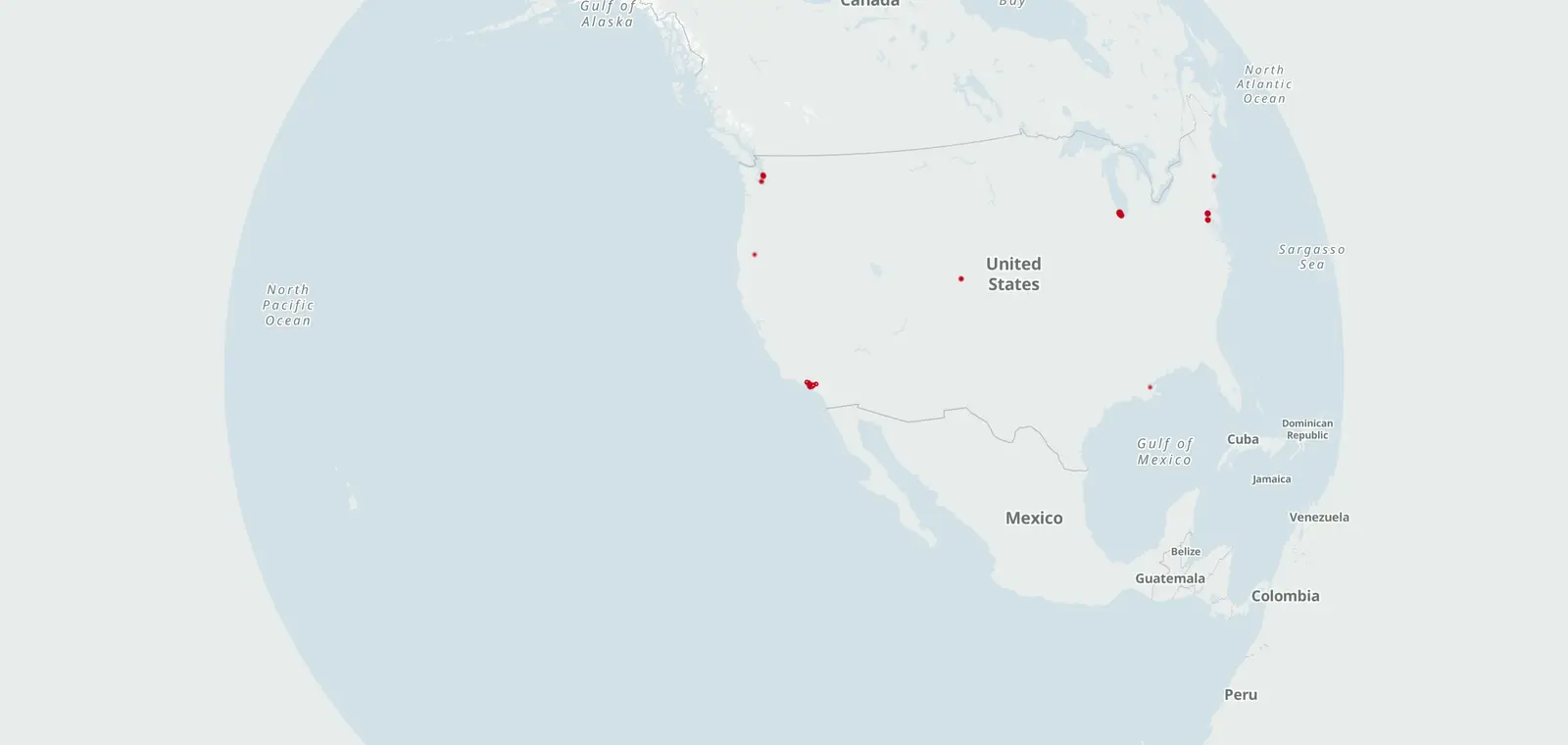
The list draws on 251 confirmed red light camera programs and 98 mapped intersections, plus 616 locations on official lists in 7 states and DC. Tap "Use my location" to see the places near you with red light cameras, nearest first.
Your location stays on your device. No location shared? Pick your state below, or search a place.
Places near you with red light cameras, nearest first
Tap the button. Your browser asks before sharing your location.
Red light camera programs by state
Official lists also put 616 locations on the map in 7 states and DC. Each state page counts them.
The numbers count confirmed programs only. 79 more programs are listed, not yet verified, on the state pages.
- Alabama 3
- Alaska None listed
- Arizona 5
- Arkansas None listed
- California 20
- Colorado 14
- Connecticut 2
- Delaware 6
- Washington, DC 1
- Florida 34
- Georgia 3
- Hawaii 1
- Idaho Banned by state law
- Illinois 55
- Indiana None listed
- Iowa 10
- Kansas None listed
- Kentucky None listed
- Louisiana 2
- Maine Banned by state law
- Maryland 23
- Massachusetts None listed
- Michigan None listed
- Minnesota None listed
- Mississippi Banned by state law
- Missouri 2
- Montana Banned by state law
- Nebraska None listed
- Nevada Banned by state law
- New Hampshire Banned by state law
- New Jersey None listed
- New Mexico None listed
- New York 9
- North Carolina None listed
- North Dakota None listed
- Ohio 1
- Oklahoma None listed
- Oregon 10
- Pennsylvania 8
- Rhode Island 5
- South Carolina Banned by state law
- South Dakota Banned by state law
- Tennessee 6
- Texas Banned by state law
- Utah None listed
- Vermont None listed
- Virginia 12
- Washington 19
- West Virginia Banned by state law
- Wisconsin None listed
- Wyoming None listed
Red light cameras on the map
Open the map · Red light cameras in the United States · What changed
Red light cameras near me: questions
Does CamsAhead store my location?
No. Your browser sorts the list on your phone or computer. Your location is not sent to CamsAhead.
How close is "near me"?
The list shows the closest places first, with the distance to each one in miles. Open a place to see its red light cameras.
What if I do not want to share my location?
Pick your state in the list on this page. Each state page shows the red light cameras listed there.
How can I tell if an intersection has a red light camera?
Check the city's list, where it has one. CamsAhead pins the listed intersections, plus some from public records, marked unverified. Tap Use my location to see the programs near you.
Know when cameras near you change.
Free email alerts for cameras on your routes that start issuing tickets. One summary email a month.
- In your monthly summary: the day a camera near you starts issuing tickets
- New cameras mapped or reported near you
- Your street, your distance, the camera types you pick
156,883 cameras listed or mapped so far.
Sources and updates
- Culver City: official intersection list, checked Oct 22, 2026
- Beverly Hills: intersections from public records (2014-2016), unverified
- Commerce: intersections from public records (through late 2019), unverified · records copy
- Covina: intersections from public records (through Feb 2020), unverified · records copy
- Hawthorne: intersections from public records (through 2020), unverified · records copy
- LA Metro: intersections from public records (Sep 2, 2021), unverified
- LA Metro: intersections from public records (through Feb 2020), unverified · records copy 1 · records copy 2 · records copy 3 · records copy 4
- Montebello: intersections from public records (through Sep 2019), unverified · records copy
- US Census Bureau TIGER/Line: roads 2024, where each listed intersection is pinned (public domain)
- City and state program pages: the city and state program pages listed with each program on its state page; programs marked "Listed program · not yet verified" have no current program page confirmed yet
- IIHS (Insurance Institute for Highway Safety): lists of cities and counties with camera programs, for the 58 programs marked "Listed program · not yet verified" on their state pages that rest only on its lists
- Baltimore City Department of Transportation: Camera locations: Baltimore City DOT. Read November 7, 2026.
- City of Boulder, Colorado: Camera locations: City of Boulder (CC0 1.0). Read November 7, 2026.
- City of Chicago: Camera locations: City of Chicago. Read November 7, 2026. This site provides applications using data that has been modified for use from its original source, www.cityofchicago.org, the official website of the City of Chicago. The City of Chicago makes no claims as to the content, accuracy, timeliness, or completeness of any of the data provided at this site. The data provided at this site is subject to change at any time. It is understood that the data provided at this site is being used at one’s own risk.
- Town of Hamden, Connecticut: Camera locations: Town of Hamden. Read November 7, 2026.
- City of Medford, Oregon: Camera locations: City of Medford. Read November 7, 2026.
- City of New Orleans, Department of Public Works: Camera locations: City of New Orleans (DPW), list as of Aug 12, 2026. Read November 7, 2026.
- City of Seattle, Seattle Department of Transportation: Camera locations: City of Seattle (SDOT). Read November 7, 2026.
- City of Tacoma, Public Works: Camera locations: City of Tacoma. Read November 7, 2026. The information and data made available here has been modified for use from its original source, which is the City of Tacoma. The City of Tacoma makes no claims as to the completeness, accuracy, or timeliness of any information and data contained in this application; makes no representation of any kind, including, but not limited to, warranty of the accuracy or fitness for a particular use; nor are any such warranties to be implied or inferred with respect to the information or data furnished herein. The information and data is subject to change without notice. It is understood that the information and data contained in the web site is being used at user’s own risk.
- District Department of Transportation (DDOT): Camera locations: DDOT (Open Data DC, CC BY 4.0). Read November 7, 2026.
How CamsAhead counts cameras · Report a problem · Report a camera