
Which camera is that? A photo guide to traffic enforcement cameras
A Flock camera is often a dark box on its own thin pole, with a small solar panel. A red light camera stands on a pole at the corner, with a sign nearby. A speed camera sits in a box by the road, after a sign. A plate reader keeps a record of every car that passes.
Which cameras are on the map?
Speed and red light cameras check one moment and can lead to a ticket. Plate readers, Flock's among them, keep a record of each car that passes. Traffic cameras show the road.
| Camera | What it does | On the map |
|---|---|---|
| Flock camera | Reads plates and keeps a record of each car that passes | 116,710 |
| Other plate readers | Read plates and keep a record of each car that passes | 28,960 |
| Red light camera | Watches one intersection for cars that enter on a red light | 714 |
| Speed camera | Checks speed at one place | 1,084 |
| Traffic camera | Shows the road | 9,410 |
The map also shows public CCTV, face recognition, face checks at US airports, ZTL camera gates in Italy and toll gantries.
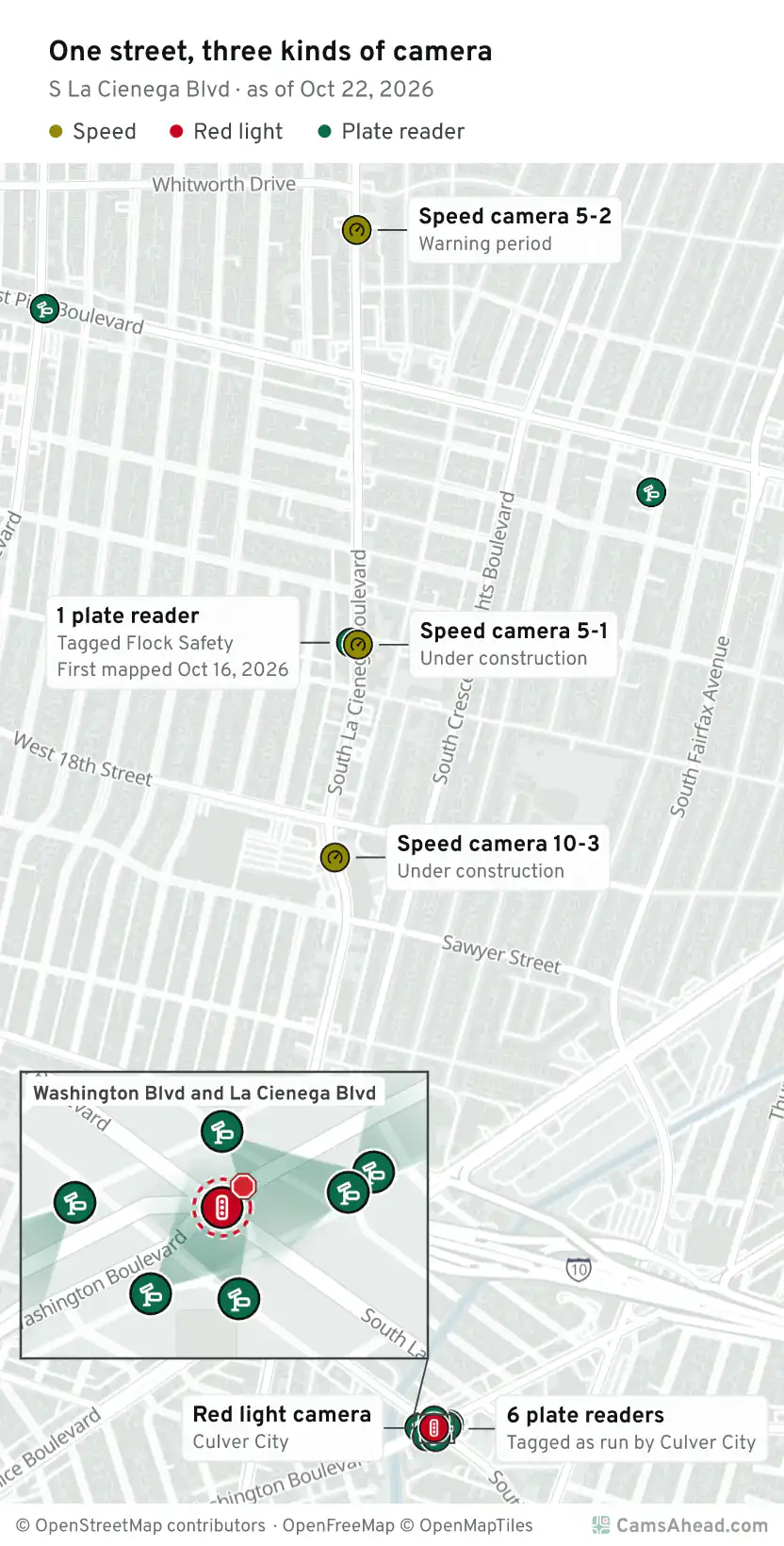
Take one street. On S La Cienega Blvd between W Pico Blvd and W Olympic Blvd in Los Angeles, LADOT lists a speed camera. On the same street, Culver City lists a red light camera at Washington Blvd and La Cienega Blvd.
What does a Flock camera look like?
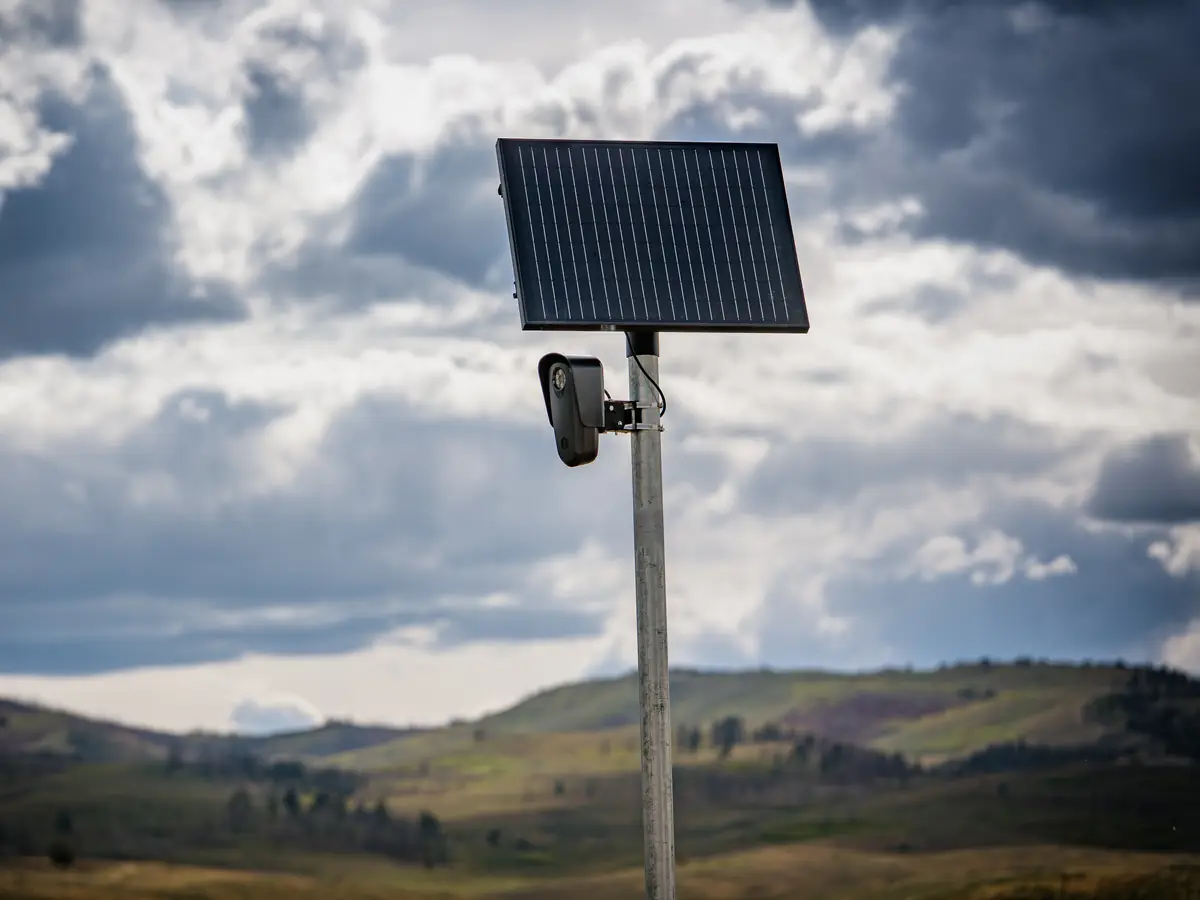
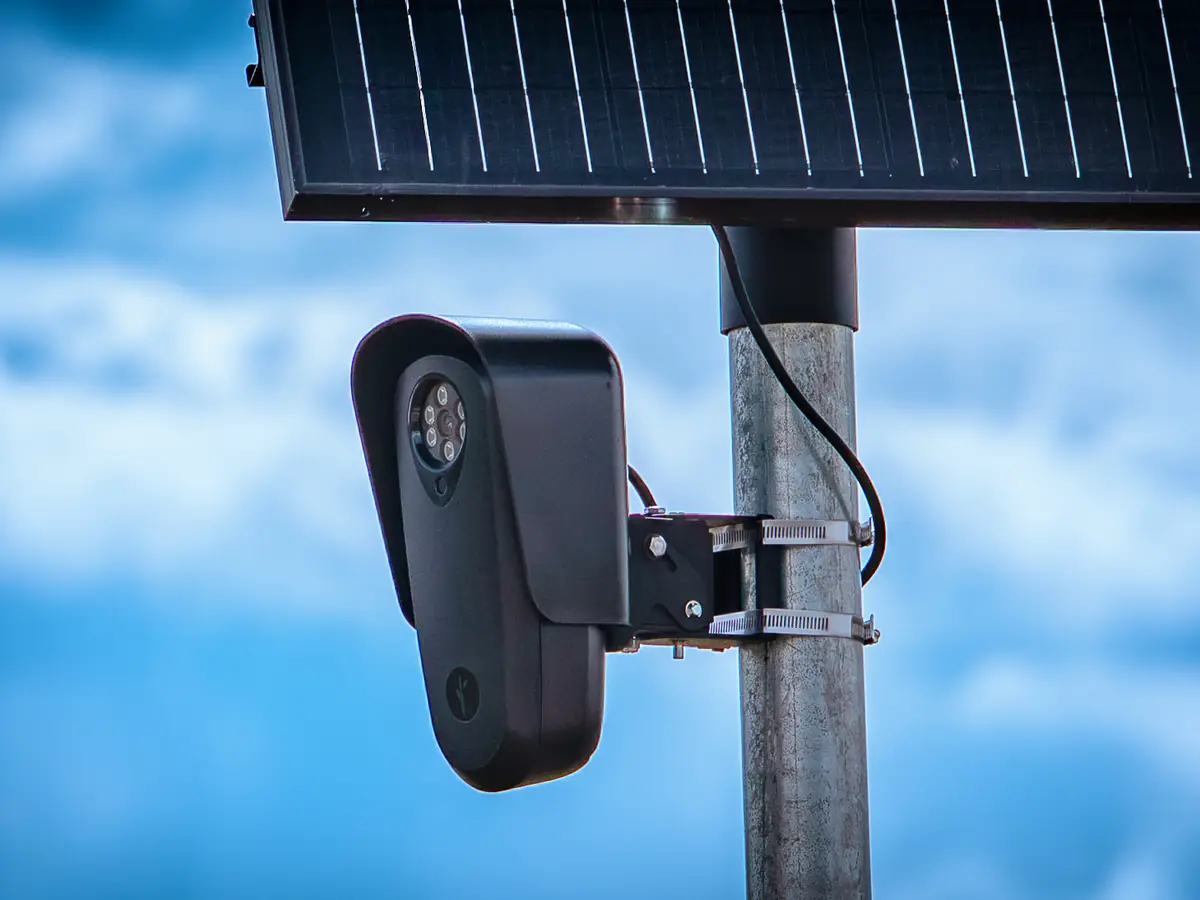
In the photos, a small black camera hangs from a thin pole under a solar panel. Another is strapped to a street light pole.
How can you tell it's a Flock camera?
- Its own slim pole, or straps on a street lamp
- A dark box, its lens toward the lane
- A small solar panel above it
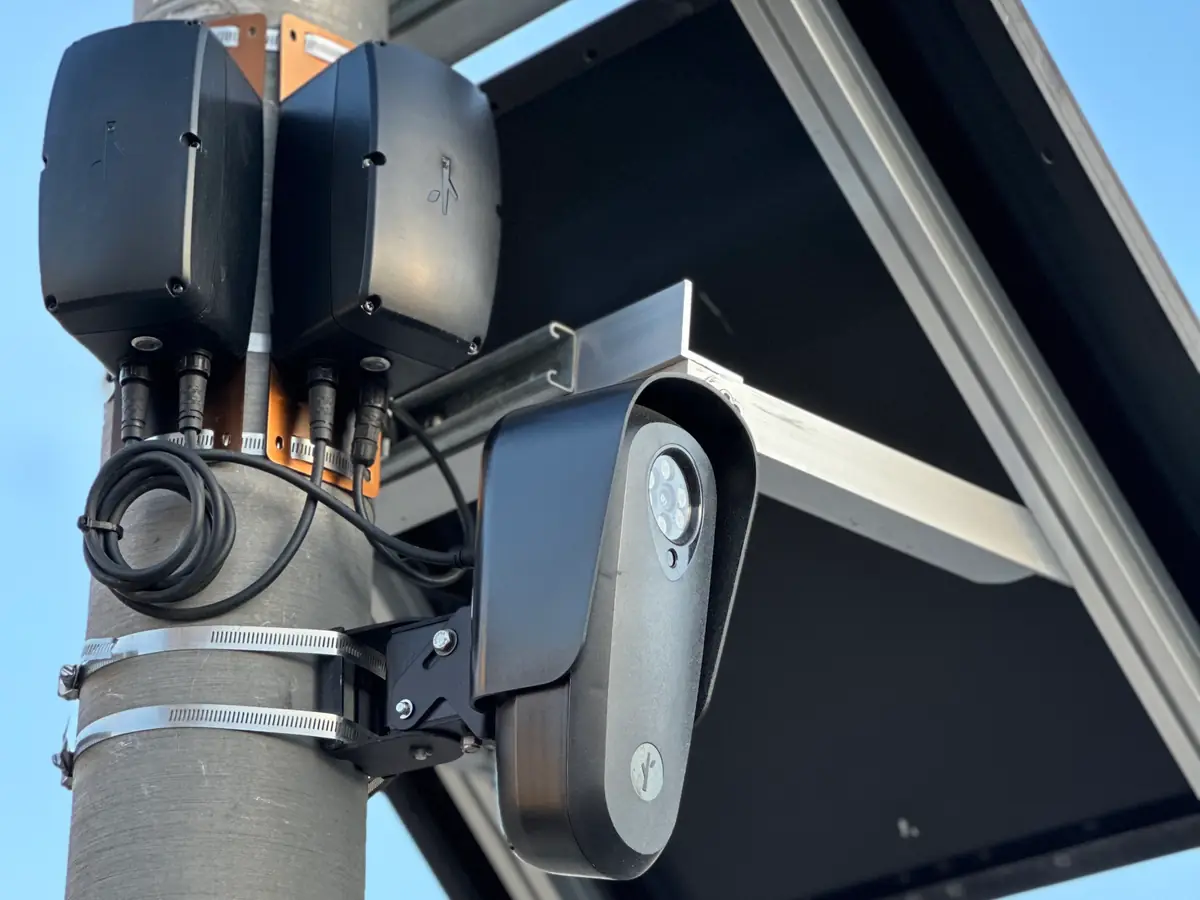
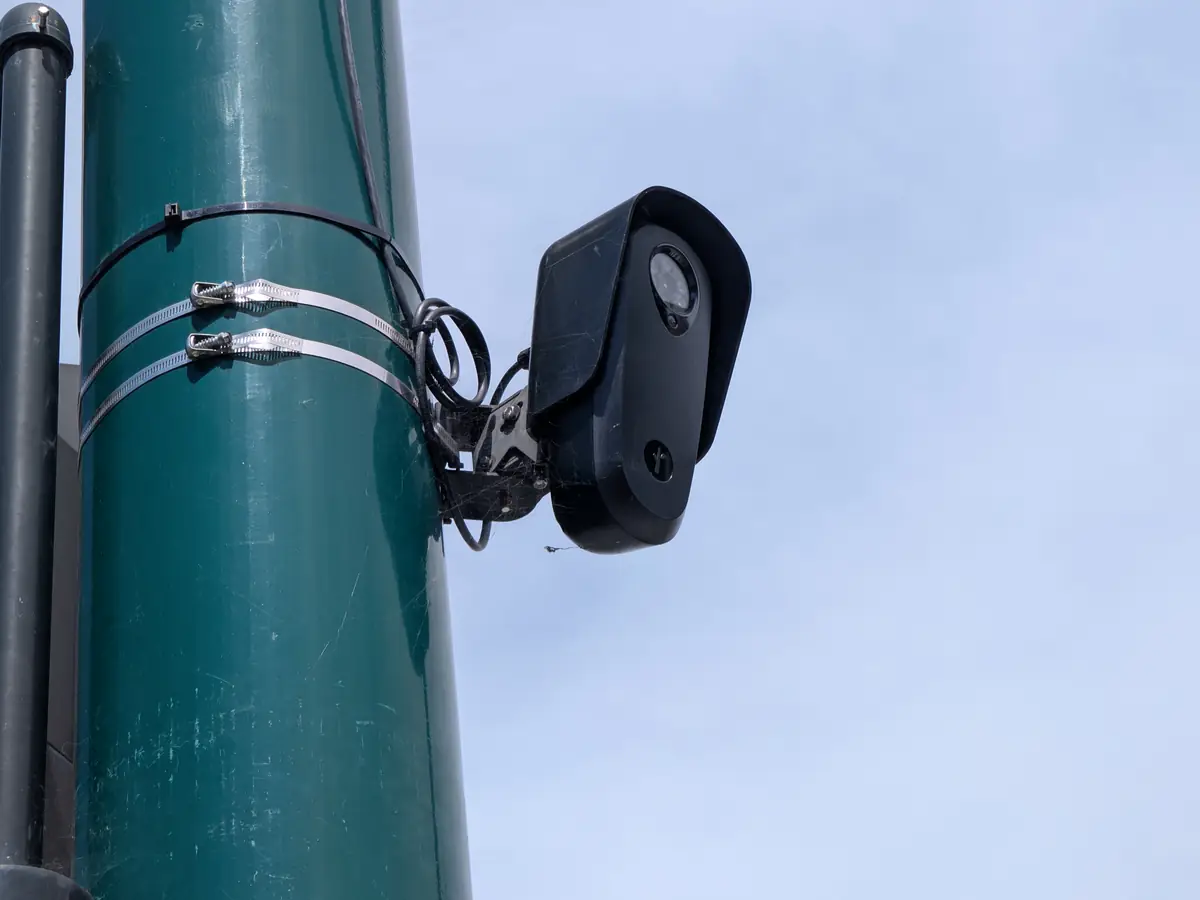
The look alone does not prove the maker. The map names Flock only where volunteers tagged it.
On the map, 32,745 Flock-tagged readers have their mount noted, and 2,635 of them are on a street lamp.
Flock cameras on the map · Flock cameras by state and city · What is a Flock camera?
What are the cameras on top of traffic lights?
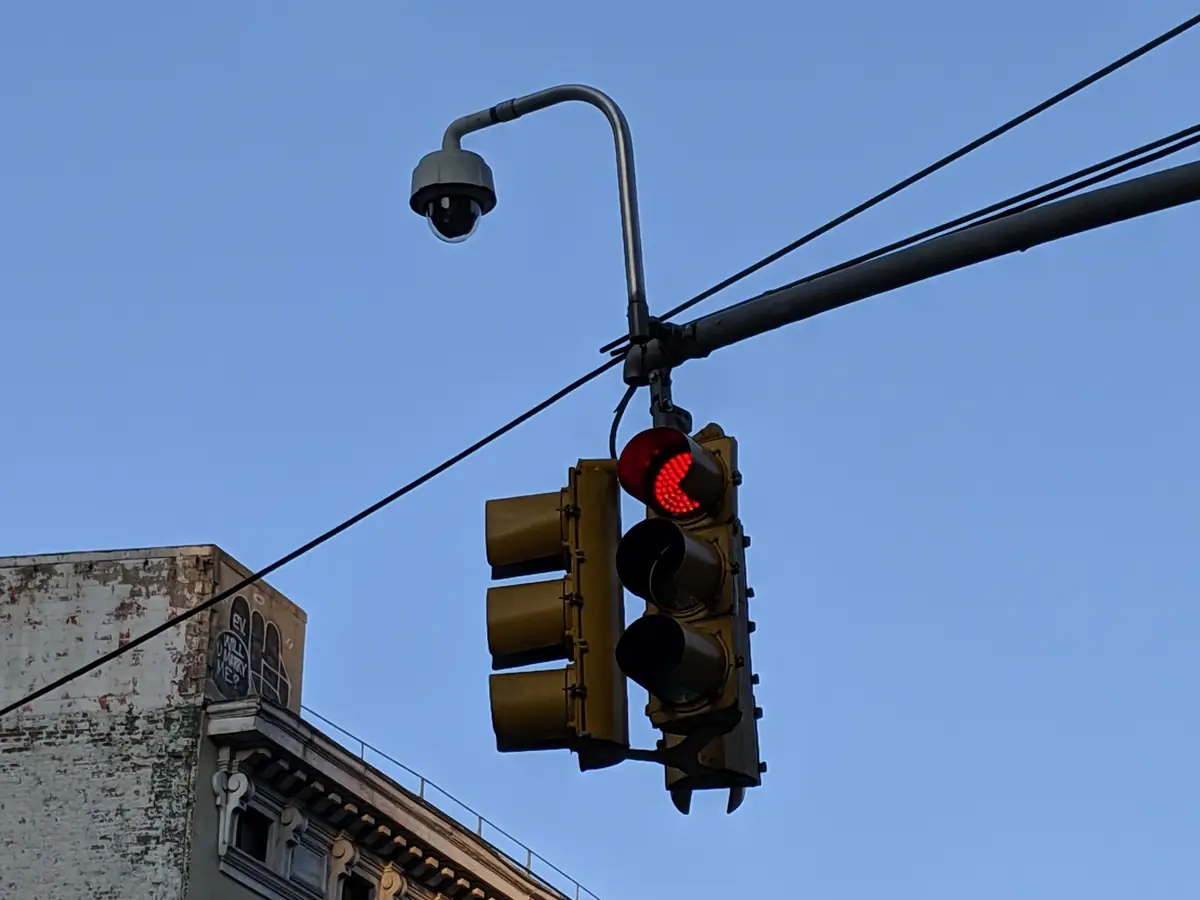
In the photos, two plate readers sit on an arm over the road. A small camera sits on a signal arm. A dome camera hangs over a traffic light, and a red light camera and its flash units sit on a signal pole.
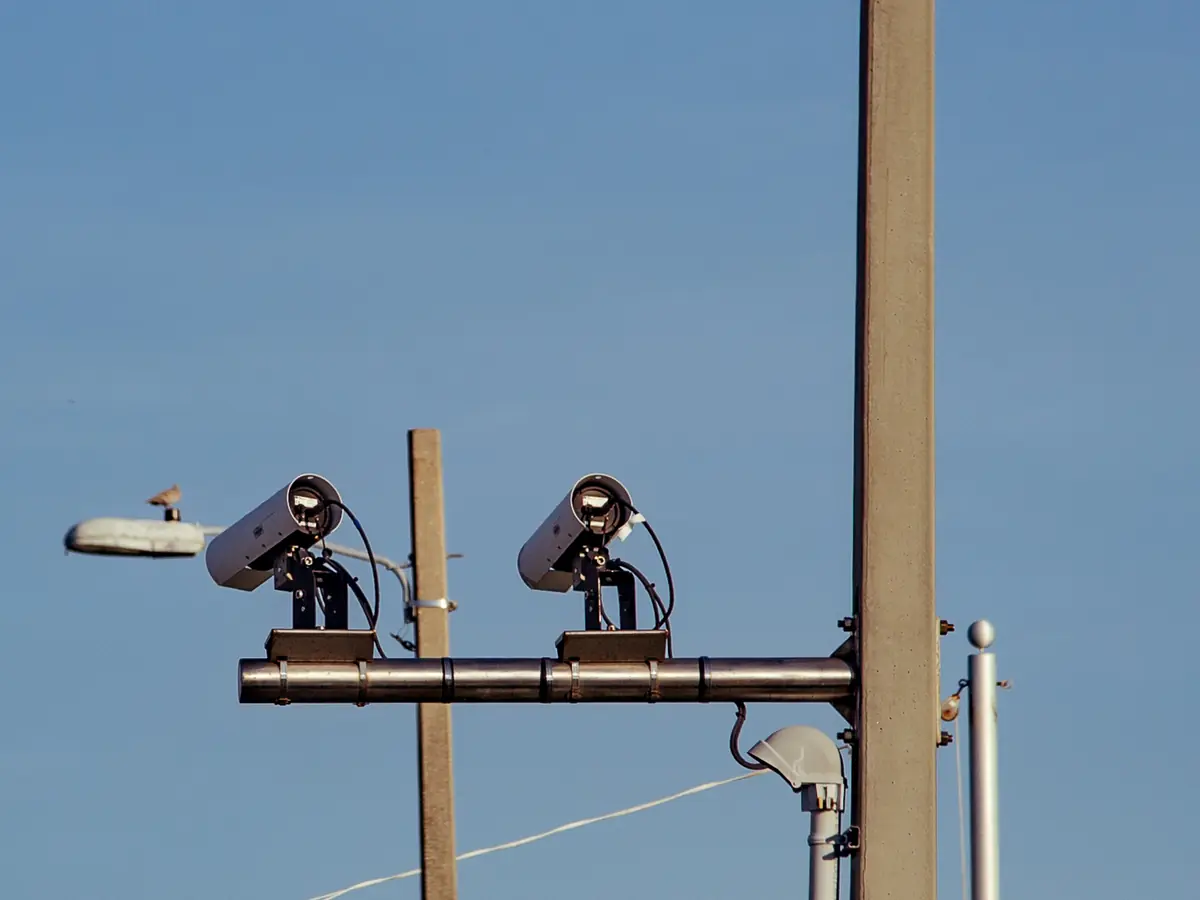
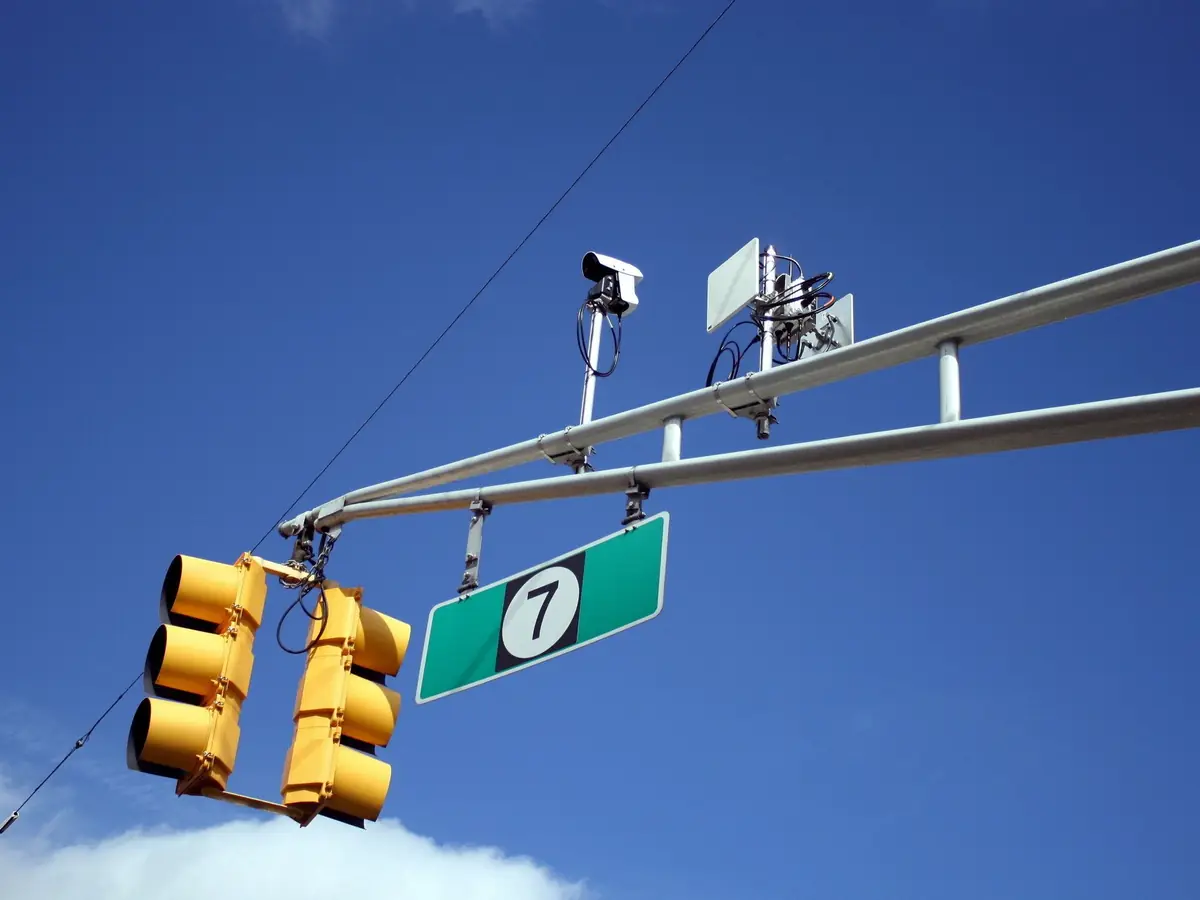
A small camera on a signal arm is not always a red light camera. Some are sensors. They spot cars so the light can change.
Connecticut's state road agency says its signal cameras "do not record any information."
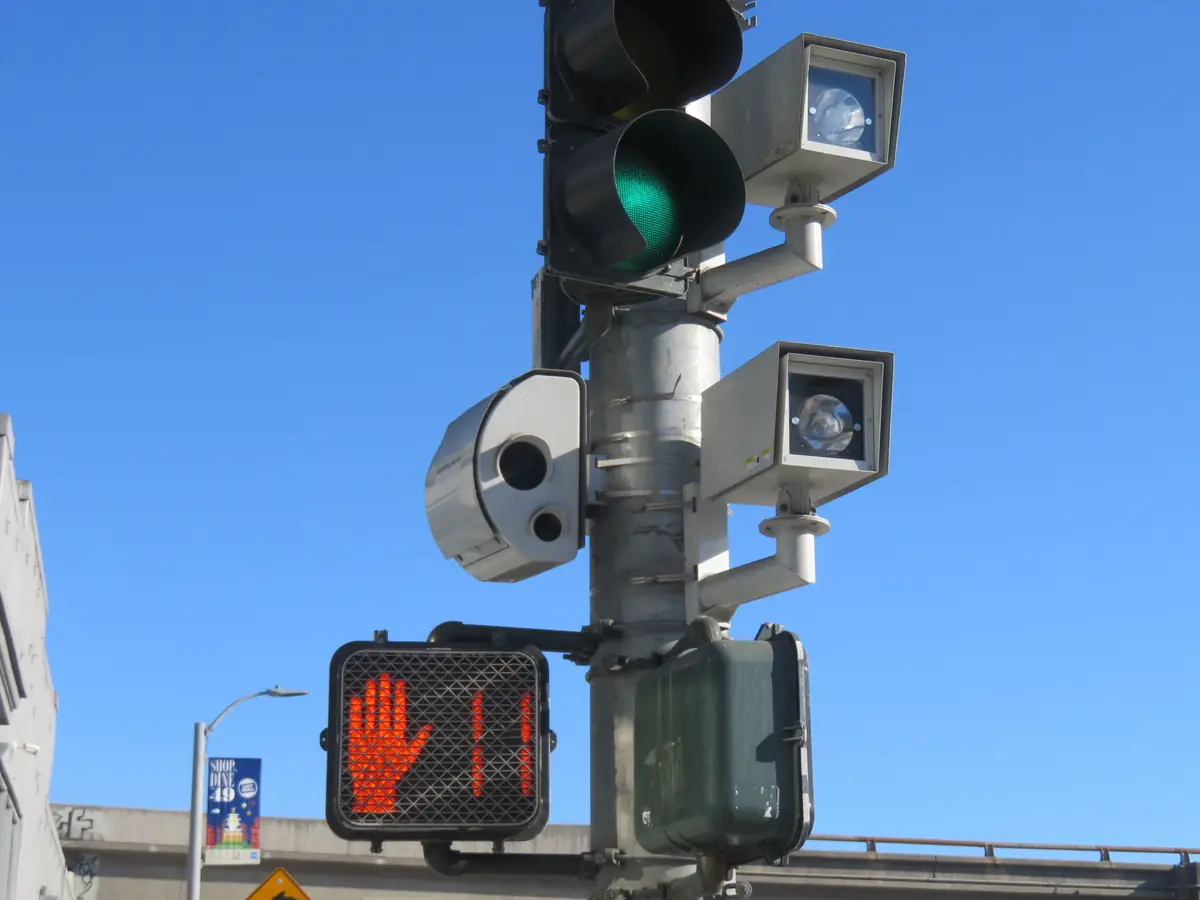
In California, a sign stands within 500 feet of a red light camera (California Vehicle Code §21455.5(a)(1) and §21455.9(b)(1)(A)(i)).
What does a red light camera look like?
In the photos, red light cameras stand on poles near the corner, some with a flash unit beside the camera. A sign stands next to the camera or up the road.
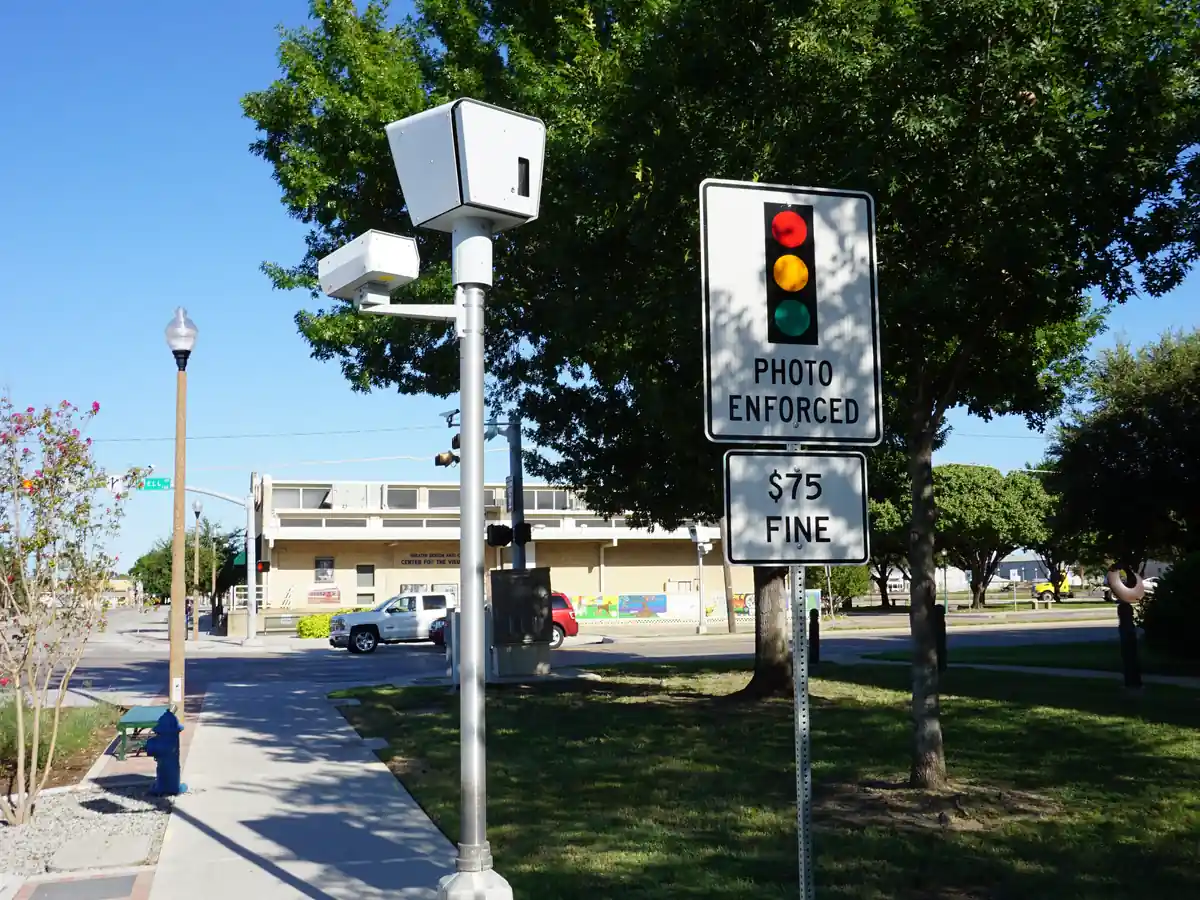
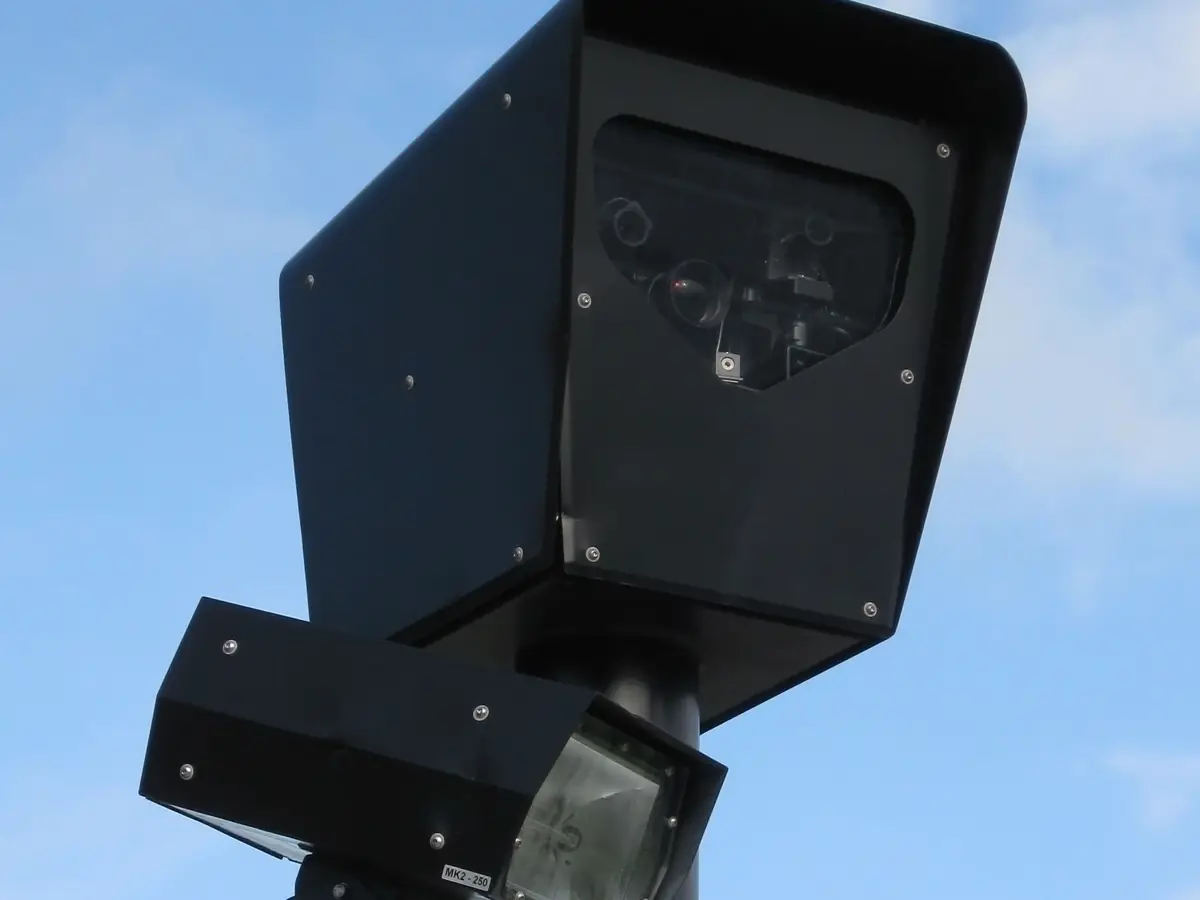
A red light camera watches one intersection for cars that enter on a red light. Look for its signs. California has two red light camera laws, and each program runs under one.
Under the older law, the signs stand within 200 feet of the intersection (California Vehicle Code §21455.5(a)(1)).
The newer law sets the distance by the speed limit. On a road of 45 mph or less, one sign stands 200 to 300 feet out. On a faster road, two signs stand 200 to 500 feet out, at least 100 feet apart (California Vehicle Code §21455.9(b)(1)(A)(i)).
Under both laws, the traffic the camera checks must be able to see them.
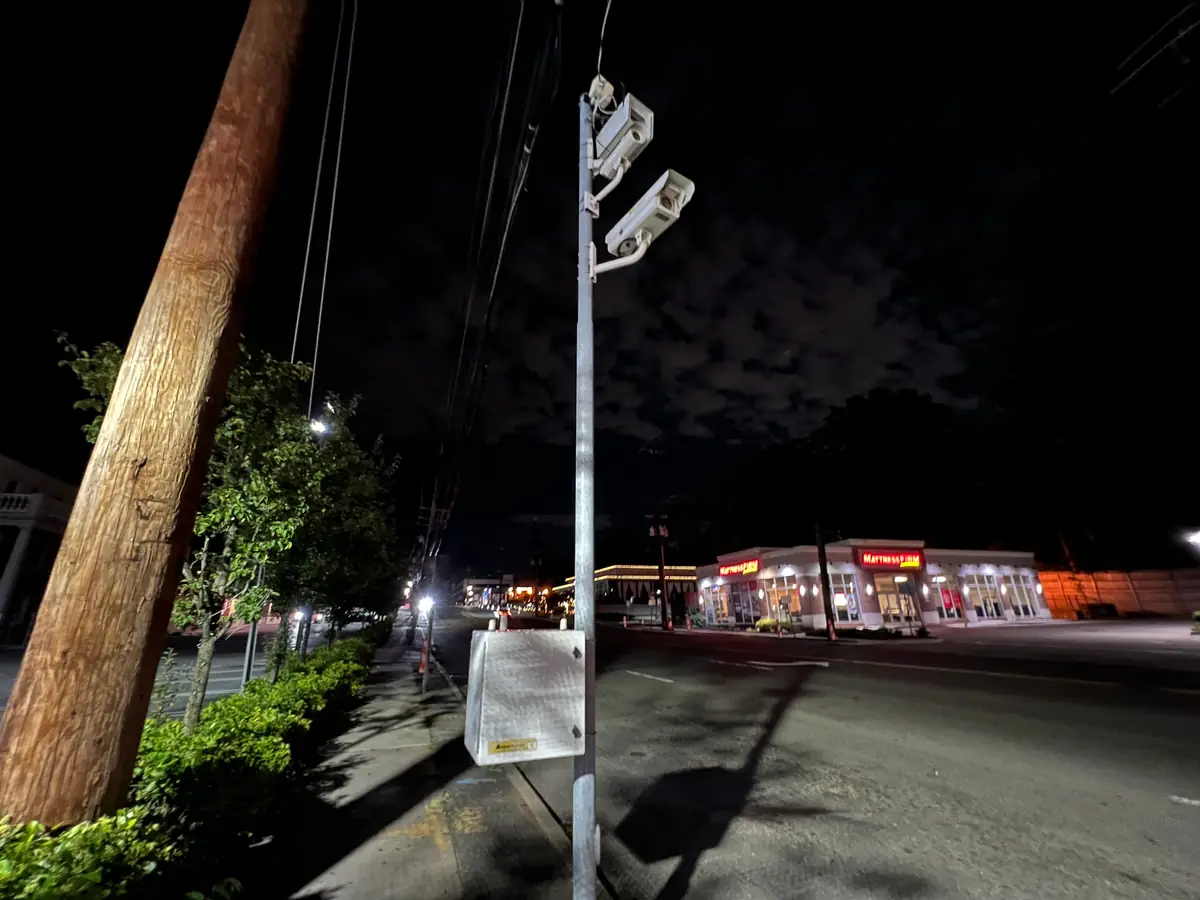
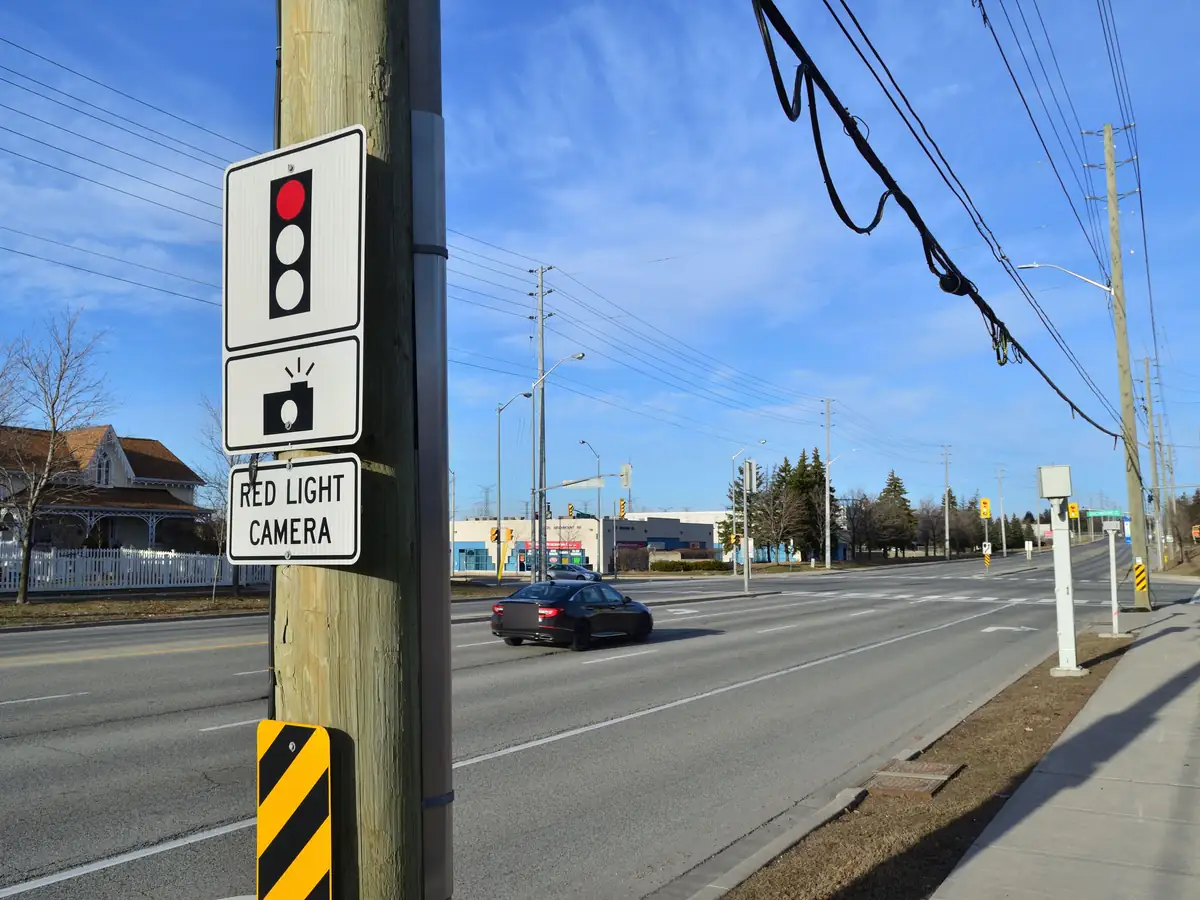
Culver City's police department lists 12 red light camera intersections with 20 approaches. An approach is one way in. The list names intersections, not camera spots.
In Culver City, people can view the photos or video of a violation online. The city says sworn police officers look at each citation.
In California, red light camera photos are confidential.
Under the older law, they can be kept for up to six months, or until the case is closed if that comes later. Then the agency's photos must be destroyed (California Vehicle Code §21455.5(f)(3)).
The newer law allows up to 60 days after the case is closed. Some photos and video lead to no notice. They must be destroyed within five business days of that choice (California Vehicle Code §21455.9(g)(4)).
The car's owner, or the driver the owner names, can still see the photos of their case (California Vehicle Code §21455.5(g) and §21455.9(g)(5)).
Los Angeles ended its own red light cameras in 2011. Inside the city, public records list LA Metro cameras at 6 rail crossings on Crenshaw Blvd, marked unverified.
What do other license plate readers look like?
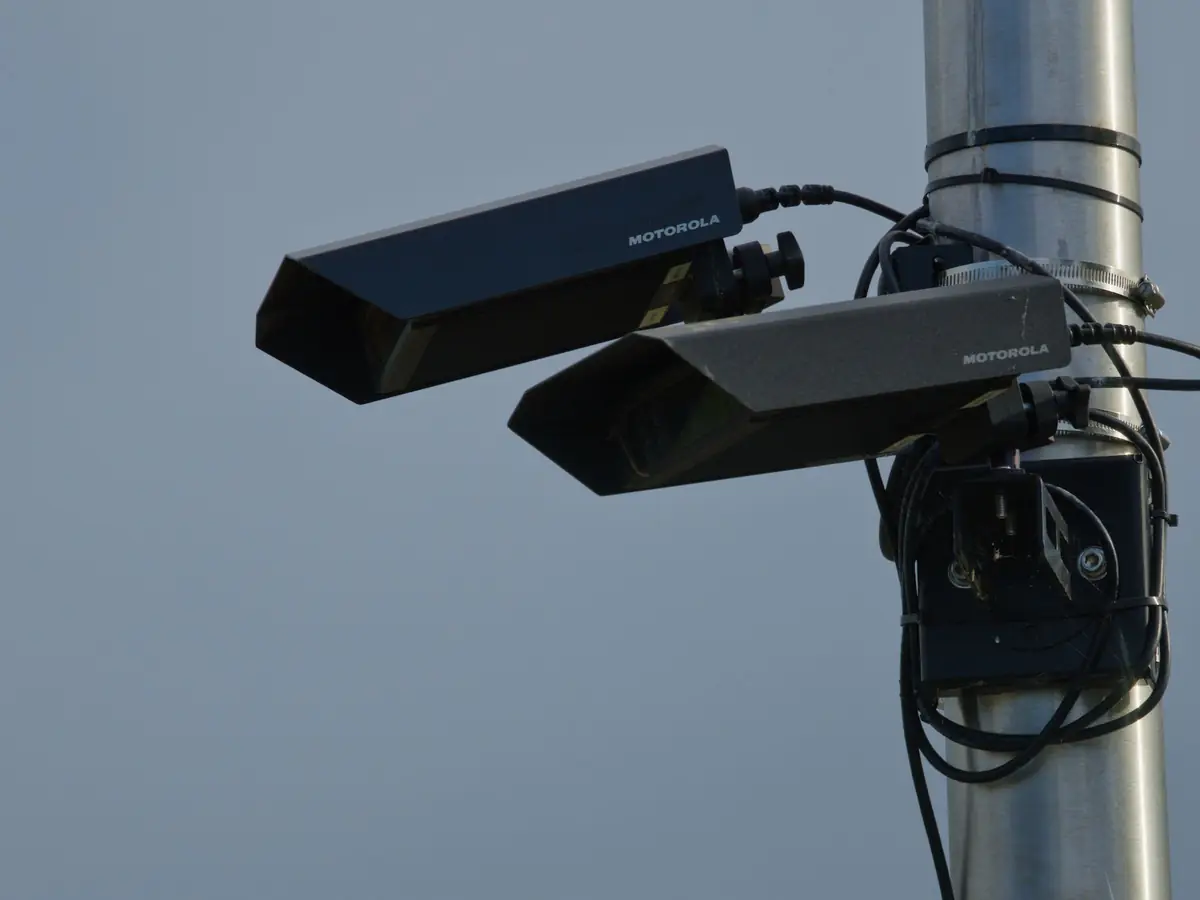
In the photos, plate readers sit on metal poles, on a wooden utility pole and on a police car's light bar.
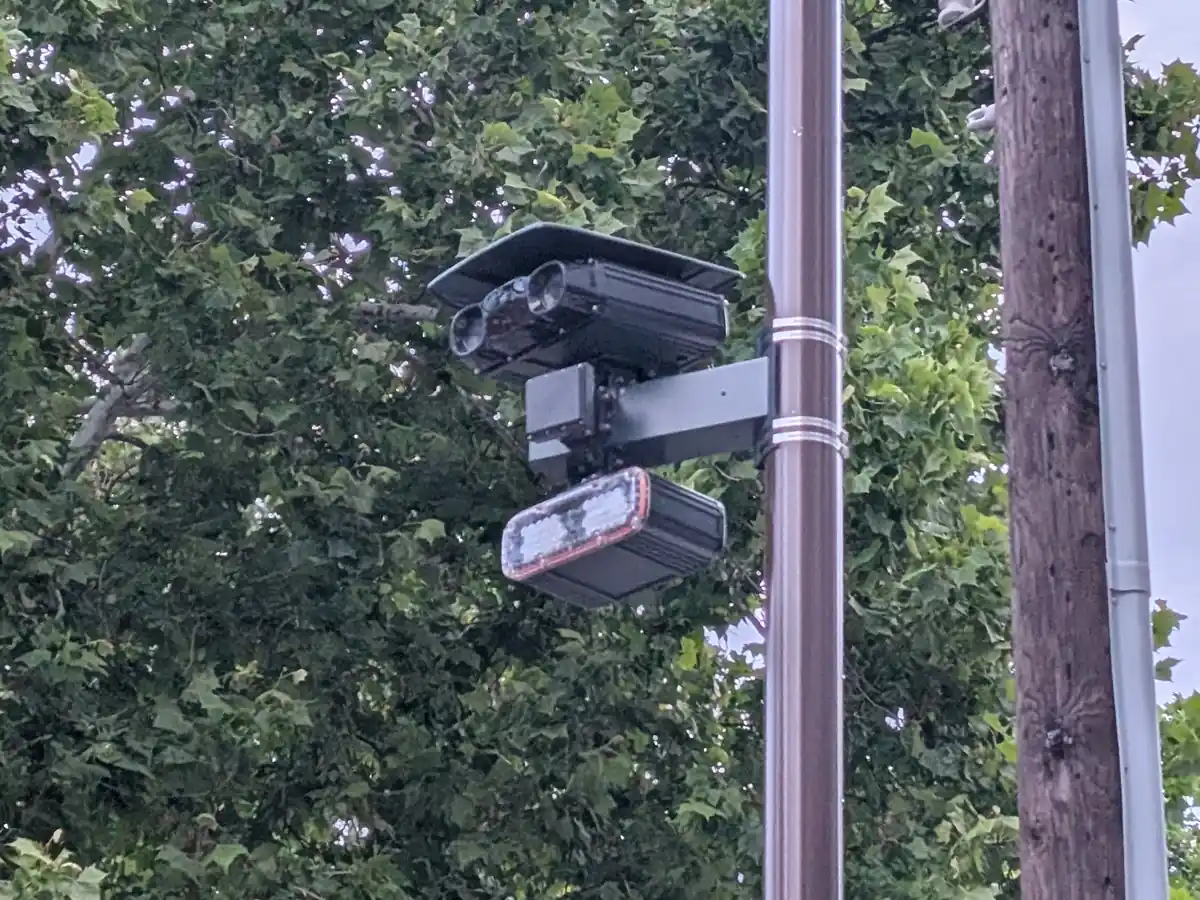
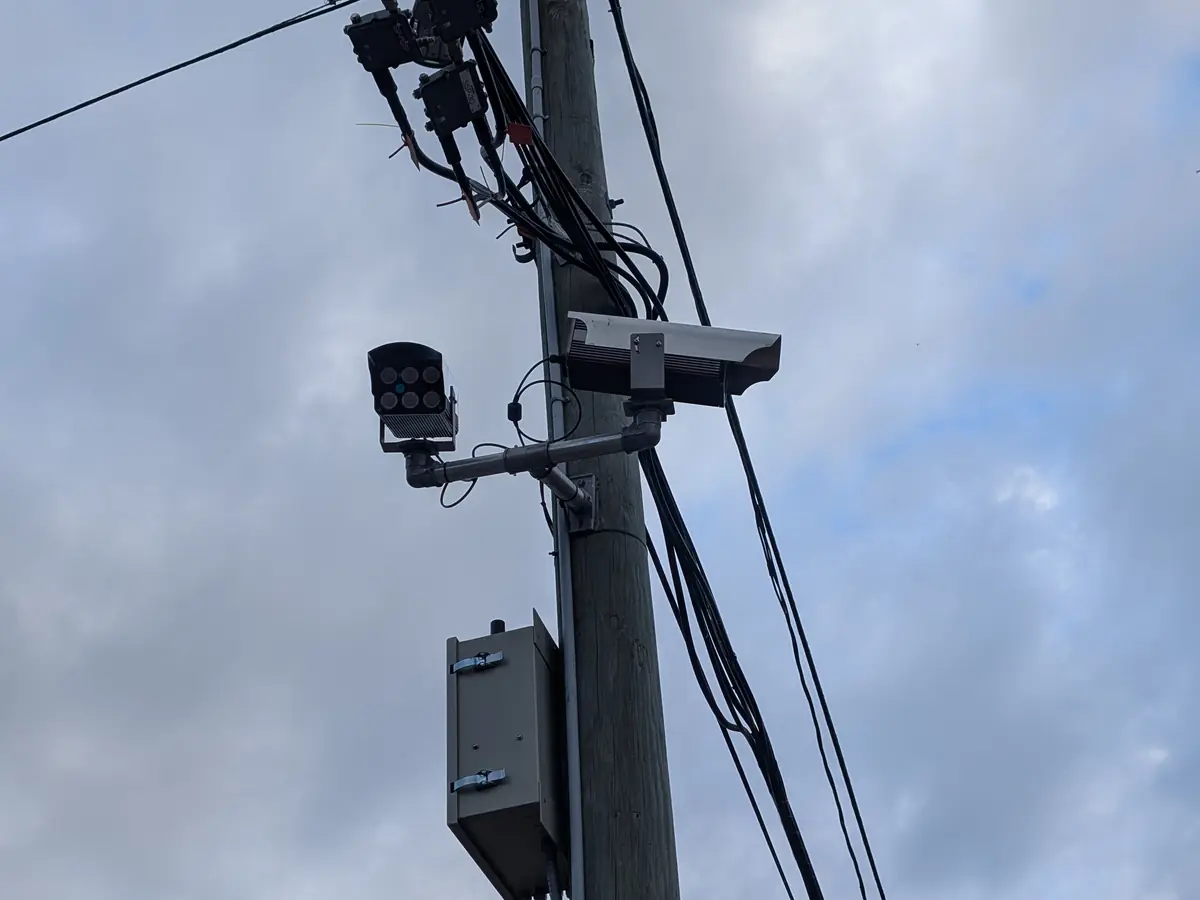
A plate reader reads plates. It doesn't measure speed. It keeps the plate of each car that passes, with the time and the place.
Not because you did anything. Because you drove by.
A plate reader on a pole can look like a speed camera. Under AB 645, a speed camera is aimed at speeding cars (California Vehicle Code §22425(q)). A "Photo Enforced" sign comes before it (California Vehicle Code §22425(d)).
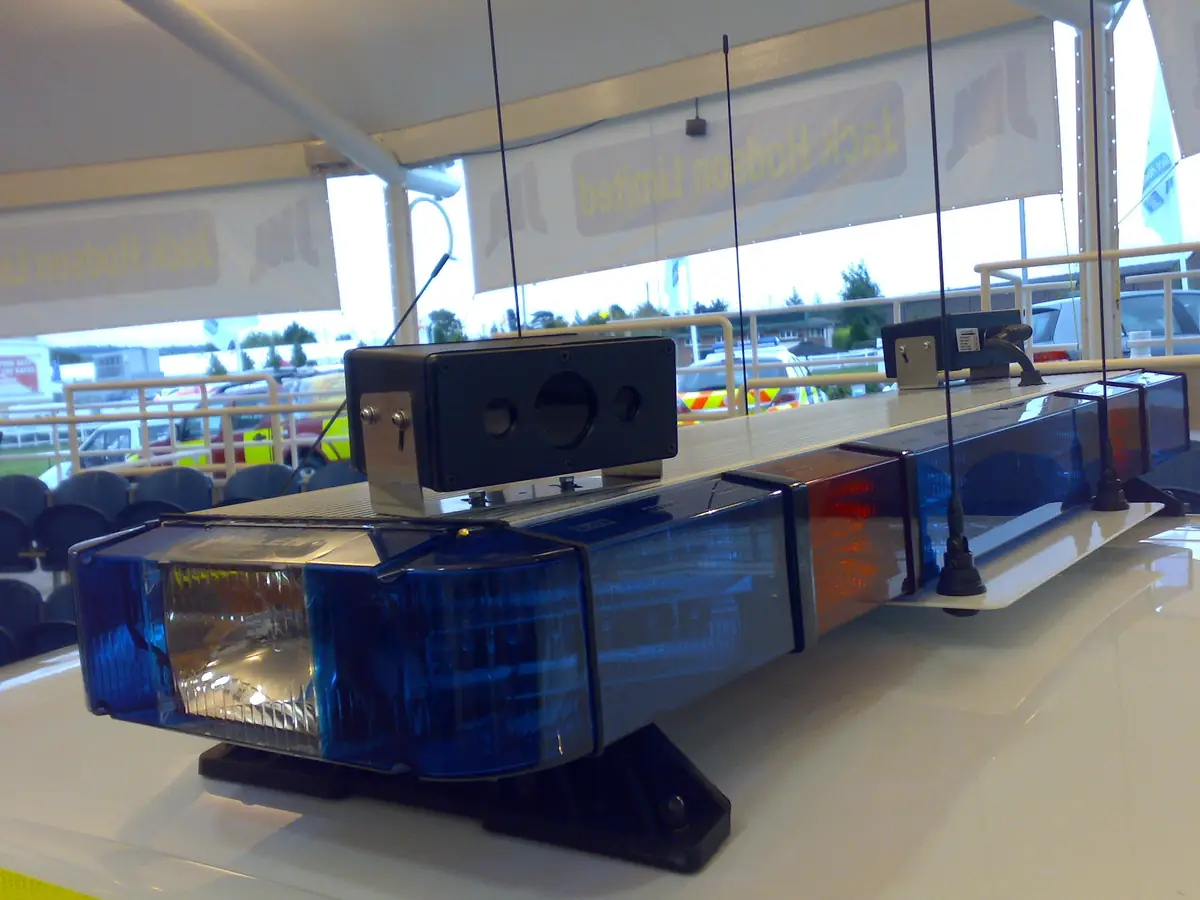
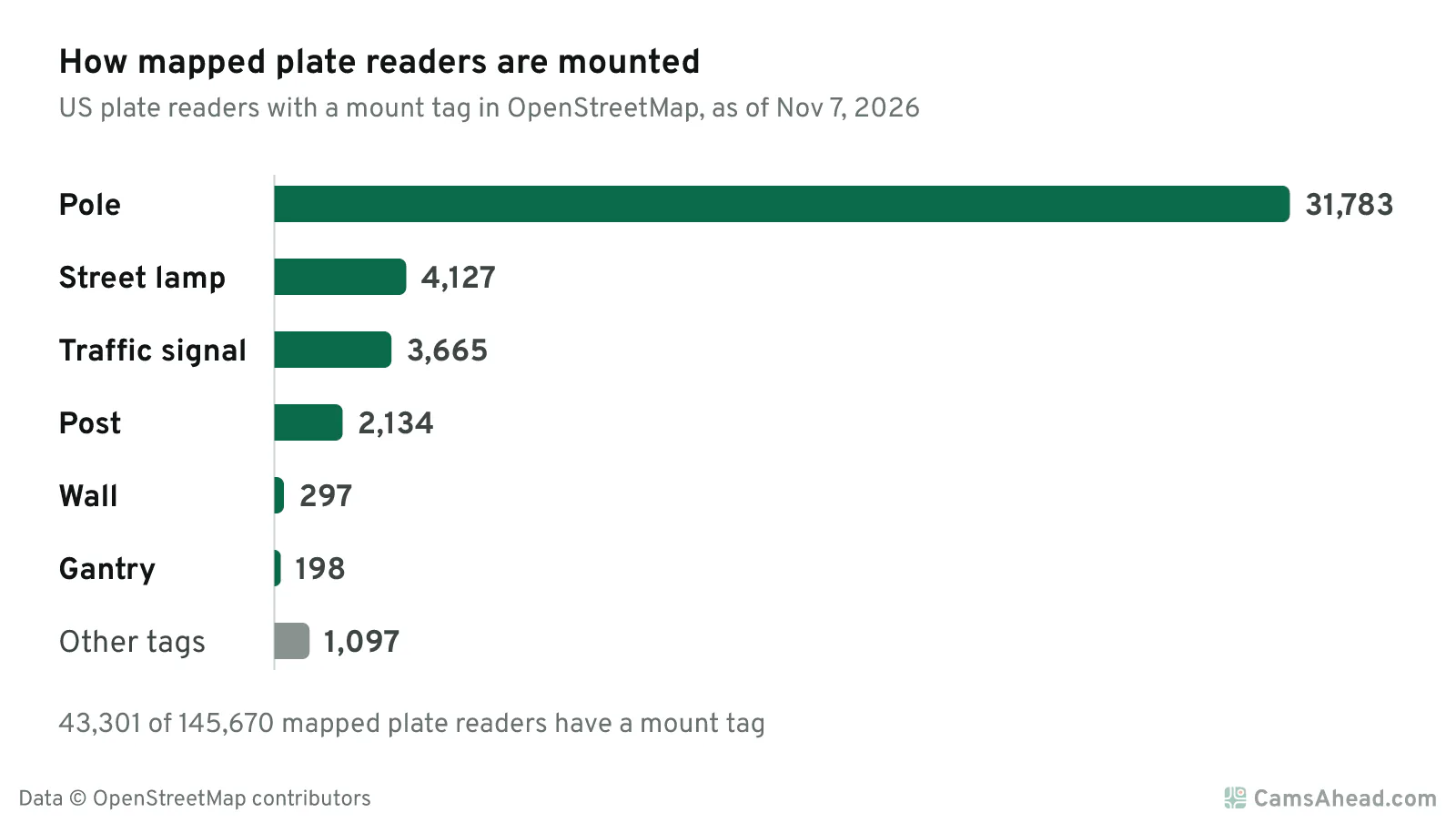
The mount is noted for 43,301 mapped plate readers in the US. 31,783 of them are on a pole. Many others sit on street lamps or traffic signals.
In California, a public agency must take public comment at a public meeting before it starts using plate readers (California Civil Code §1798.90.55).
Most operators must share a use and privacy policy with the public (California Civil Code §1798.90.51).
544 plate readers are mapped in Los Angeles, as of November 7, 2026, and each one is on the Los Angeles camera map.
For one maker's cameras, read What is a Flock camera?.
Other plate readers on the map · License plate readers by state
What does a speed camera look like?
In the photos, one speed camera sits in a grey box on a post and one in a white cabinet by the curb. Another stands on a pole outside a school. A "Photo Enforced" sign marks a camera zone.
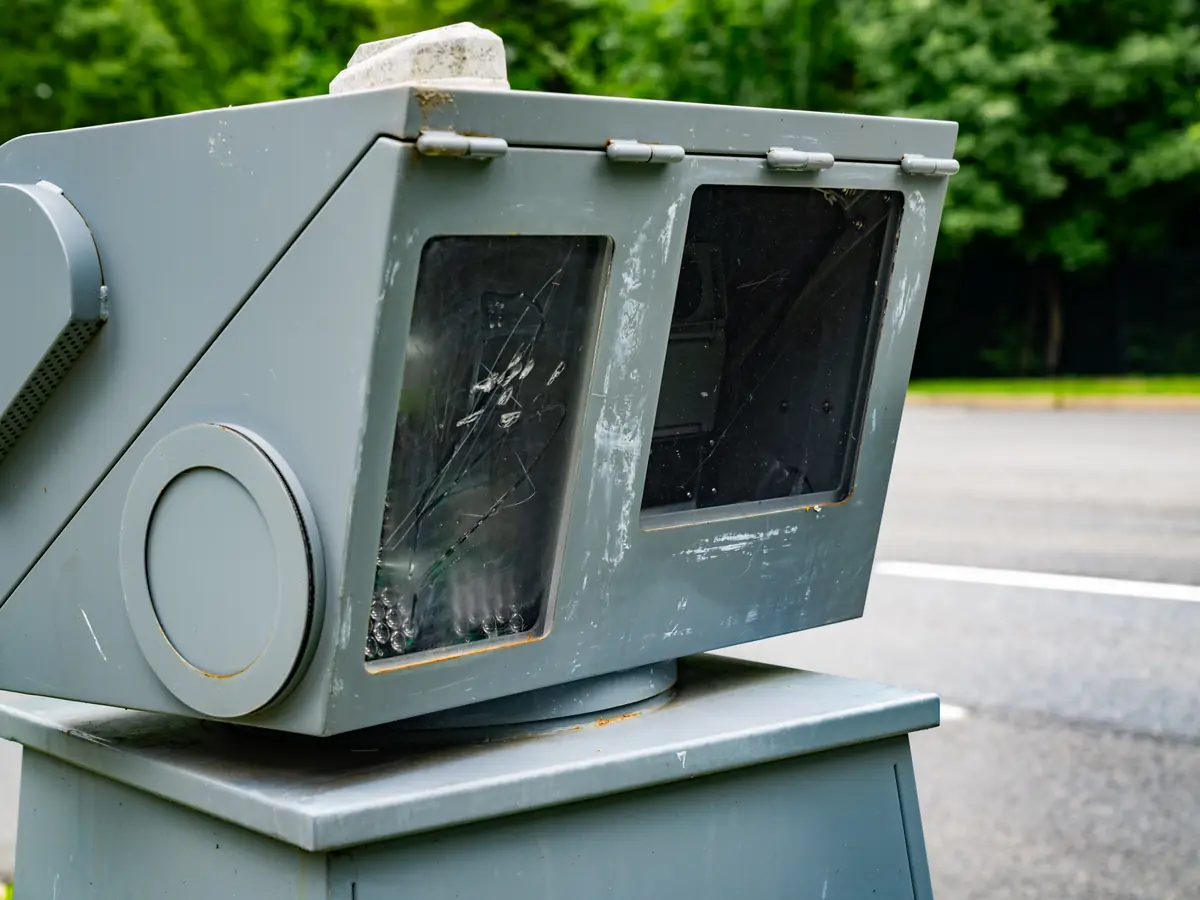
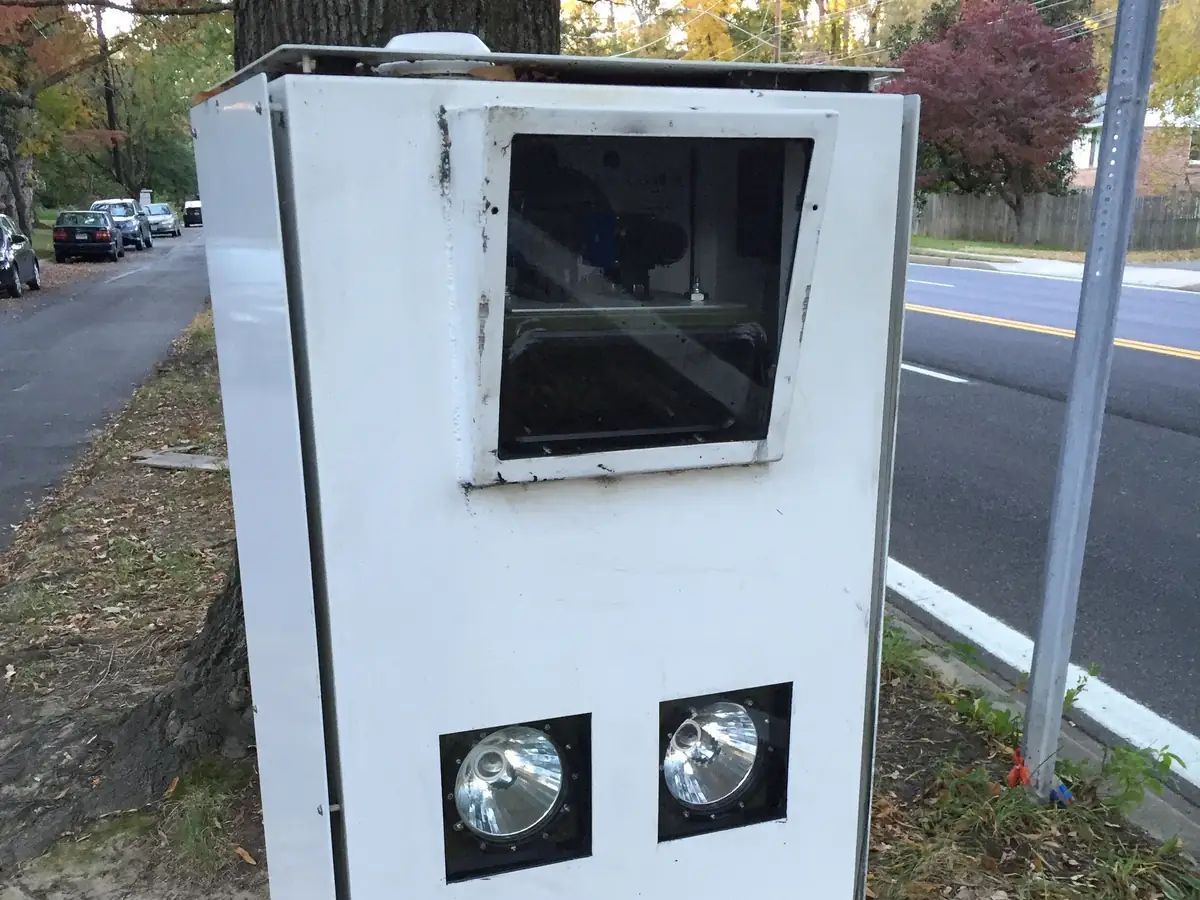
Under AB 645, a sign comes first. It says "Photo Enforced" and shows the posted limit. It stands within 500 feet before the camera, where traffic heading toward it can see it (California Vehicle Code §22425(d)).
A speed camera can look like a plate reader on a pole. Look for the "Photo Enforced" sign before it. The map shows speed cameras from agency lists.
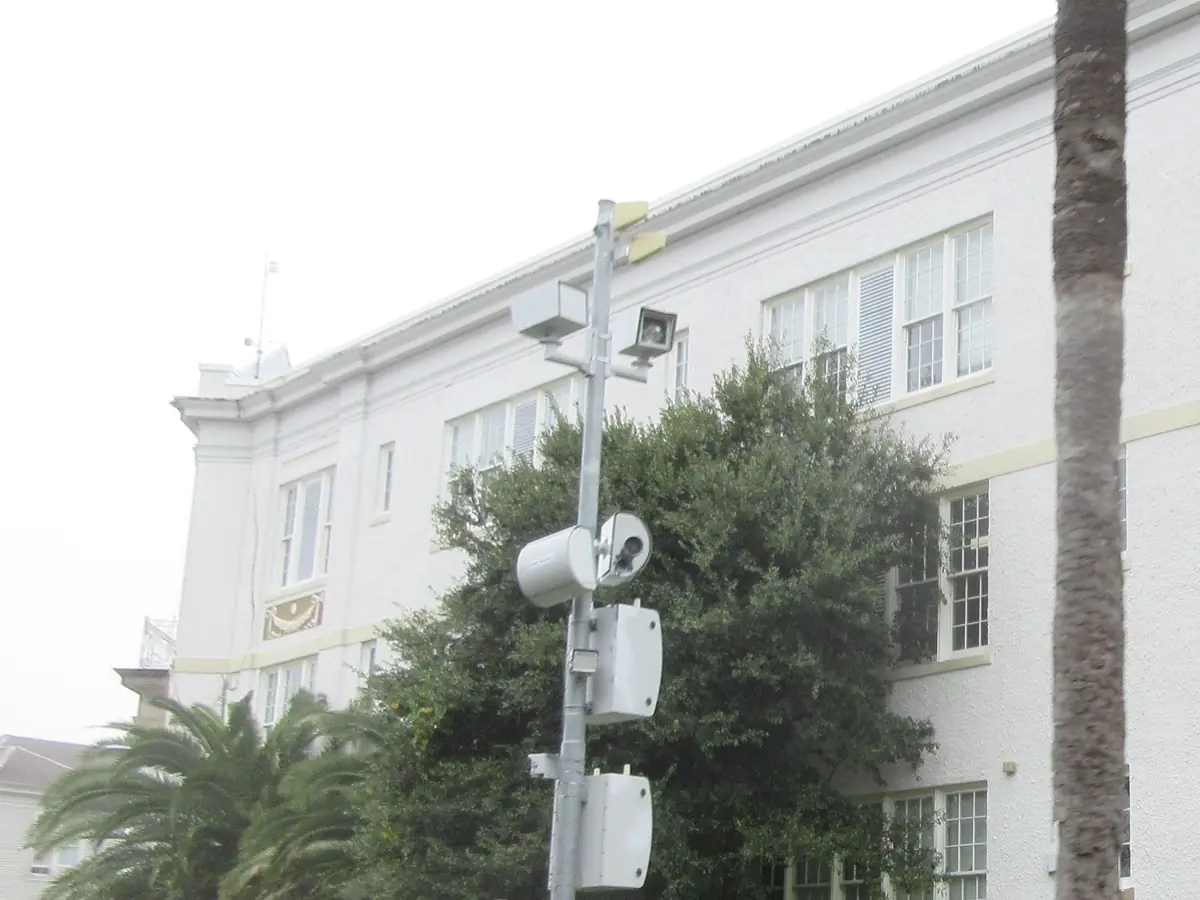
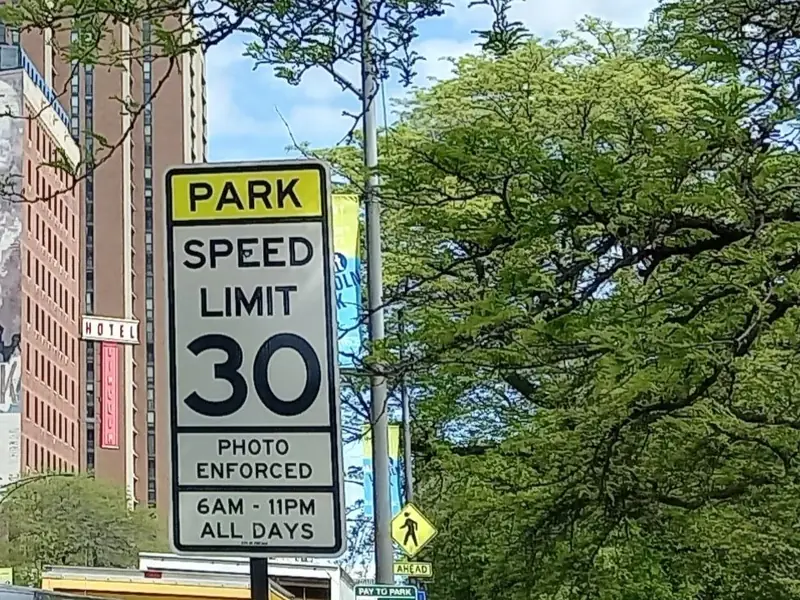
In Los Angeles, LADOT's camera pole map shows two poles at 121 of its 125 locations.
The camera checks each car's speed. It records the rear plate of a car that breaks the speed rule in the law (California Vehicle Code §22426(b)). The law also says it must be aimed at speeding cars, not at other people, as far as it can be (California Vehicle Code §22425(q)).
The photo on a notice shows the plate and the rear of the car. The law says it must leave out the rear window (California Vehicle Code §22425(j)). A photo that leads to no notice must be destroyed within five business days of being taken (California Vehicle Code §22425(l)(4)).
Some places use other kinds. Agency lists on the map also name school zone speed cameras, work zone speed cameras and spots for mobile speed cameras. Connecticut and Maryland, for example, publish lists of their work zone speed cameras.
Each Los Angeles location is on the Los Angeles speed camera page, with its posted limit and status.
Speed cameras on the map · Speed cameras by state · What Waze, Google Maps and Apple Maps show
What does a traffic camera look like?
In the photos, traffic cameras sit on top of tall poles beside the freeway, or hang as small domes above city traffic signals.
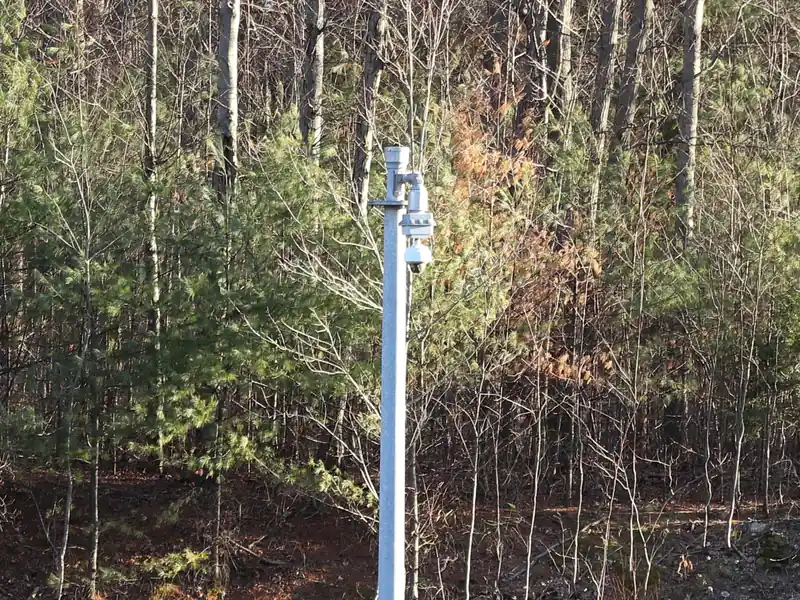
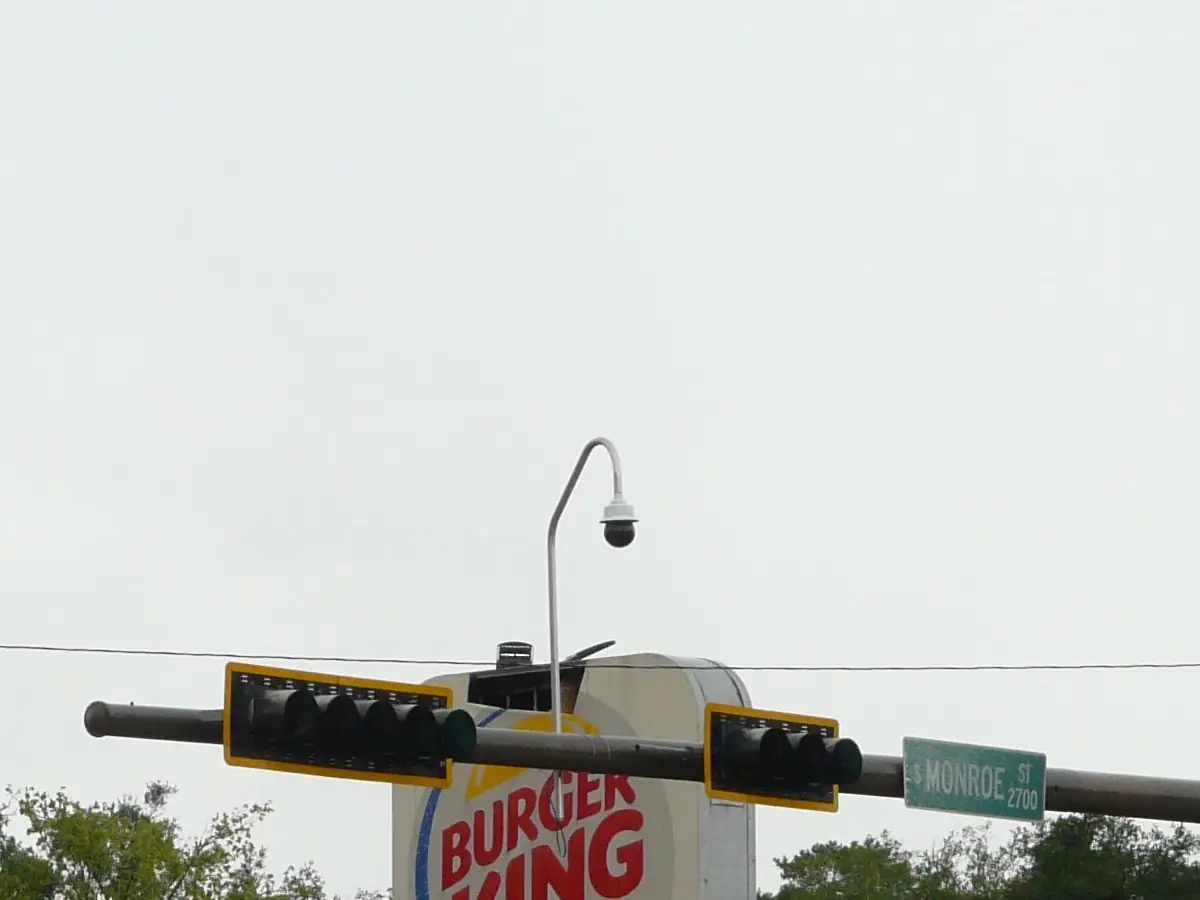
A traffic camera shows the road. In Los Angeles, the map shows 226 of them on freeways and state highways.
191 report that they are in service, and you can watch the views on the Los Angeles traffic camera page. Caltrans corridor pages list the cameras along one stretch of freeway, such as Donner Pass.
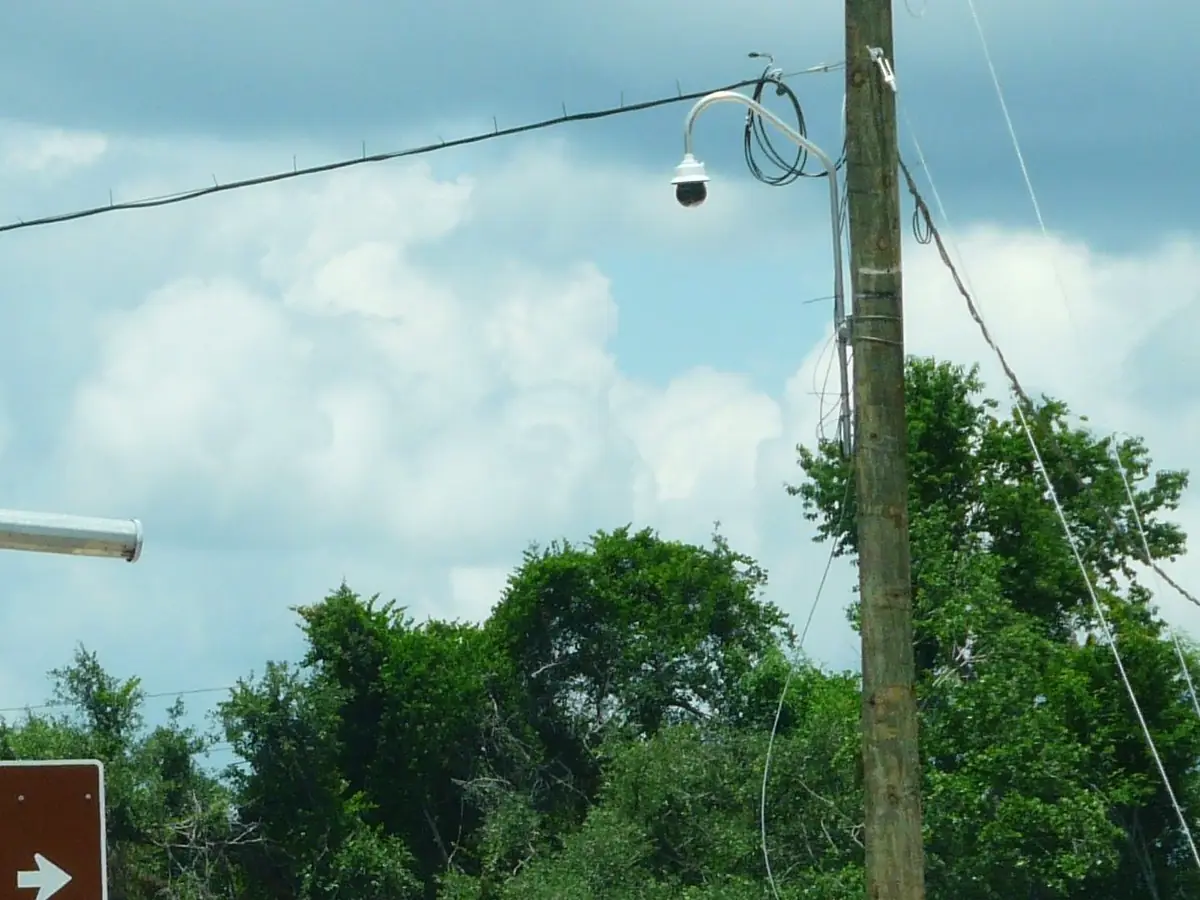
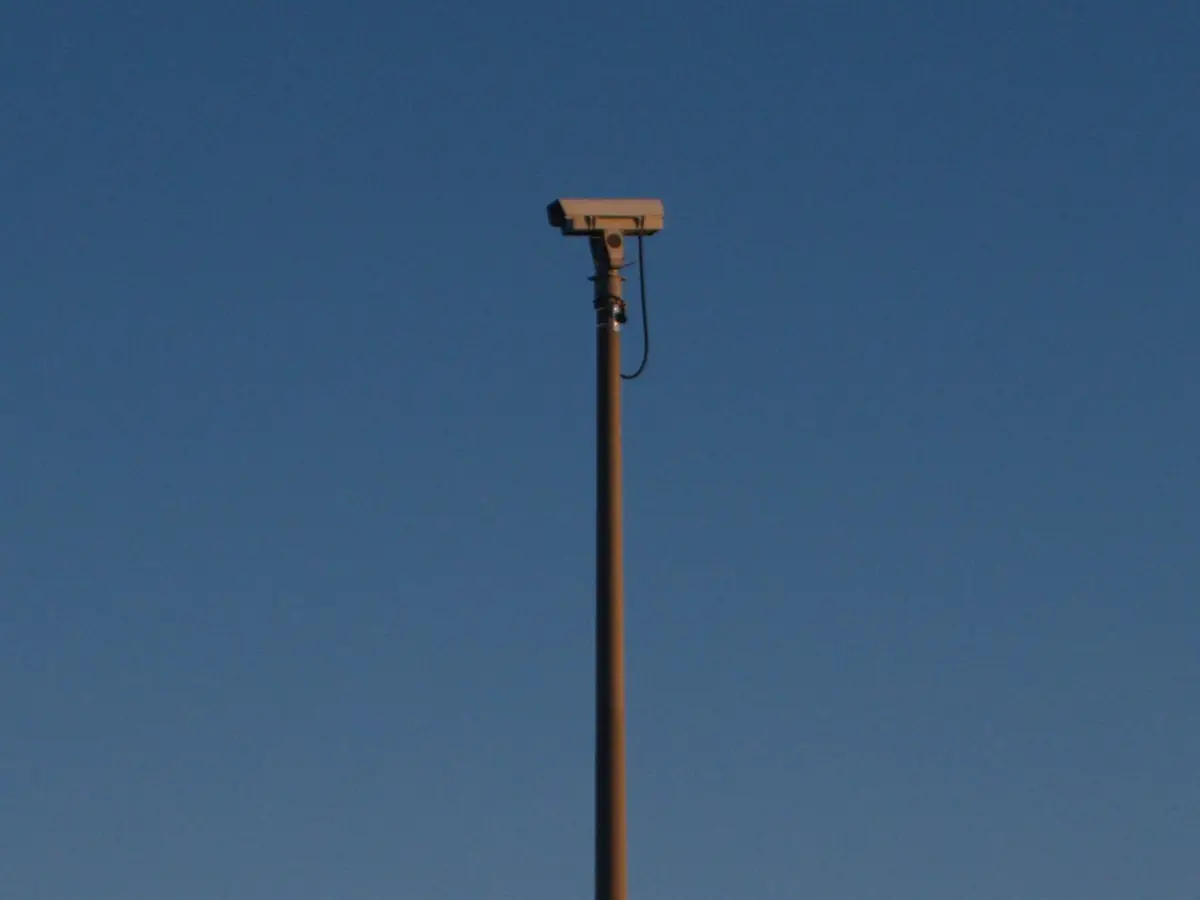
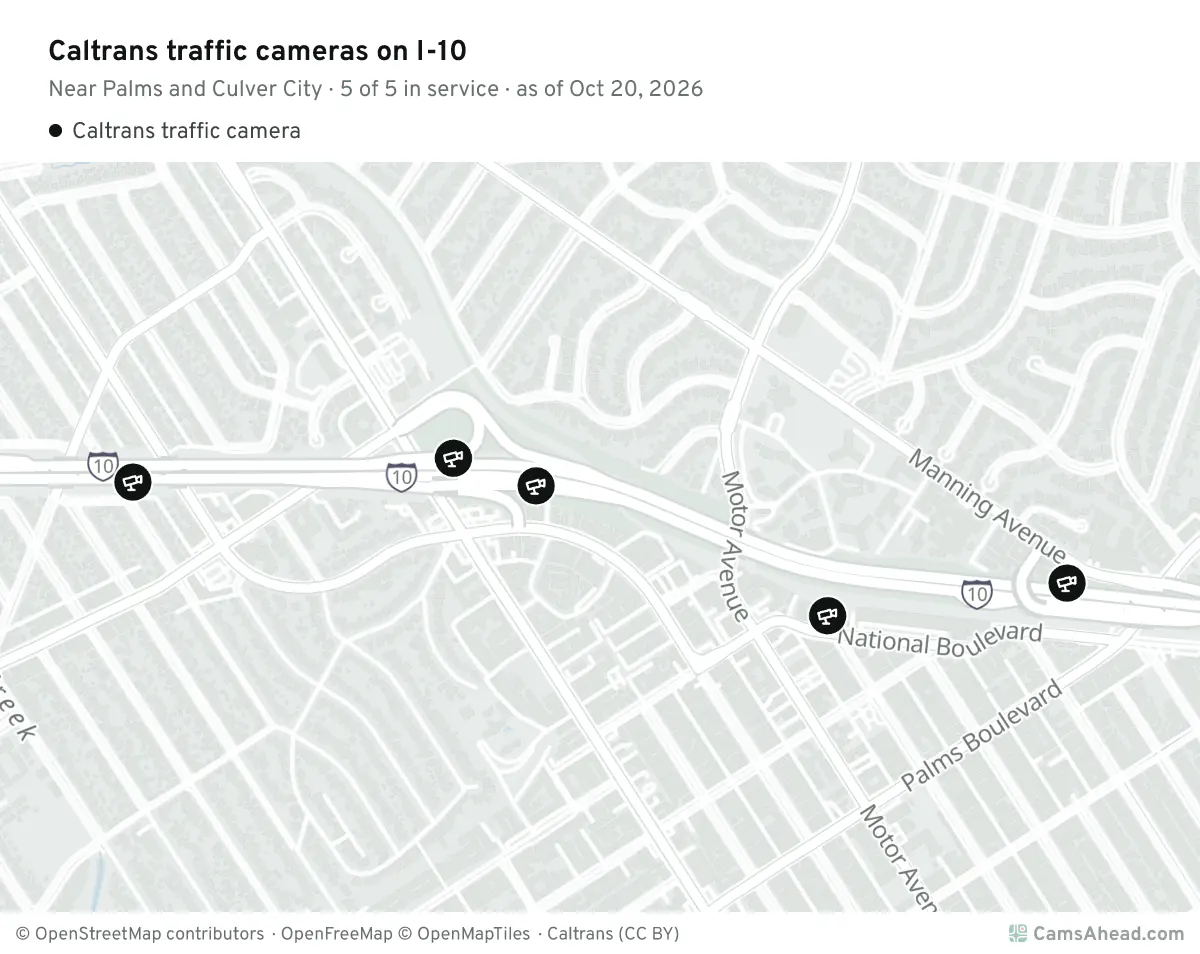
Caltrans says its "video footage and still images are neither retained nor archived."
What are the cameras on light poles?
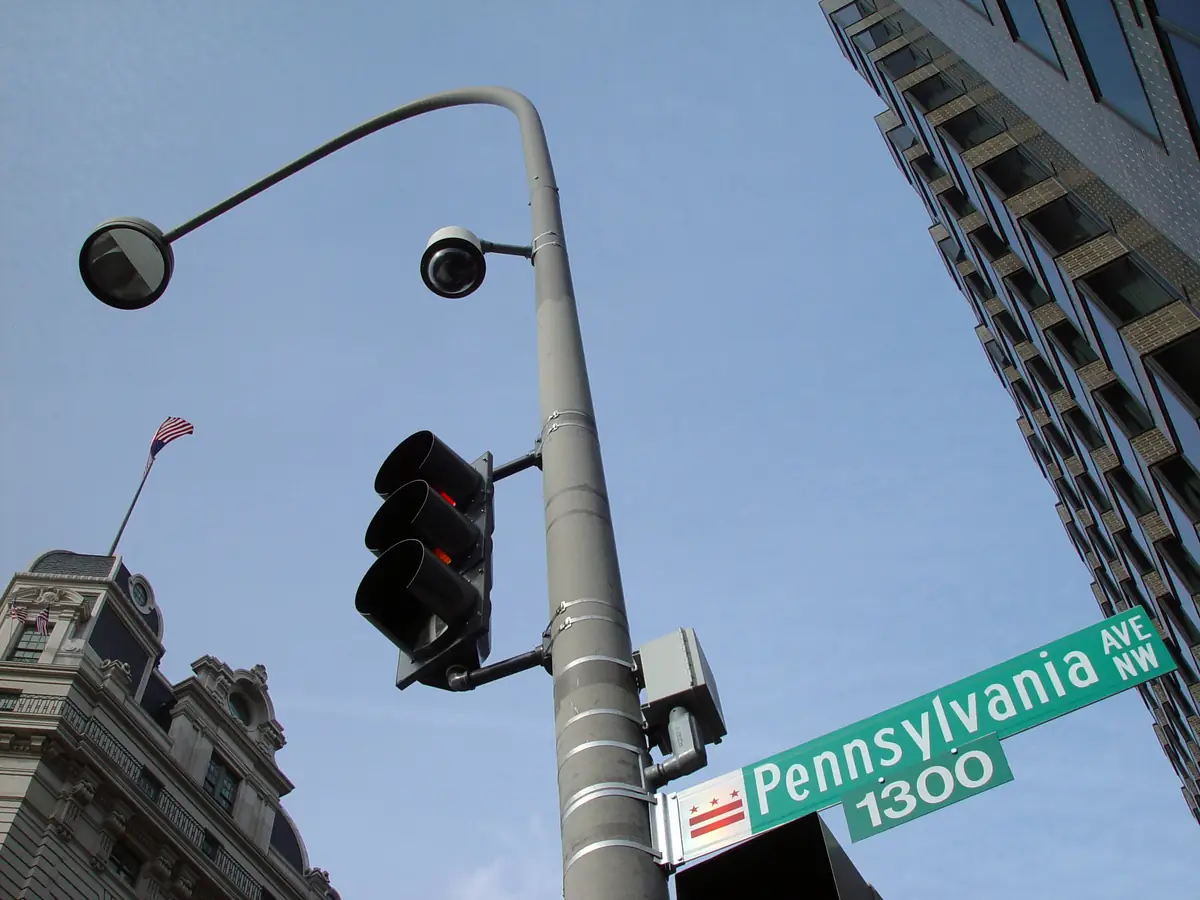
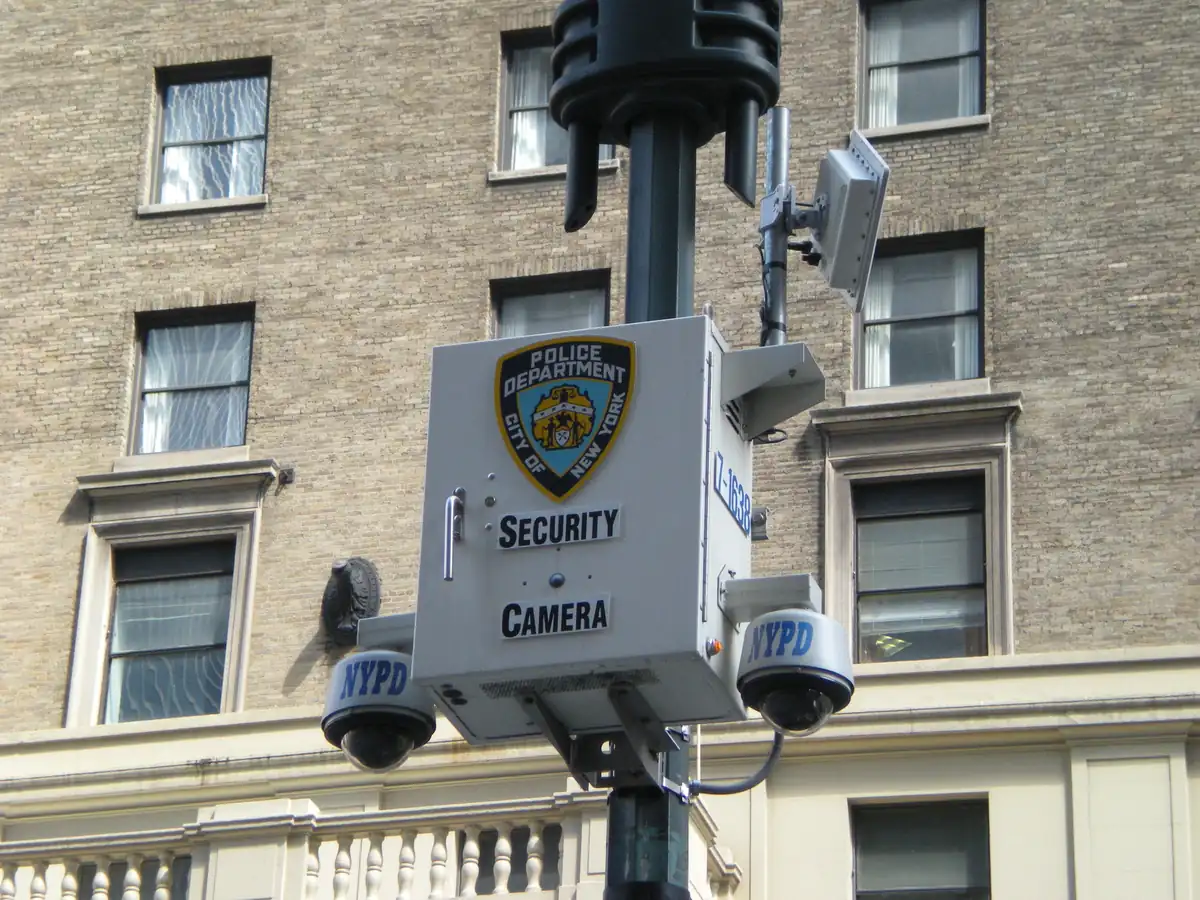
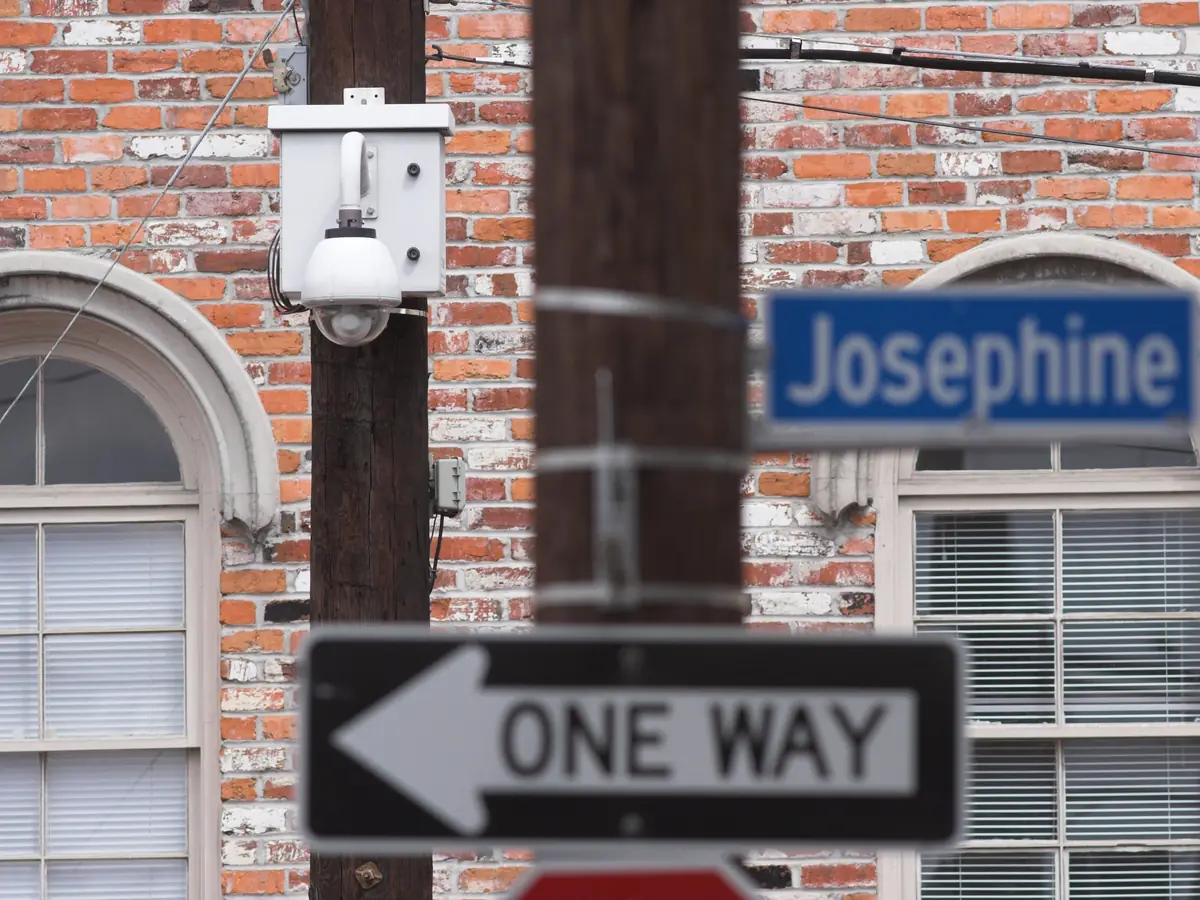
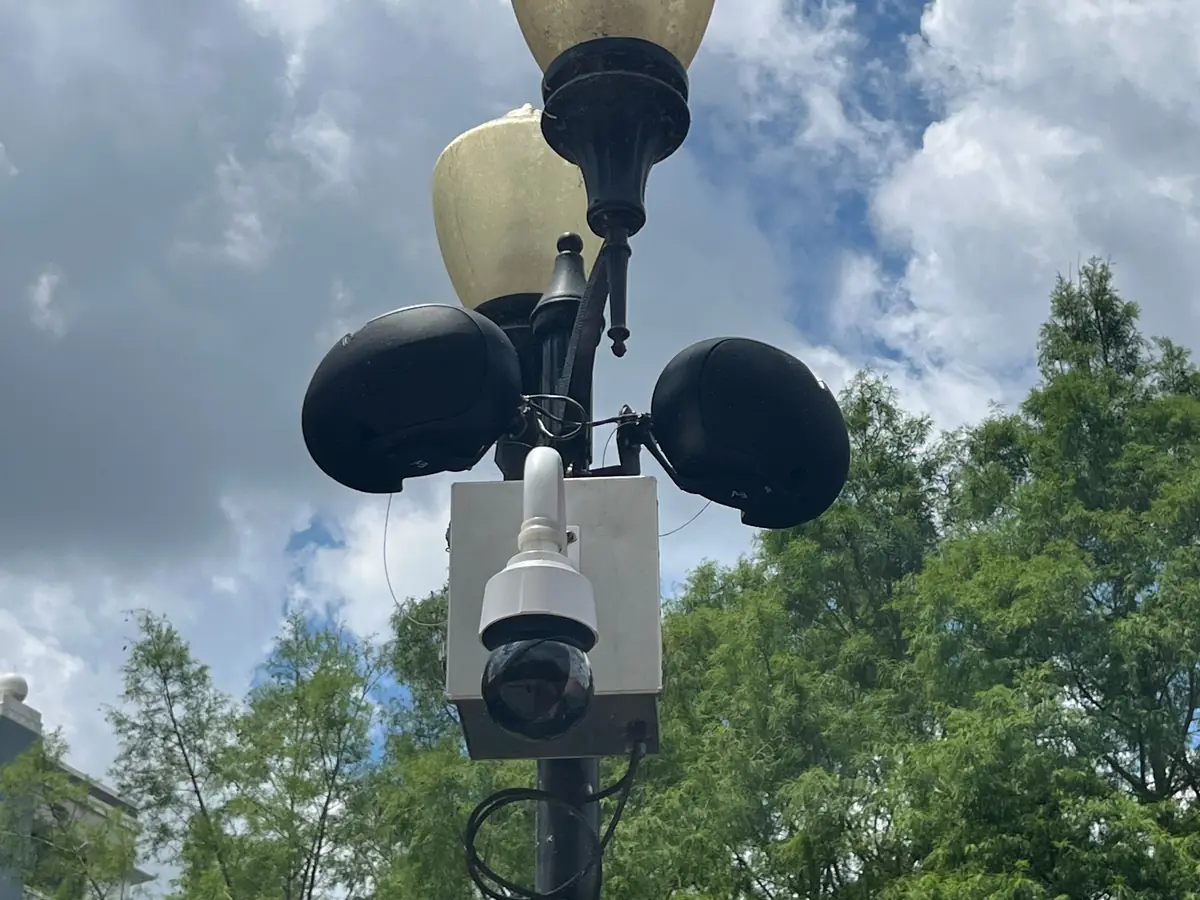
In the photos, a dome camera hangs from a street light in Washington, D.C., and a New York police camera box holds two domes. In New Orleans and Orlando, domes hang from a wooden pole and a park lamp post.
How can you tell?
- A dark dome, or a box with domes under it
- On a light pole or a signal pole
- Some boxes carry a police name
What does a toll camera look like?
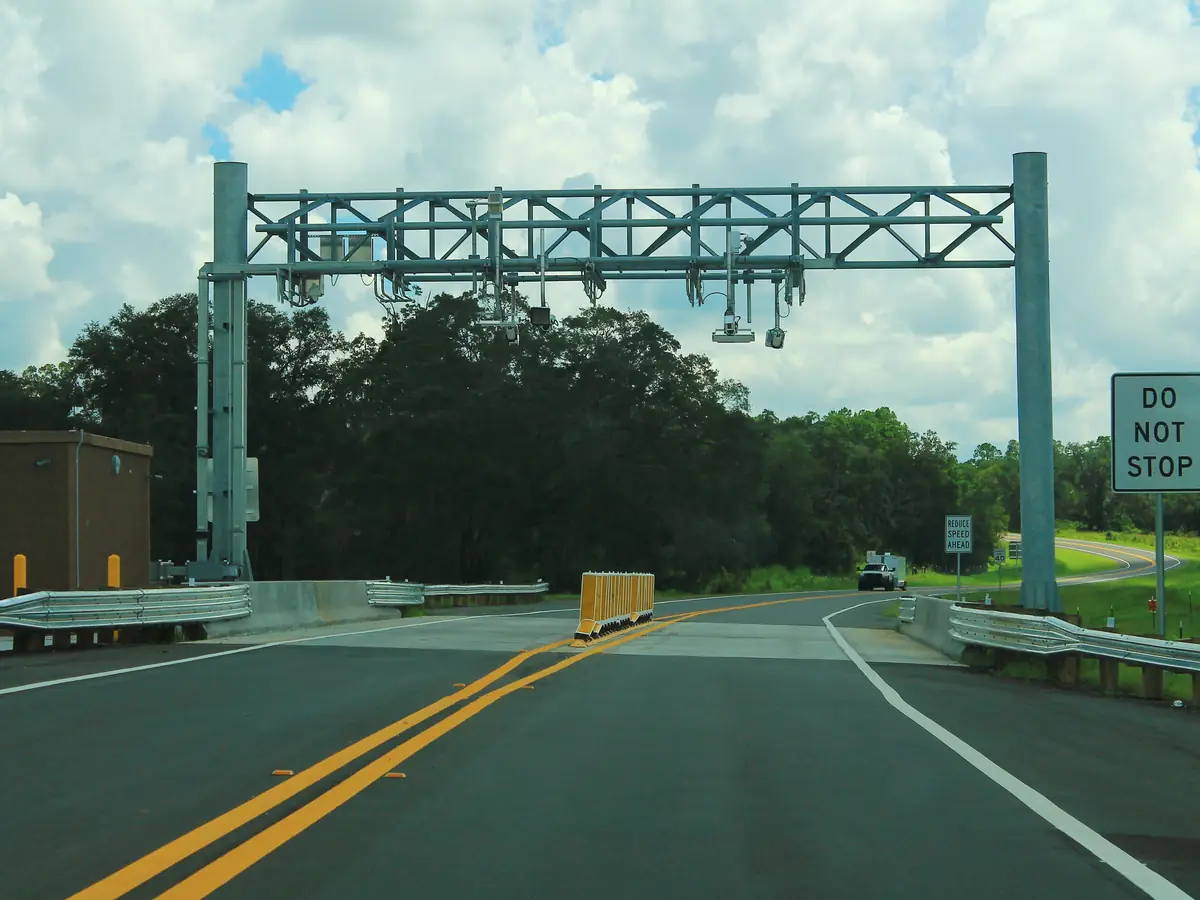
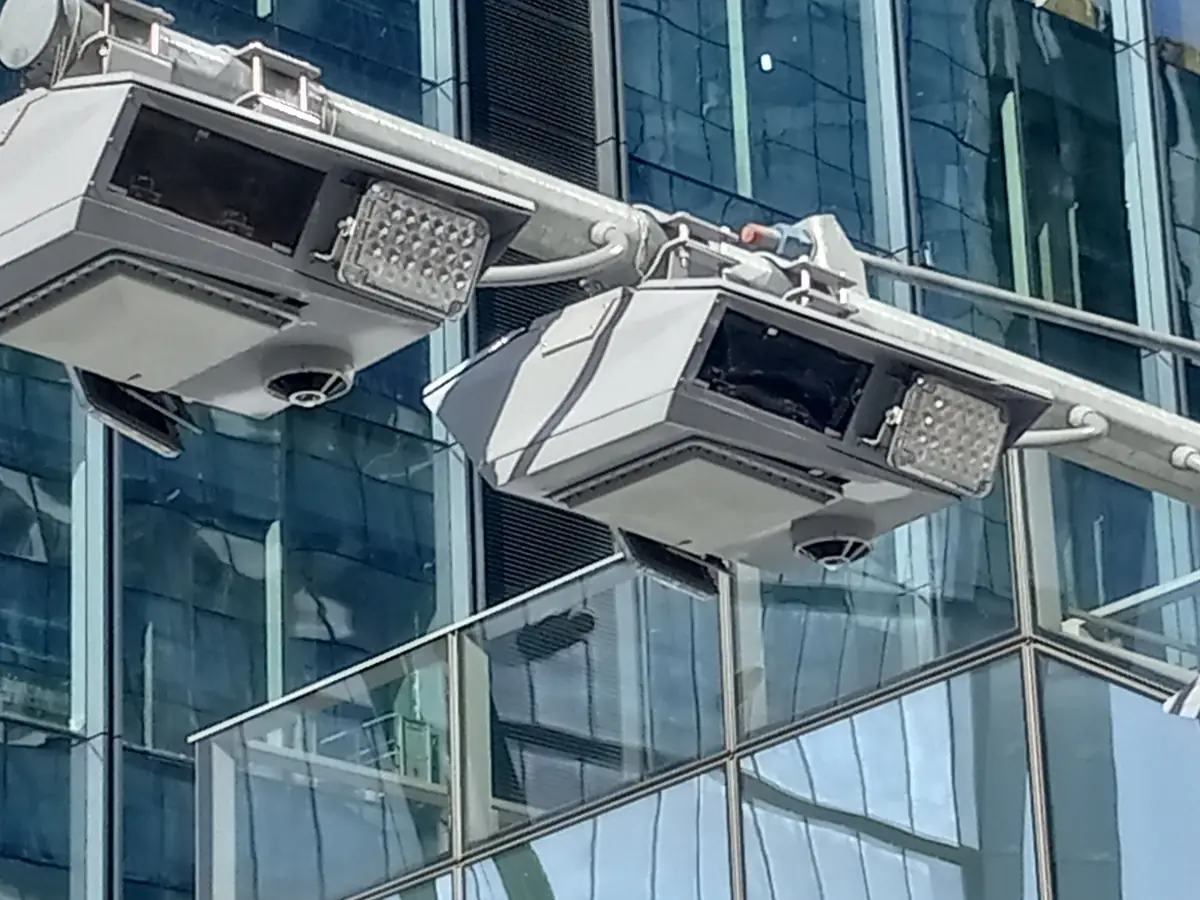
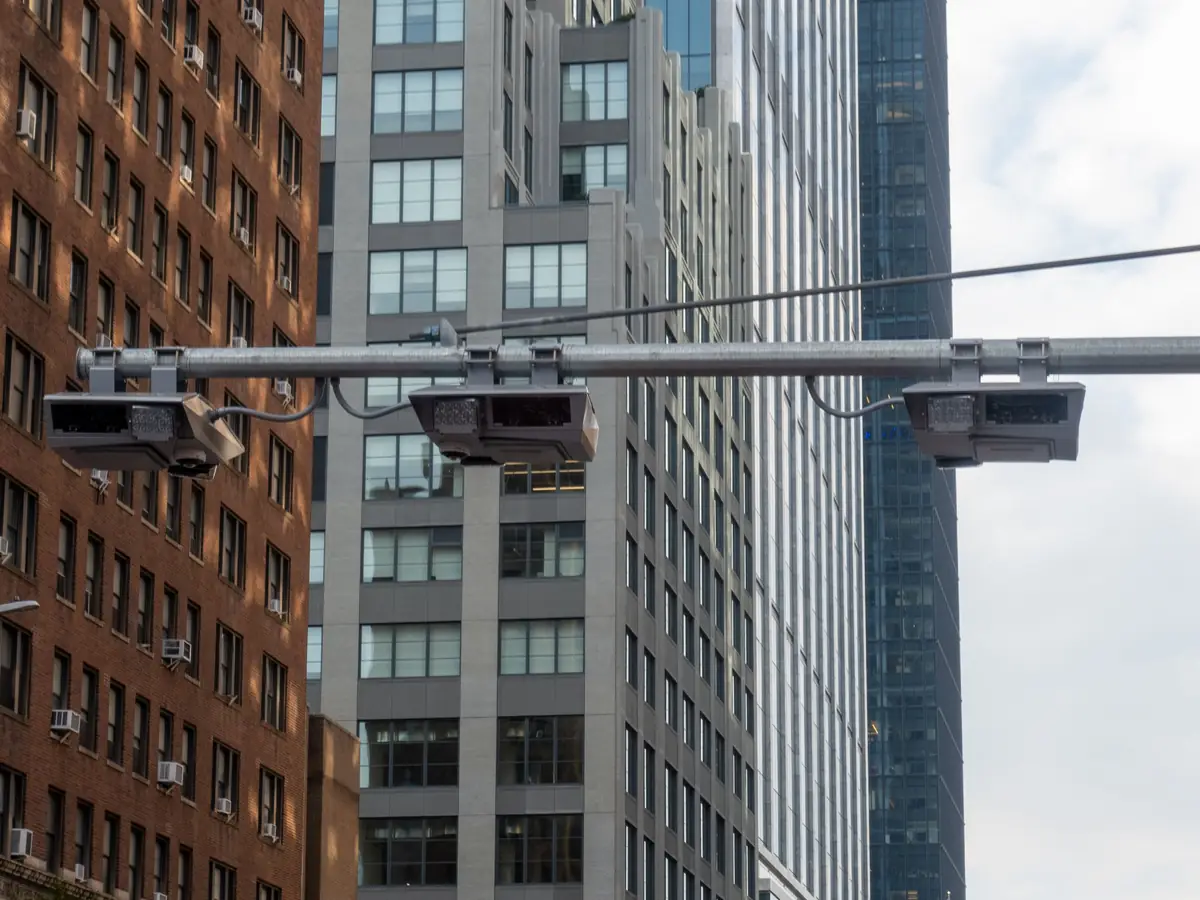
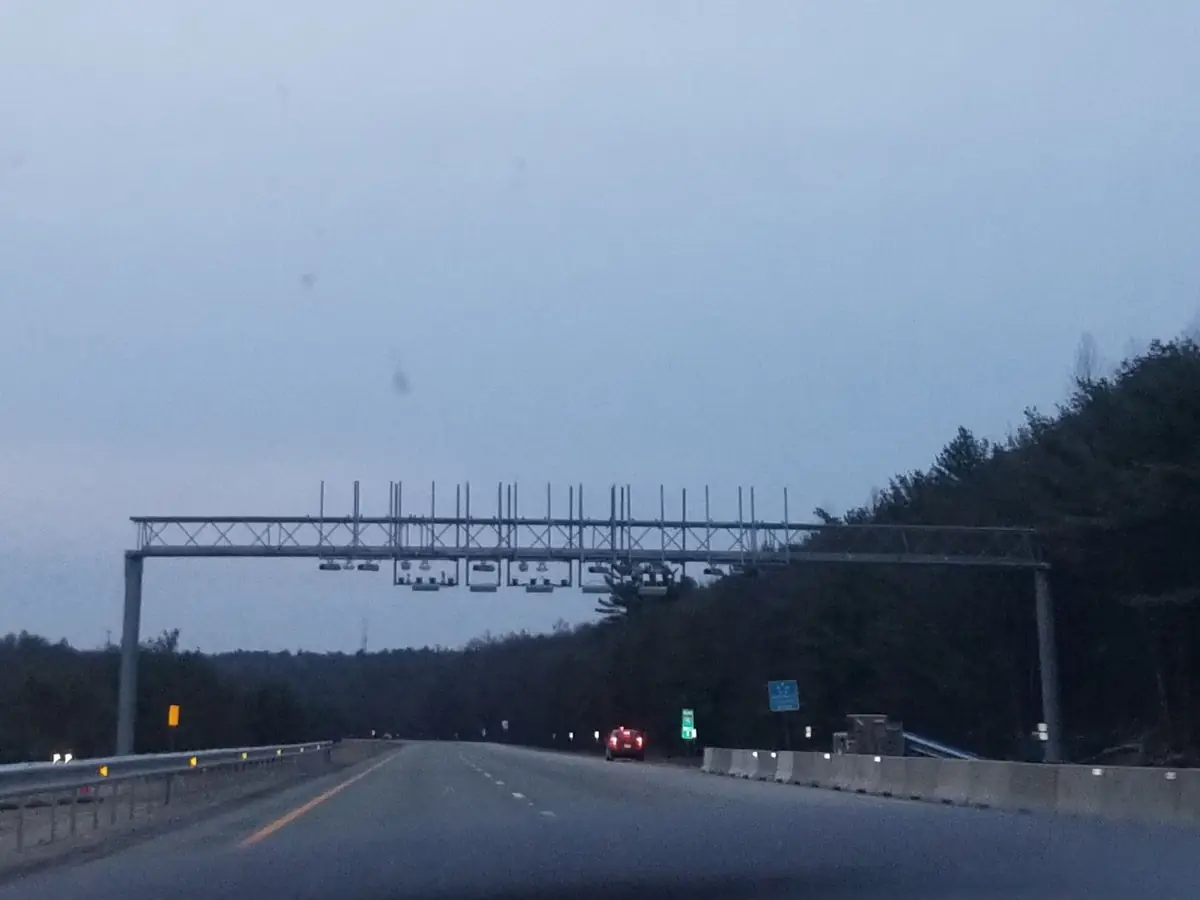
In the photos, steel gantries span the lanes, with readers and cameras over each one. In New York City, toll cameras hang from arms over the street.
Can you tell if a camera uses facial recognition?
Usually not by looking. The camera is ordinary; the software does the matching.
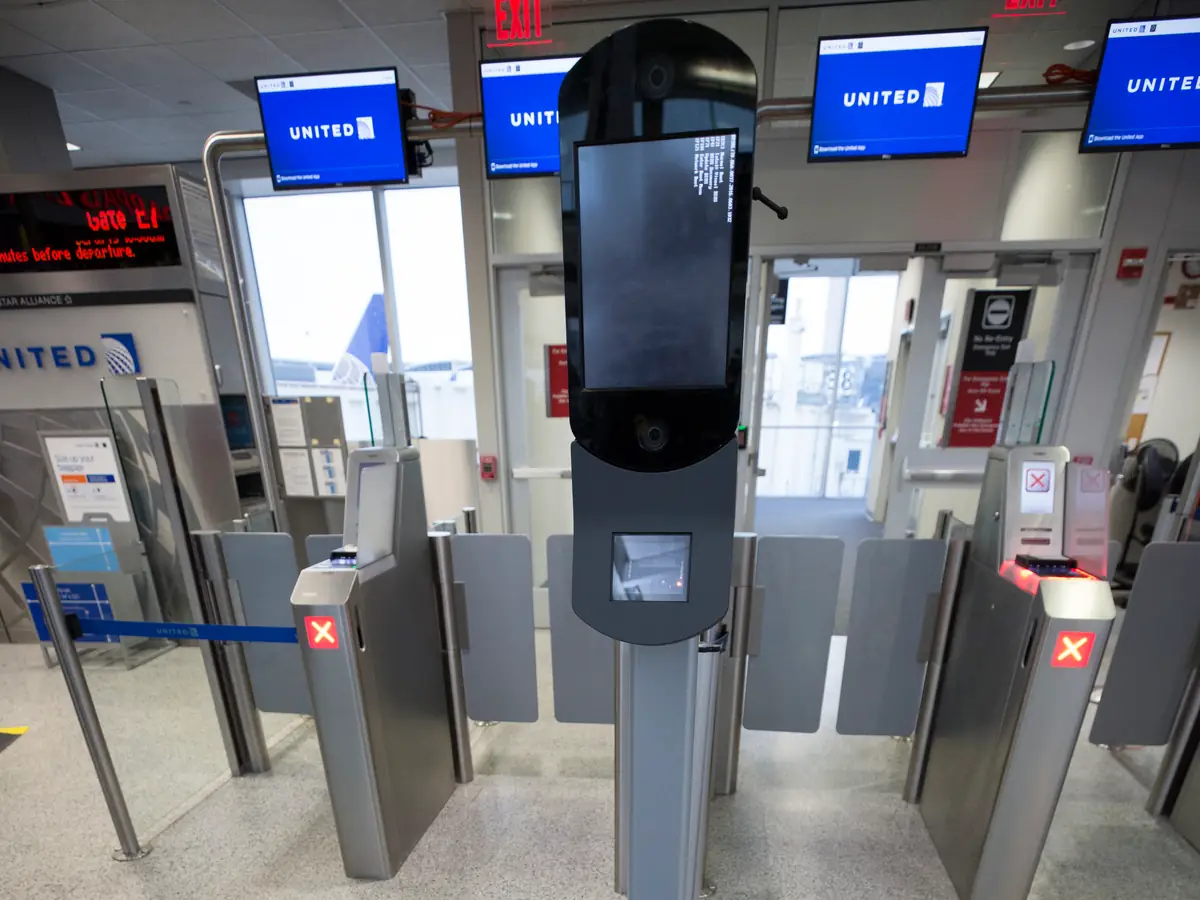
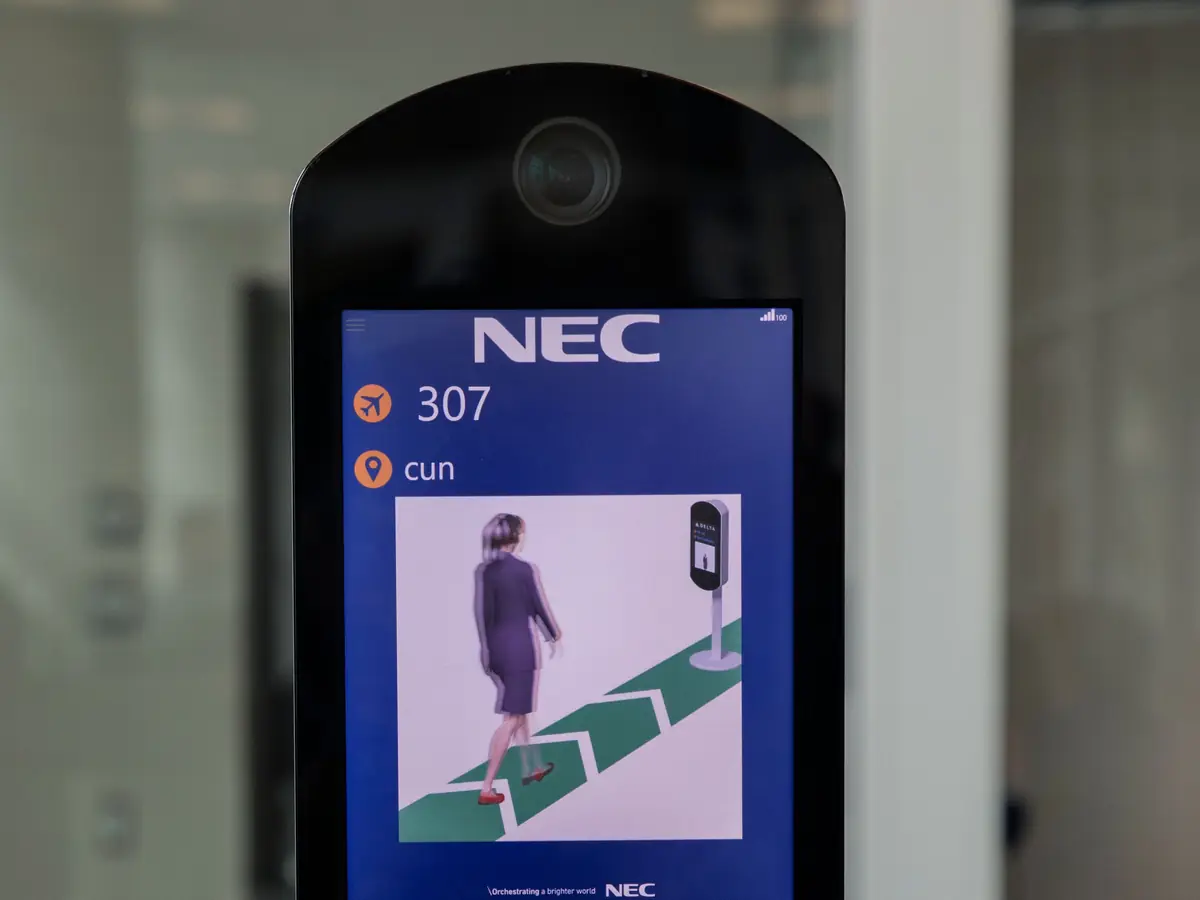
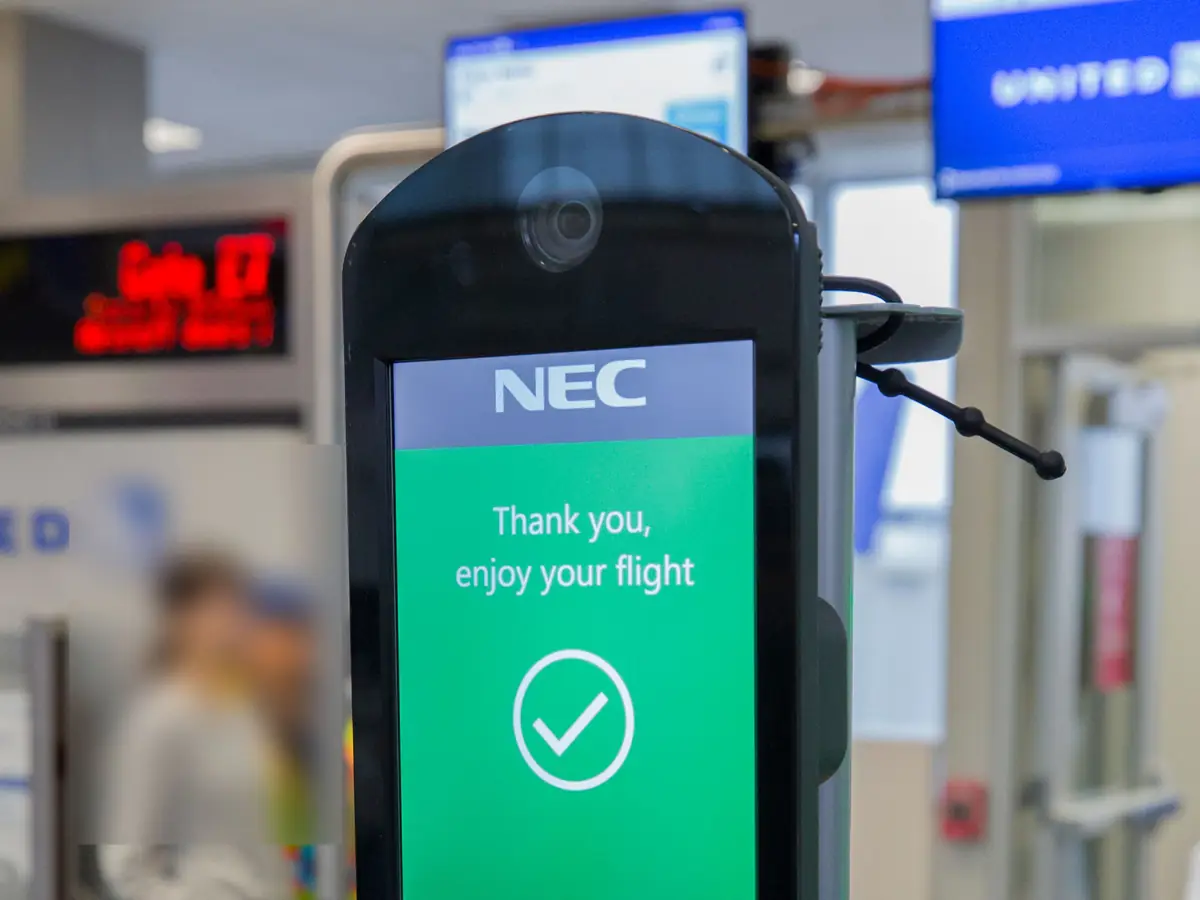
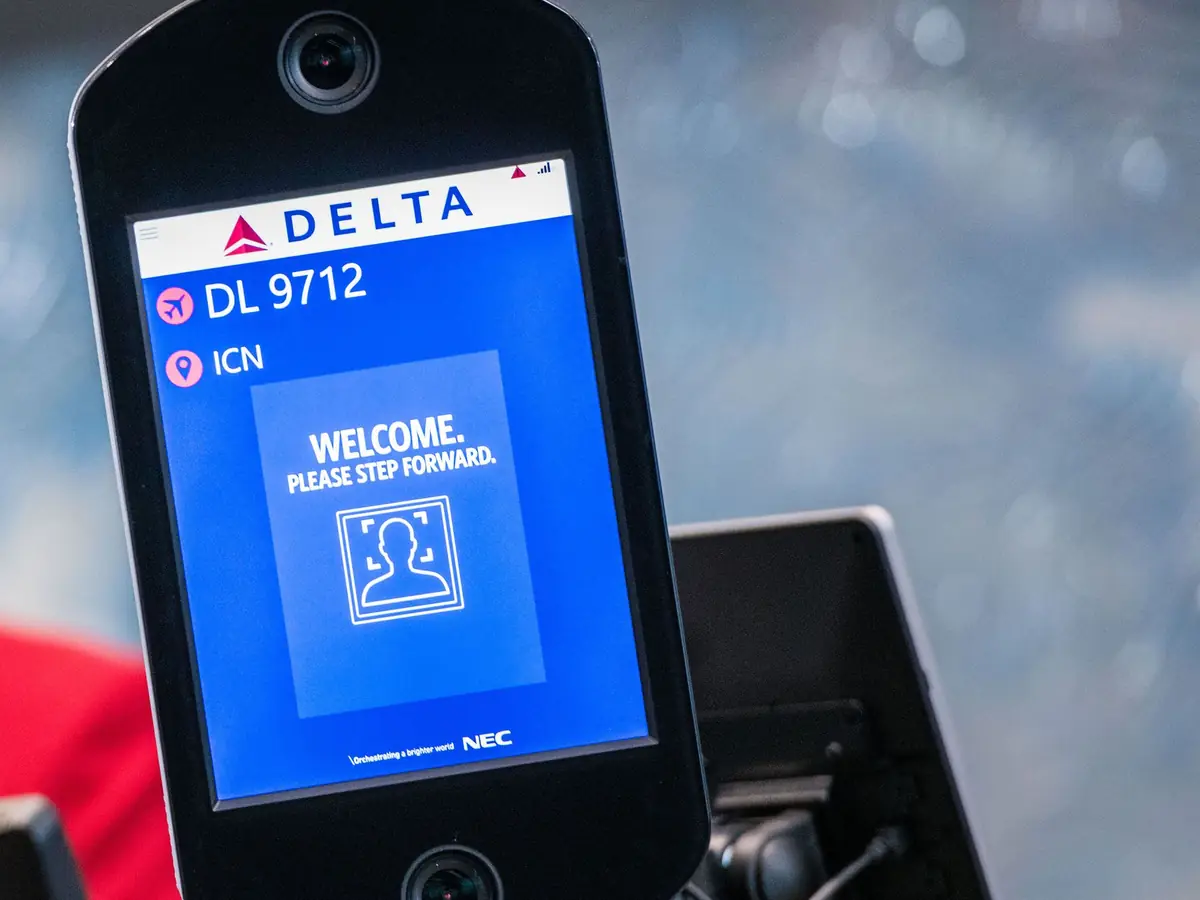
At some US airport gates, the face check is a kiosk. It has a screen and a camera on a pole, like these in Houston and Atlanta.


What is a ZTL camera in Italy?
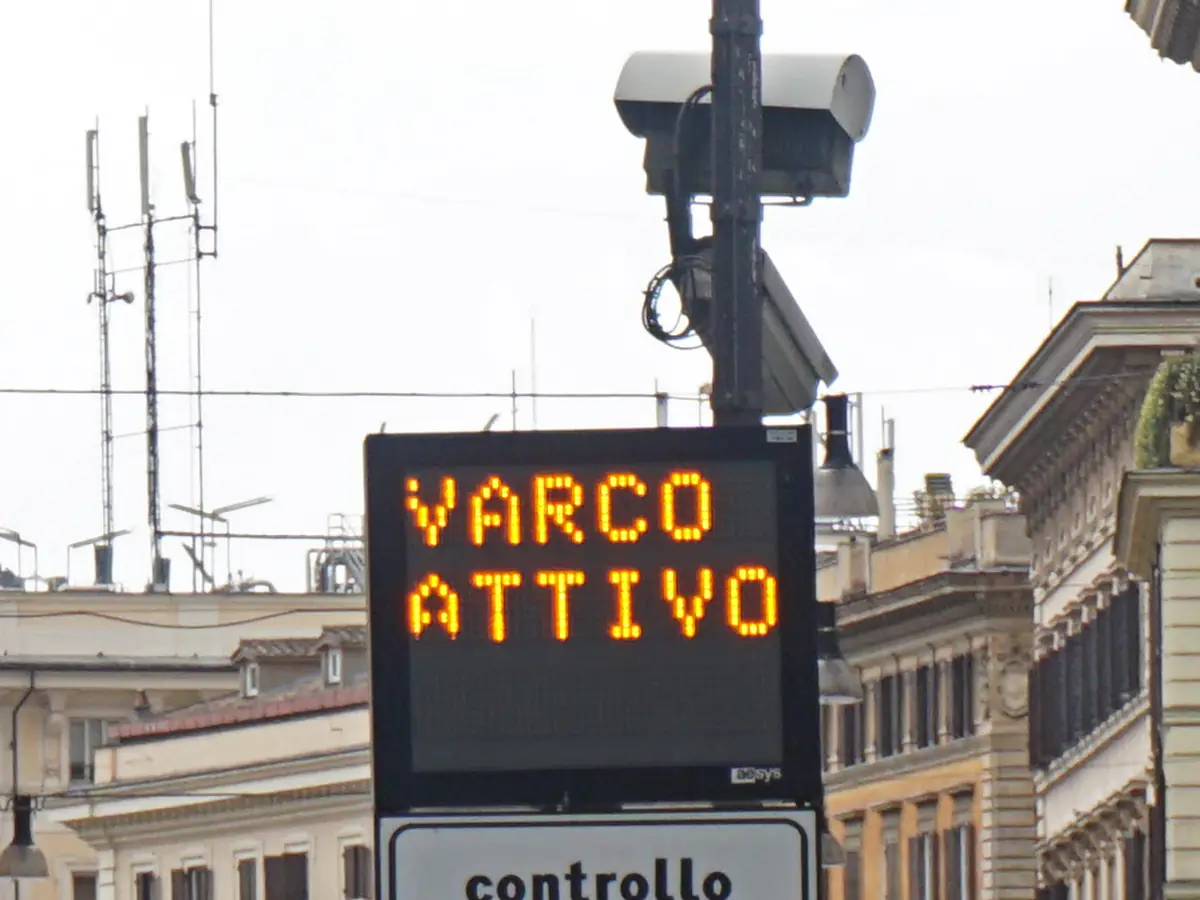
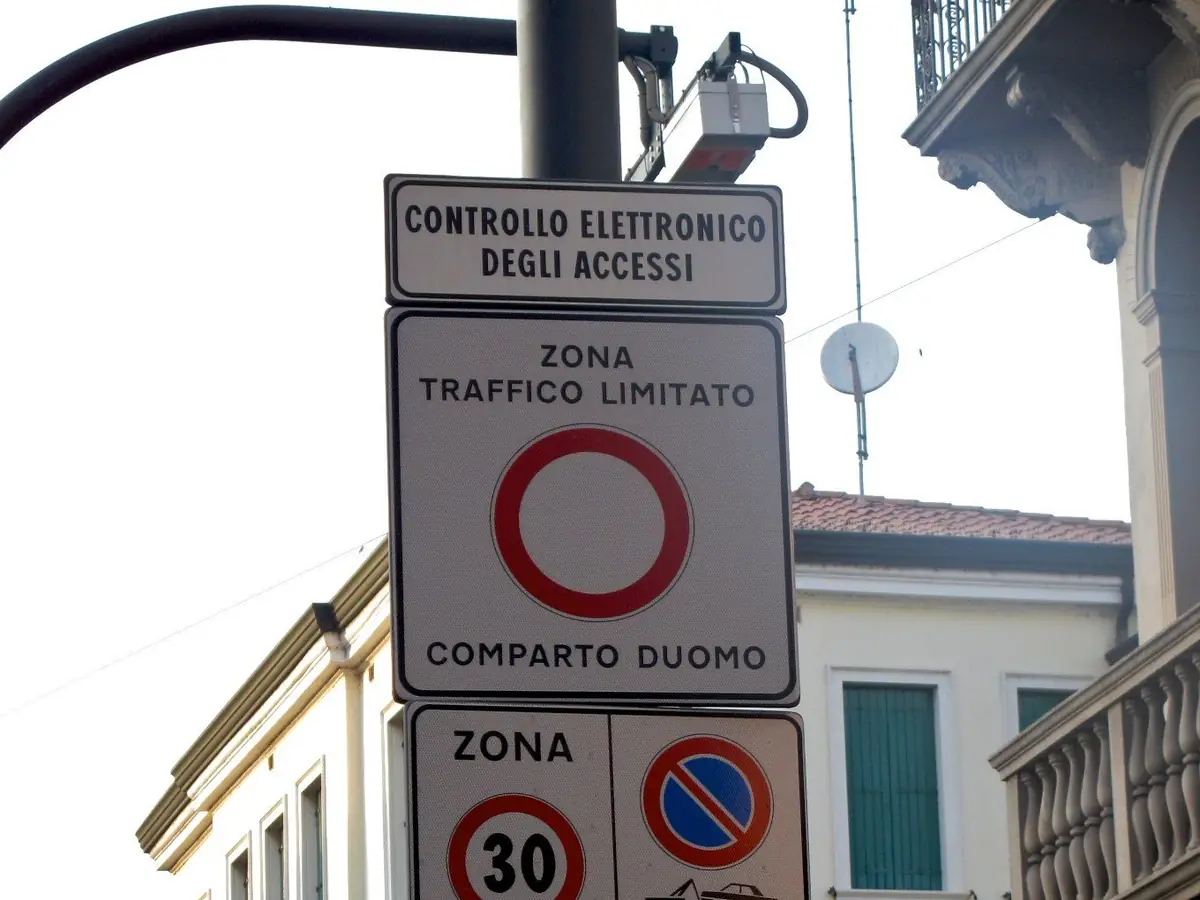
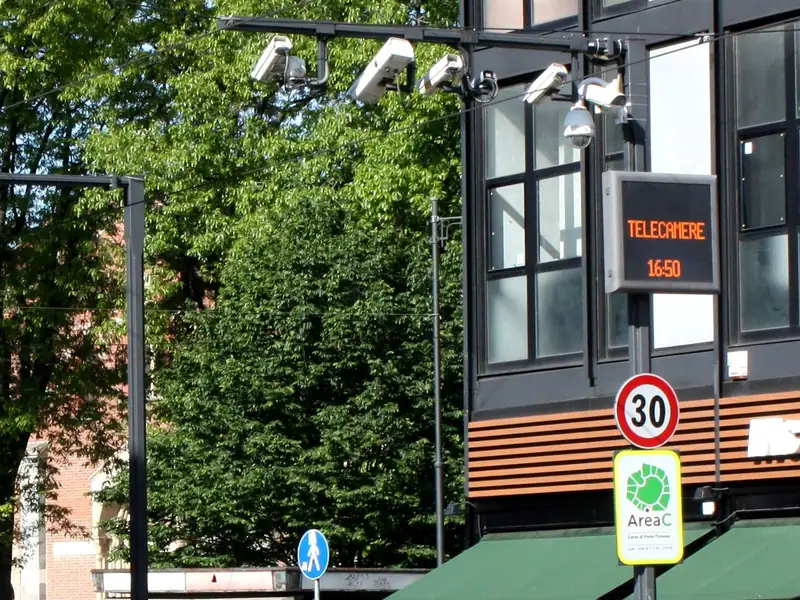
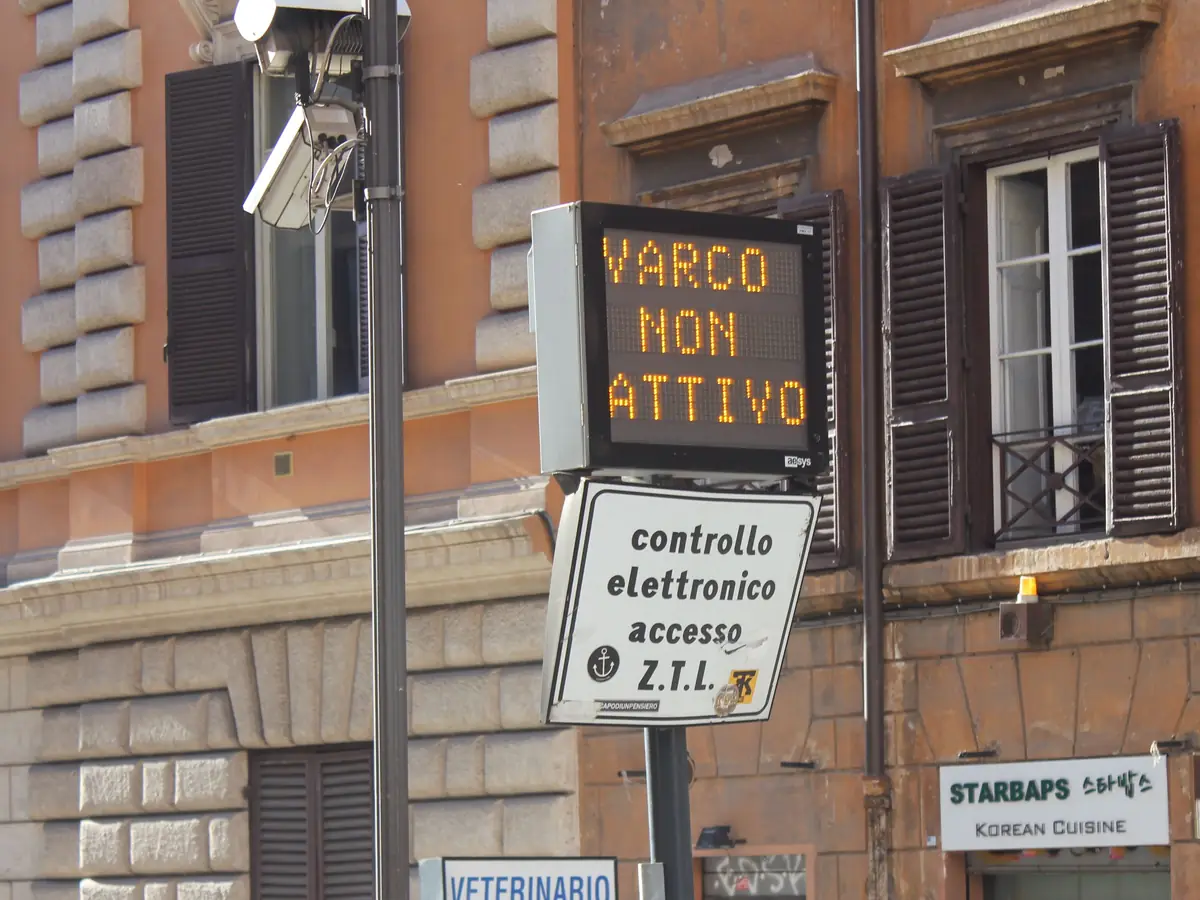
In the photos, cameras watch gates into limited traffic zones in Rome, Padua and Milan. A lit "Varco attivo" sign means the gate is active. "Varco non attivo" means it is off.




What do camera signs look like in California?
In California, the law asks for signs at speed cameras under AB 645 and at red light cameras. Here is what each sign says, and where it stands.
| Camera type | What the sign says | Where it stands | Law |
|---|---|---|---|
| Speed camera | "Photo Enforced" and the posted limit | Within 500 feet before the camera | California Vehicle Code §22425(d) |
| Red light camera (older law) | That a camera is there | Within 200 feet of the intersection, in view of each approach it covers | California Vehicle Code §21455.5(a)(1) |
| Red light camera (newer law) | That a camera is there | One sign 200 to 300 feet from the intersection on roads of 45 mph or less; two signs 200 to 500 feet out, at least 100 feet apart, on faster roads; in view of each approach it covers | California Vehicle Code §21455.9(b)(1)(A)(i) |
Seen a camera that isn't on the map?
Report it on the map. It shows at once as a community pin, and a person checks it.
Camera type questions
How do red light cameras look in California?
A red light camera stands at an intersection and watches for cars that enter on a red light. In California, a sign within 500 feet of it says so (California Vehicle Code §21455.5(a)(1) and §21455.9(b)(1)(A)(i)). Culver City lists 12 such intersections. The map pins each one at the center of its intersection.
How to see if a light has a red light camera?
Look for the sign. In California, it stands within 500 feet of the intersection (California Vehicle Code §21455.5(a)(1) and §21455.9(b)(1)(A)(i)). Some cities post their lists too, such as Culver City. The California red light camera page shows the listed ones, plus ones from public records, marked unverified.
Do red light cameras flash?
California Vehicle Code §21455.5 and §21455.9 (red light) and §22425 (speed) don't say if a camera flashes. A flash is not a notice. A notice, if there is one, comes later by mail to the car's registered owner. For a speed camera, it must be sent within 15 days of the violation (California Vehicle Code §22426(e)).
Are traffic cameras the same as red light cameras?
No. A traffic camera shows the road, and Caltrans says its "video footage and still images are neither retained nor archived." A red light camera watches one intersection for cars that enter on a red light. Some small cameras on signal arms are neither. They are sensors.
How can you tell if a camera is a Flock camera?
Look for a dark box on its own thin pole or on a street lamp, often under a small solar panel. The look alone does not prove the maker. The map names Flock only where volunteers tagged it.
What are the little cameras on top of traffic lights?
Some are sensors. They spot cars so the light can change. Connecticut's state road agency says its signal cameras "do not record any information." In California, a red light camera has a sign within 500 feet of its intersection (California Vehicle Code §21455.5(a)(1) and §21455.9(b)(1)(A)(i)).
Which cameras read license plates?
A plate reader reads the plate of each car that passes. A speed camera records the rear plate of a car that breaks the speed rule (California Vehicle Code §22426(b)). A traffic camera shows the road.
How do I know if a speed camera took my photo?
Under AB 645, a recorded violation leads to a notice. It must be sent to the car's registered owner within 15 days of the violation (California Vehicle Code §22426(e)). A photo that leads to no notice must be destroyed within five business days of being taken. New programs start with warnings.
Can you turn right on red at a red light camera?
California law lets a driver turn right on a steady red circle after stopping (California Vehicle Code §21453(b) and (c)). A sign can say no. A red arrow means no turn that way. Drivers must also yield to people walking and to nearby traffic. California has two red light camera laws. Under the older one, the city or agency that runs the camera must set guidelines for screening and issuing right-turn tickets (California Vehicle Code §21455.5(c)(1)).
Sources and updates
- LADOT: Speed Enforcement Camera List by Council District (15 PDFs) joined on ID to CameraSystemLabels view points, status as of Oct 20, 2026, checked November 7, 2026
- Culver City Police Department: red light intersection list, checked October 22, 2026
- City of Los Angeles: red light program, ended 2011
- LA Metro: rail crossing cameras from public records (Sep 2, 2021), unverified
- California Legislative Information: Vehicle Code §21453, §21455.5, §21455.9, §22425, §22426; Civil Code §1798.90.51 and §1798.90.55
- OpenStreetMap contributors: plate readers, data as of November 7, 2026; ODbL 1.0
- Caltrans: Live Traffic Cameras, the camera lists (updated daily, last November 7, 2026) and the retention statement; CC BY
- Connecticut Department of Transportation: FAQ "Do any of the CTDOT cameras record?"
- Baltimore City Department of Transportation: Camera locations: Baltimore City DOT. Read November 7, 2026.
- Connecticut Department of Transportation: Camera locations: Connecticut Department of Transportation (CTDOT). Read November 7, 2026.
- Iowa Department of Transportation, Traffic and Safety Bureau: Camera locations: Iowa Department of Transportation (CC BY 4.0). Read November 7, 2026.
- Maryland Department of Transportation State Highway Administration (MDOT SHA): Camera locations: Maryland SafeZones (MDOT SHA). Read November 7, 2026.
- City of New Orleans, Department of Public Works: Camera locations: City of New Orleans (DPW), list as of Aug 12, 2026. Read November 7, 2026.
- City of Seattle, Seattle Department of Transportation: Camera locations: City of Seattle (SDOT). Read November 7, 2026.
- City of Tacoma, Public Works: Camera locations: City of Tacoma. Read November 7, 2026. The information and data made available here has been modified for use from its original source, which is the City of Tacoma. The City of Tacoma makes no claims as to the completeness, accuracy, or timeliness of any information and data contained in this application; makes no representation of any kind, including, but not limited to, warranty of the accuracy or fitness for a particular use; nor are any such warranties to be implied or inferred with respect to the information or data furnished herein. The information and data is subject to change without notice. It is understood that the information and data contained in the web site is being used at user’s own risk.
- District Department of Transportation (DDOT): Camera locations: DDOT (Open Data DC, CC BY 4.0). Read November 7, 2026.
Plate reader points are mapped by OpenStreetMap volunteers (data as of November 7, 2026).
How CamsAhead counts cameras · Report a problem · Report a camera