
 CamsAhead.com
Traffic cameras near me
Find the traffic cameras closest to you. Your location stays on your device.
Caltrans (CC BY) · © OpenMapTiles © OpenStreetMap contributors
The list draws on 9,410 traffic cameras from Caltrans and 13 more official lists. Tap "Use my location" to see the places near you with traffic cameras, nearest first.
Your location stays on your device. No location shared? Pick your state below, or search a place.
Places near you with traffic cameras, nearest first
Tap the button. Your browser asks before sharing your location.
Traffic cameras by state
In a state not listed here, open your state DOT's 511 site.
- California 3,613
- Florida 486
- Illinois 1,345
- Indiana 1
- Iowa 848
- Kansas 73
- Kentucky 247
- Louisiana 118
- Maryland 446
- Nebraska 2
- Ohio 929
- South Dakota 15
- Texas 818
- Virginia 1
- Washington 468
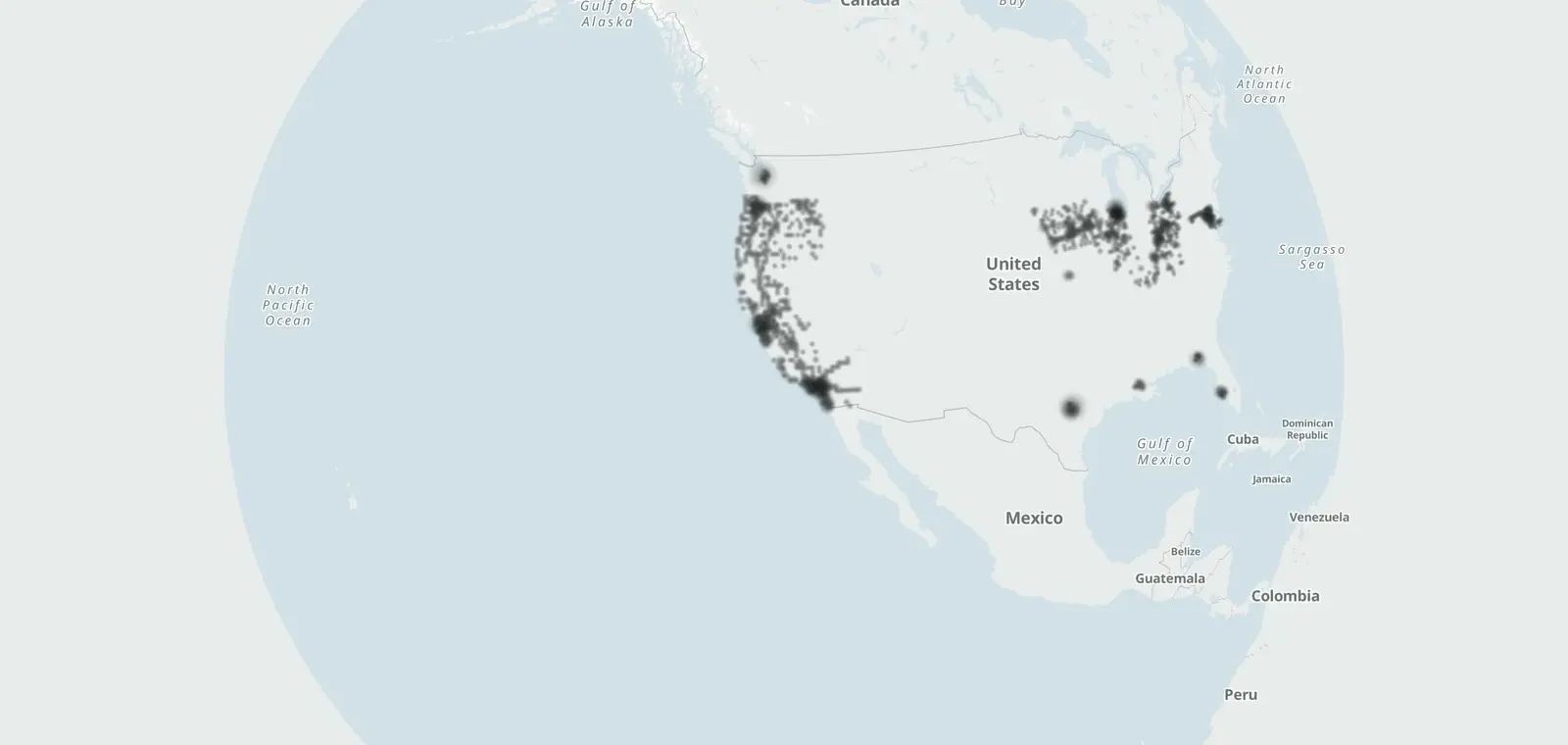
Traffic cameras on the map
Open the map · Traffic cameras in the United States · What changed
Traffic cameras near me: questions
Does CamsAhead store my location?
No. Your browser sorts the list on your phone or computer. Your location is not sent to CamsAhead.
How close is "near me"?
The list shows the closest places first, with the distance to each one in miles. Open a place to see its traffic cameras.
What if I do not want to share my location?
Pick your state in the list on this page. Each state page shows the traffic cameras listed there.
How do I check if a road has a traffic camera?
Tap Use my location to see the places near you with traffic cameras, or open the map. In California, each camera links to its picture on the Caltrans site. Some cities and states list their own cameras, on city streets too.
Know when cameras near you change.
Free email alerts for cameras on your routes that start issuing tickets. One summary email a month.
- In your monthly summary: the day a camera near you starts issuing tickets
- New cameras mapped or reported near you
- Your street, your distance, the camera types you pick
156,883 cameras listed or mapped so far.
Sources and updates
- Caltrans CWWP2: camera lists for Districts 1 to 12, updated daily, last Nov 7, 2026; CC BY
- City of Austin, Austin Transportation & Public Works: Camera locations: City of Austin (Austin Transportation & Public Works). Read November 7, 2026.
- City of Baton Rouge / Parish of East Baton Rouge, Department of Information Services: Camera locations: Louisiana DOTD, via the City of Baton Rouge / Parish of East Baton Rouge. Read November 7, 2026.
- Illinois Department of Transportation: Camera locations: Illinois DOT, CC BY-SA 2.0. Read November 7, 2026.
- Iowa Department of Transportation: Camera locations: Iowa Department of Transportation (CC BY 4.0). Read November 7, 2026.
- King County Road Services (King County GIS): Camera locations: King County. Read November 7, 2026.
- Kentucky Transportation Cabinet: Camera locations: Kentucky Transportation Cabinet (KYTC). Read November 7, 2026.
- City of Lawrence, Kansas GIS: Camera locations: City of Lawrence, Kansas. Read November 7, 2026.
- State of Maryland (MD iMAP), from MDOT State Highway Administration CHART: Camera locations: State of Maryland (MD iMAP), MDOT SHA CHART, list as of Jan 30, 2023. Read November 7, 2026.
- Ohio Department of Transportation: Camera locations: Ohio Department of Transportation (OHGO). Read November 7, 2026.
- Sarasota County: Camera locations: Sarasota County. Read November 7, 2026.
- City of Seattle, Seattle Department of Transportation: Camera locations: City of Seattle (SDOT). Read November 7, 2026.
- City of Sioux Falls GIS: Camera locations: City of Sioux Falls (CC BY 4.0). Read November 7, 2026.
- City of Tallahassee, Tallahassee Advanced Traffic Management System (TATMS): Camera locations: City of Tallahassee. Read November 7, 2026.
How CamsAhead counts cameras · Report a problem · Report a camera