
 CamsAhead.com
Traffic cameras by state
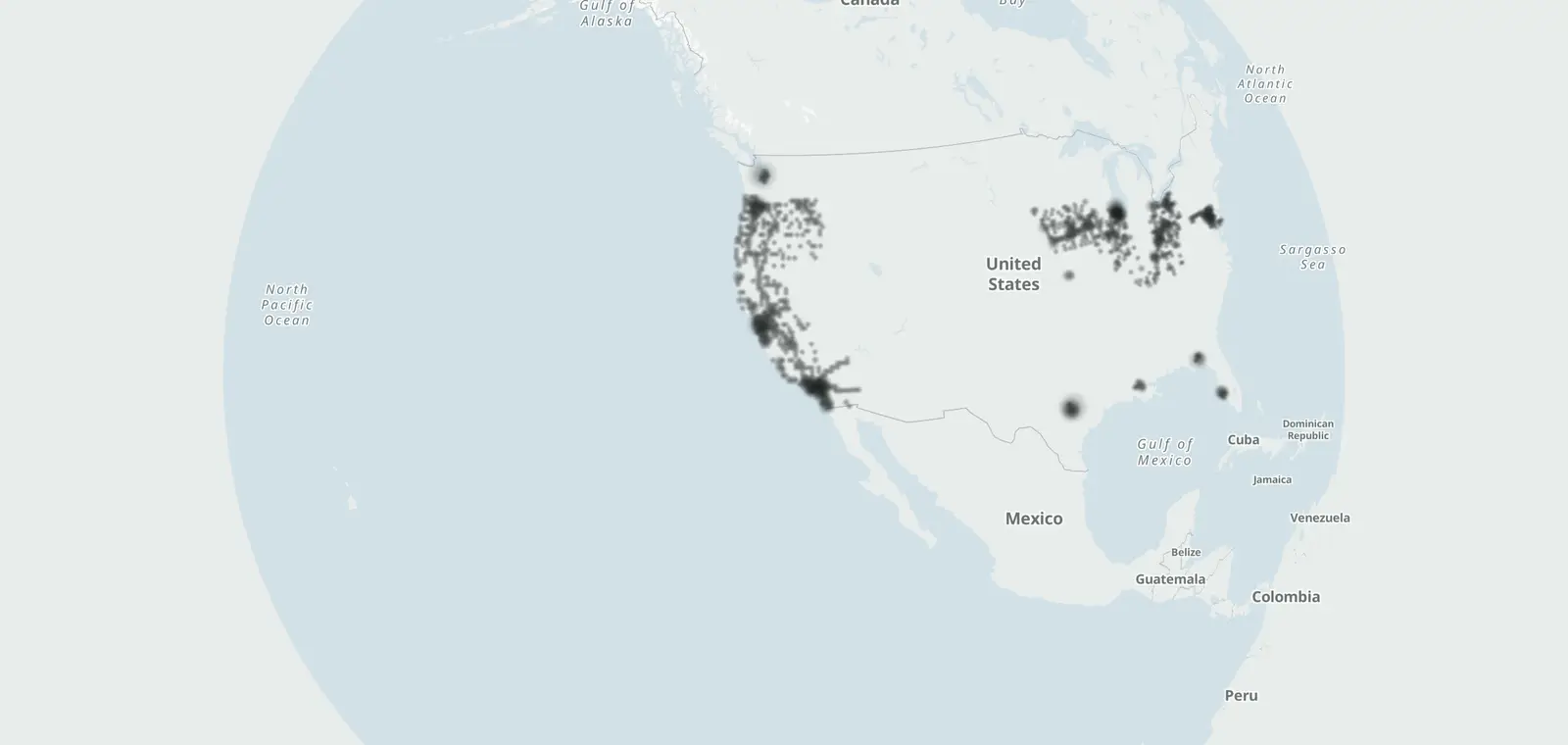
9,410 traffic cameras: 3,613 in California and 5,797 more in other states.
Caltrans (CC BY) · © OpenMapTiles © OpenStreetMap contributors
CamsAhead lists 9,410 traffic cameras (road views, not enforcement): 3,613 Caltrans road pictures in California, from Caltrans Districts 1 to 12, by route and direction, 3,437 of them in service, and 5,797 from official lists in 14 states.
Traffic cameras show road conditions. Each Caltrans view opens on the Caltrans site. CamsAhead does not copy the images.
City safety cameras with no pictures: public CCTV
Traffic cameras by state
A state's cameras are listed here only where its feed's license allows it. California's Caltrans list is open (CC BY).
- California: Caltrans Districts 1 to 12 3,613 cameras
- Oregon: ODOT TripCheck, by highway and pass 1,159 cameras
- Florida: Sarasota County and City of Tallahassee, Tallahassee Advanced Traffic Management System (TATMS) 486 cameras
- Illinois: Illinois Department of Transportation and Iowa Department of Transportation 1,345 cameras
- Indiana: Ohio Department of Transportation 1 camera
- Iowa: Iowa Department of Transportation 848 cameras
- Kansas: City of Lawrence, Kansas GIS 73 cameras
- Kentucky: Kentucky Transportation Cabinet and Ohio Department of Transportation 247 cameras
- Louisiana: City of Baton Rouge / Parish of East Baton Rouge, Department of Information Services 118 cameras
- Maryland: State of Maryland (MD iMAP), from MDOT State Highway Administration CHART 446 cameras
- Nebraska: Iowa Department of Transportation 2 cameras
- Ohio: Ohio Department of Transportation 929 cameras
- South Dakota: City of Sioux Falls GIS 15 cameras
- Texas: City of Austin, Austin Transportation & Public Works · Austin 818 cameras
- Virginia: State of Maryland (MD iMAP), from MDOT State Highway Administration CHART 1 camera
- Washington: King County Road Services (King County GIS) and City of Seattle, Seattle Department of Transportation 468 cameras
Traffic cameras by city
- Los Angeles 226 cameras
- San Francisco 32 cameras
- Austin 793 cameras
- Portland, OR 217 cameras
- Calgary, AB 214 cameras
- Toronto, ON 336 cameras
Traffic cameras by freeway
The routes with the most Caltrans cameras on this site.
Corridor pages: Donner Pass (I-80) cameras · I-80 cameras in California · Cajon Pass (I-15) cameras · Grapevine (I-5) cameras · I-405 traffic cameras · Bay Bridge (I-80) cameras · Lake Tahoe traffic cameras: Highway 50, SR 89, SR 28 and SR 267
Traffic cameras vs red light and speed cameras
A traffic camera shows the road. Caltrans runs the ones on this page, on freeways and state highways. They do not issue tickets.
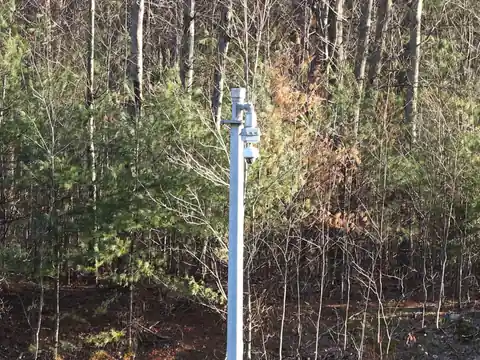 What a traffic camera looks like
Red light and speed cameras are different. Each one checks a moment, and it can lead to a ticket. Cities list them, and CamsAhead maps them on their own pages: red light cameras and speed cameras.
Public surveillance cameras (CCTV) are different again: cities, councils and police run them to watch streets, they show no public pictures, and some publish lists of them.
A camera on a traffic light does not always mean tickets. Red light pins come from city lists, and some from public records, marked unverified.
Traffic cameras: questions
Can I see the traffic cameras' pictures here?
Yes, through Caltrans. Each camera links to its picture on the Caltrans site. CamsAhead lists where the cameras are and does not copy or store the images.
How many traffic cameras does Caltrans have?
Caltrans lists 3,613 cameras in Districts 1 to 12, and 3,437 report that they are in service. CamsAhead checks the list daily.
Do traffic cameras issue tickets?
No. Caltrans traffic cameras show road conditions for drivers and traffic managers. They are not enforcement cameras.
What do the cameras on traffic lights do?
Cameras on traffic lights do different jobs. A red light camera checks for cars that enter on red, and it can lead to a ticket. Red light pins come from city lists, and some from public records, marked unverified.
Are traffic cameras the same as red light cameras?
No. A traffic camera shows the road and gives no tickets. A red light camera checks for cars that go through on red, and it can lead to a ticket in the mail.
Can I see recorded traffic camera footage?
Not on CamsAhead. It does not copy or store the images, so there are no recordings here. Each camera links to its picture on the Caltrans site.
Know when cameras near you change.
Free email alerts for cameras on your routes that start issuing tickets. One summary email a month.
- In your monthly summary: the day a camera near you starts issuing tickets
- New cameras mapped or reported near you
- Your street, your distance, the camera types you pick
156,883 cameras listed or mapped so far.
Sources and updates
- Caltrans CWWP2: camera lists for Districts 1 to 12, updated daily, last Nov 7, 2026; CC BY
- City of Austin, Austin Transportation & Public Works: Camera locations: City of Austin (Austin Transportation & Public Works). Read November 7, 2026.
- City of Baton Rouge / Parish of East Baton Rouge, Department of Information Services: Camera locations: Louisiana DOTD, via the City of Baton Rouge / Parish of East Baton Rouge. Read November 7, 2026.
- Illinois Department of Transportation: Camera locations: Illinois DOT, CC BY-SA 2.0. Read November 7, 2026.
- Iowa Department of Transportation: Camera locations: Iowa Department of Transportation (CC BY 4.0). Read November 7, 2026.
- King County Road Services (King County GIS): Camera locations: King County. Read November 7, 2026.
- Kentucky Transportation Cabinet: Camera locations: Kentucky Transportation Cabinet (KYTC). Read November 7, 2026.
- City of Lawrence, Kansas GIS: Camera locations: City of Lawrence, Kansas. Read November 7, 2026.
- State of Maryland (MD iMAP), from MDOT State Highway Administration CHART: Camera locations: State of Maryland (MD iMAP), MDOT SHA CHART, list as of Jan 30, 2023. Read November 7, 2026.
- Ohio Department of Transportation: Camera locations: Ohio Department of Transportation (OHGO). Read November 7, 2026.
- Sarasota County: Camera locations: Sarasota County. Read November 7, 2026.
- City of Seattle, Seattle Department of Transportation: Camera locations: City of Seattle (SDOT). Read November 7, 2026.
- City of Sioux Falls GIS: Camera locations: City of Sioux Falls (CC BY 4.0). Read November 7, 2026.
- City of Tallahassee, Tallahassee Advanced Traffic Management System (TATMS): Camera locations: City of Tallahassee. Read November 7, 2026.
Cite this page: “Traffic Cameras: Road Pictures by State and City (7,990)”, CamsAhead.com, https://camsahead.com/traffic-cameras/, updated November 7, 2026.
How CamsAhead counts cameras · Report a problem · Report a camera