
CamsAhead

Near me

Near me
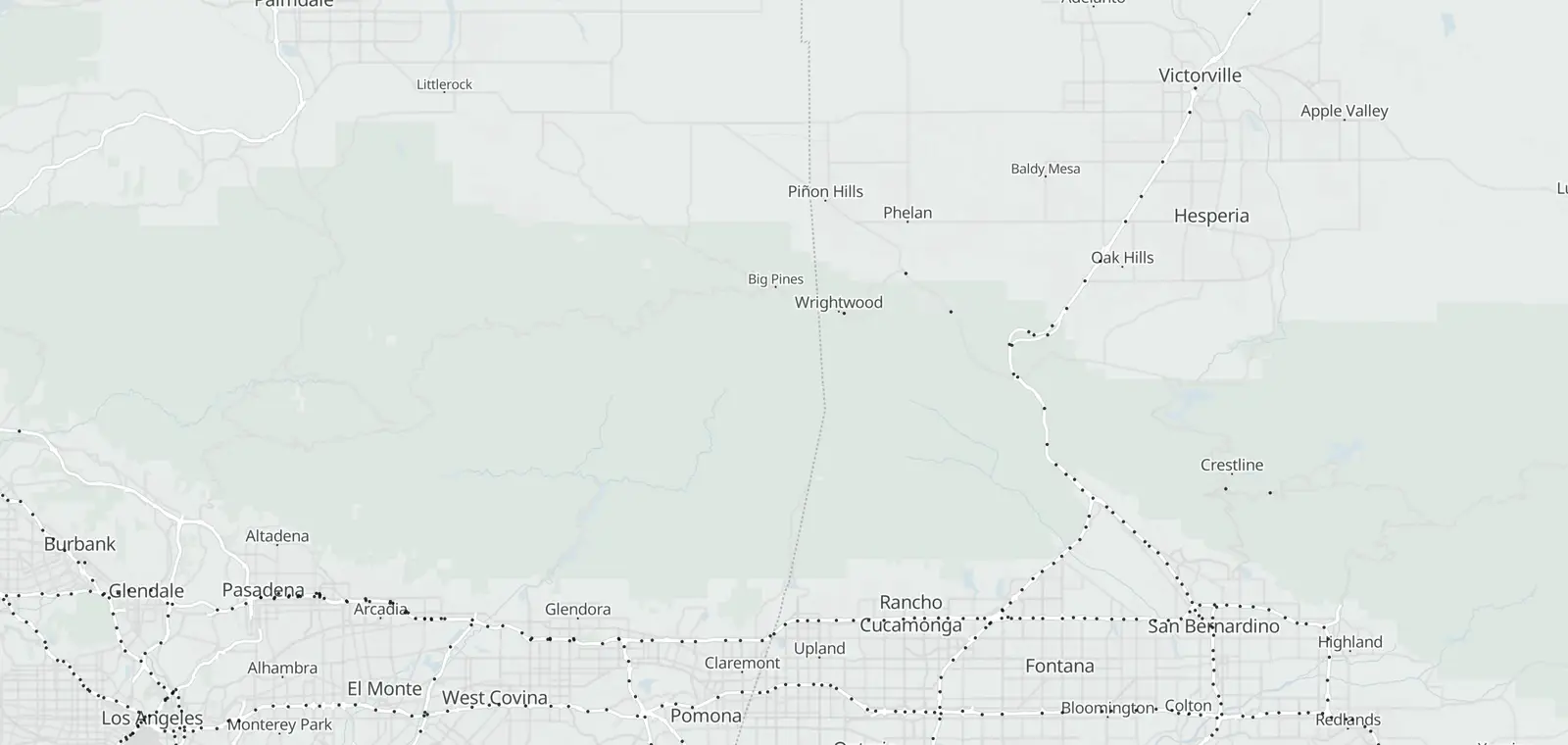
Map of 27 Caltrans traffic cameras on Cajon Pass
In California Traffic cameras 27 Open map
Open map

Cajon Pass (I-15) cameras

27 Caltrans cameras, 25 in service.

Checked

© OpenStreetMap contributors · © OpenMapTiles

Caltrans lists 27 traffic cameras on I-15 through Cajon Pass, from Devore to Victorville. 25 report in service, and each one links to its picture on Caltrans. The list is updated daily, last November 7, 2026. Caltrans and the CHP post closures, chain controls and crashes.

Cajon Pass cameras, Devore to Victorville

The cameras climb from Devore, at the foot of the pass, over the summit and on to Victorville in the High Desert. Each list runs by county, then postmile, as Caltrans tags them.

San Bernardino County · 27
Route, direction and placeStatusPicture
I-15 Northbound 17
At Sierra Avenue · postmile 12.88 In service Road picture ↗
At 0.5 Miles S of Glenhelen · postmile 13.47 In service Road picture ↗
At S of Glen Helen Parkway · postmile 14.14 In service Road picture ↗
At Glen Helen Parkway · postmile 14.81 In service Road picture ↗
At NB Kenwood On · postmile 15.02 In service Road picture ↗
At N of Glen Helen Parkway · postmile 15.39 In service Road picture ↗
South of Cleghorn Rd · postmile 19.31 In service Road picture ↗
At Jct. 138 · postmile 21.45 In service Road picture ↗
At 0.3 MI N/O RTE 138 · postmile 21.71 In service Road picture ↗
North of Route 138 · postmile 23.17 In service Road picture ↗
At Forest Serv As · postmile 25.2 In service Road picture ↗
At at Oak Hill Rd · postmile 28.623 In service Road picture ↗
At US-395 · postmile 31.67 In service Road picture ↗
At Main St · postmile 33.973 In service Road picture ↗
At 2 mi s/o Bear Valley Rd. · postmile 35.5 In service Road picture ↗
At Palmdale Rd · postmile 40.43 In service Road picture ↗
At Roy Rogers Dr. · postmile 41.66 In service Road picture ↗
I-15 Southbound 10
At 0.6mi South Of Kenwood · postmile 14.38 In service Road picture ↗
At 0.5mi n/o Kenwood · postmile 15.56 In service Road picture ↗
At 1.25mi Kenwood · postmile 16.28 In service Road picture ↗
At Oakie Flats Road · postmile 17.48 In service Road picture ↗
At Truck RunwayRp · postmile 23.21 In service Road picture ↗
At Brake Check Rd · postmile 24.75 In service Road picture ↗
At 3.6 Miles South of Oak Hill Road · postmile 25.05 Out of service Image ↗
At 2.5 Miles South of Oak Hill Road · postmile 26.13 Out of service Image ↗
At Ranchero Road Loop (s/o Route 395 · postmile 30.4 In service Road picture ↗
At Bear Valley Rd · postmile 37.561 In service Road picture ↗

See the Cajon Pass cameras on the map

Nearby corridors

Statewide: Caltrans cameras by route and county. Other states: traffic cameras by state.

Road conditions on Cajon Pass

Caltrans posts chain controls, closures, freeway sign messages and CHP incidents on QuickMap and on its I-15 conditions page. Drive the posted limit.

Cajon Pass camera questions

Is Cajon Pass open?

Caltrans posts closures for I-15 on QuickMap and on its I-15 conditions page, and the CHP posts crashes. The cameras here show the road at each spot.

Where does Cajon Pass start and end?

On this page, the stretch runs on I-15 from Devore to Victorville, all in San Bernardino County. It holds 27 Caltrans cameras, from the foot of the pass to the High Desert.

Is there a way to see traffic camera footage?

Not past footage. Caltrans says: “Caltrans traffic camera video footage and still images are neither retained nor archived.” Each camera on this page links to its image on the Caltrans site.

Can I get a speeding ticket from a traffic camera?

No. These Caltrans cameras show the road. They are not speed or red light cameras, and they issue no tickets. Speed cameras have their own pages, such as California speed cameras.

Is there an app that tells you where traffic cameras are?

Yes. The CamsAhead app puts these traffic cameras on a map, with speed, red light and plate reader cameras.

How do I view traffic cameras on Google Maps?

Google Maps does not show Caltrans camera images. Caltrans QuickMap does, and so does this page: each row links to the camera's picture on Caltrans.

Camera alerts

Know when cameras in California change.

Free email alerts for cameras on your routes that start issuing tickets. One summary email a month.

  • In your monthly summary: the day a camera near you starts issuing tickets
  • New cameras mapped or reported near you
  • Your street, your distance, the camera types you pick

25,611 cameras listed or mapped in California so far.

How camera alerts work

Pick a place

Sample place: Mar Vista, Los Angeles, 3 mi around. Pick your own place in California or tap Near me.

Sources and updates

How this page was made: CamsAhead writes each page type once, then fills it with this place's data from the sources below.

  • Caltrans CWWP2: cctvStatus feeds for District 8, updated daily, last Nov 7, 2026; CC BY. Camera images are not stored.

How CamsAhead counts cameras · Report a problem · Report a camera

Add CamsAhead to your Home Screen Open in Safari to install Drive works best from your Home Screen Open in Safari to add it to your Home Screen

It opens straight to the map.

This app’s built-in browser can’t add CamsAhead to your Home Screen.

From your Home Screen, CamsAhead opens full screen with one tap. It keeps the screen on while you drive, where your phone allows it.

  1. Tap Share
    In Safari’s toolbar, or in its ⋯ menu.
  2. Tap Share
    In your browser’s address bar or menu.
  3. Open this page in Safari
    Look for “Open in Safari” or “Open in browser” in this app’s menu, or copy the link.
  4. Copy the link, then paste it in Safari
    Or type CamsAhead.com in Safari.
  5. In Safari, tap Share, then Add to Home Screen
  6. Tap Add to Home Screen
    Scroll down the list if you don’t see it.
  7. Open the ⋮ menu
    Then tap “Add to Home screen” or “Install app”.
  8. Tap Add, then open CamsAhead from your Home Screen. Tap Install, then open CamsAhead from your Home Screen.

Don’t see Add to Home Screen? Open this page in Safari.

Or tap Share in this browser, then Add to Home Screen.

Alerts work while CamsAhead is open on screen, from the Home Screen or the browser. If the screen locks or you switch apps, they stop.

DriveBetaReport a problem