
 CamsAhead.com
Portland traffic cameras: freeways and city streets
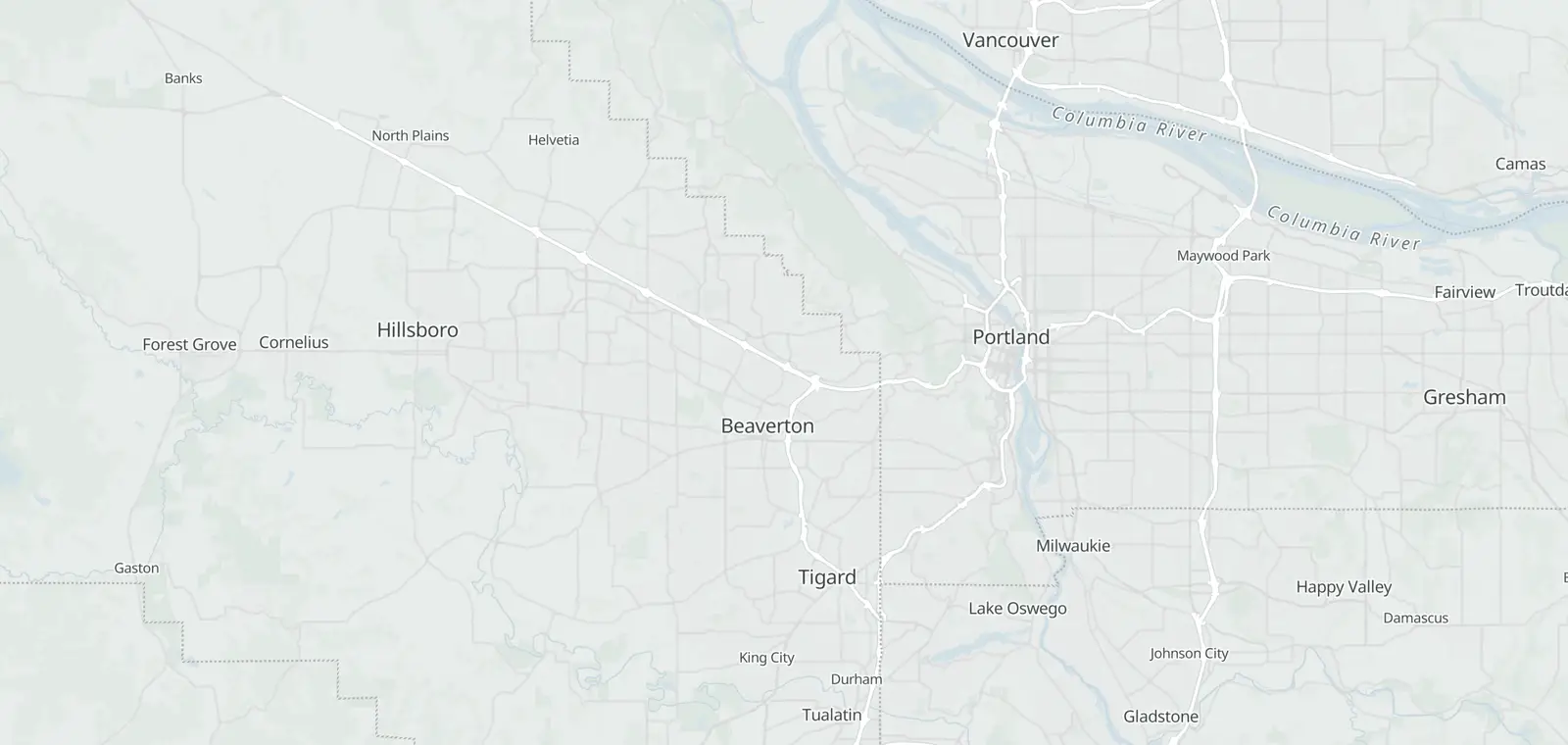
217 cameras inside Portland, 214 with a picture.
ODOT TripCheck · © OpenMapTiles © OpenStreetMap contributors
Portland's road cameras: 217 inside the city, 116 on city streets and 101 on I-5, I-84, I-205, I-405, US 26 and other highways. Tap one to see its picture, with the time printed on it. These are road cameras, not Portland's speed or intersection safety cameras. Checked November 7, 2026.
Looking for the speed and intersection safety cameras? They are PBOT enforcement cameras: cameras in Portland.
Portland cameras by freeway
101 highway cameras on 8 routes, each in road order, the Interstate Bridge spans with I-5. Tap Show picture to see one.
| Place | Direction | Picture |
|---|---|---|
| I-530 | ||
| Interstate Bridge NB (Midspan) | ||
| Interstate Bridge SB (South End) | ||
| Interstate Bridge NB (South End) | ||
| Marine Drive | ||
| Victory | ||
| Columbia | ||
| Lombard | ||
| Rosa Parks Way | ||
| Going | ||
| Fremont | ||
| Kerby | ||
| Broadway | ||
| Rose Quarter - Weidler | ||
| Rose Quarter - Winning Way | ||
| Rose Quarter - Southbound Ramp | ||
| Rose Quarter - Interstate Avenue | ||
| Morrison Bridge | ||
| Morrison Bridge | ODOT had no current picture for this camera at the last check | |
| Marquam Bridge (Upper Deck East) | ||
| Marquam Bridge (Lower Deck Mid Span) | ||
| Marquam Bridge (Upper Deck West) | ||
| I-405 - Naito Parkway | ||
| Macadam | ||
| Iowa | ||
| Terwilliger | ||
| Miles | ||
| Terwilliger | ||
| Brier Place | ||
| Capitol | ||
| ORE99W - Barbur Blvd. | ||
| I-8414 | ||
| Metro Bldg. | ||
| Grand | ||
| Lloyd Blvd | ||
| 28th | ||
| 37th | ||
| 53rd | ||
| 67th | ||
| 82nd | ||
| Halsey (Lower) | ||
| I-205 | ||
| 102nd | ||
| 105th | ||
| 122nd | WB | |
| 148th | ||
| I-20510 | ||
| Government Island | ||
| Airport Way | ||
| US30BY (Lombard) | ||
| Prescott St. | ||
| Glisan | SB | |
| Stark | ||
| Division | SB | |
| Powell | ||
| Foster | ||
| 92nd | ||
| I-4056 | ||
| Fremont Bridge (Top of Arch) | ||
| Everett | ||
| SW Alder | ||
| SW Jefferson | ||
| Montgomery | ||
| Fourth | ||
| US 2617 | ||
| Sylvan Interchange - Skyline | ||
| Zoo Bridge | ||
| Washington Park | ||
| Jefferson Off-Ramp | ||
| Vista Ridge Tunnel (West End) | ||
| Vista Ridge Tunnel (West End) | ||
| Vista Ridge Tunnel (East End) | ||
| Vista Ridge Tunnel (East End) | ||
| East Vista Ridge Tunnel | ||
| Ross Island Bridge | ||
| Milwaukie | ||
| 21st | ||
| SE 26th | ||
| SE 33rd | ||
| SE 39th | ||
| 39th SW | ||
| SE Foster | ||
| US 305 | ||
| St Johns Bridge Top | ||
| St Johns Bridge | NB | |
| St Johns Bridge | SB | |
| 29th | ||
| Nicolai | ODOT had no current picture for this camera at the last check | |
| OR 99W7 | ||
| Market | ||
| Hamilton | N | |
| Hamilton | S | |
| Brier | ||
| Bertha | ||
| Taylors Ferry | ||
| Capitol | ||
| 82nd Ave (OR 213)12 | ||
| Killingsworth | ||
| Sandy Blvd | ||
| NE Tillamook | ||
| Glisan St | ||
| Washington St | ||
| Division St | ||
| Woodward St | ||
| Powell Blvd | ||
| Powell Blvd | ||
| Foster Rd | ||
| Duke St | ||
| Springwater | ||
City street cameras
116 cameras on city streets, most of them PBOT's, by street. ODOT shows them on TripCheck.
| Cross street | Direction | Picture |
|---|---|---|
| Division28 | ||
| 20th | ||
| 26th | ||
| 34th | ||
| 60th | ||
| 76th | ||
| 87th | ||
| 101st | ||
| 115th | ||
| 119th | ||
| 125th | ||
| 130th | ||
| 145th | ||
| 148th | ||
| 152nd | ||
| 162nd NWC | ||
| 162nd SWC | ||
| 174th | ||
| 12th | ||
| 80th | ||
| 84th | ||
| 89th | ||
| 92nd | ||
| 104th | ||
| 136th | ||
| 139th | ||
| 154th | ||
| 160th | ||
| 166th | ||
| SE 82nd12 | ||
| Schiller | ||
| Clinton | ||
| SE 82nd and Knapp | ||
| SE 82nd & Yamhill | ||
| SE 82nd & Flavel | ||
| Mill | ||
| SE Foster | ||
| SE 82nd & Woodstock CAM237 | ||
| Harrison St | ||
| Boise | ||
| Lafayette | ||
| Tibbetts | ||
| NE Airport Way8 | ||
| 122nd SWC | ||
| 122nd NWC | ||
| 138th | ||
| 148th | ||
| 158th | ||
| 82nd | ||
| Holman | ||
| Win Sivers | ||
| N Interstate6 | ||
| Oregon/Lloyd | ||
| Multnomah | ||
| Larrabee | N | |
| Larrabee | ||
| Greeley | ||
| Going | ||
| NE 82nd5 | ||
| NE 82nd & McDaniel H.S. | ||
| Tillamook | ||
| Siskiyou | ||
| Schuyler | ||
| Glisan | ODOT had no current picture for this camera at the last check | |
| NE MLK5 | ||
| Fremont | ||
| Killingsworth | ||
| Rosa Parks | ||
| Russell | ||
| Tillamook | ||
| N Lombard4 | ||
| Peninsular | ||
| Wabash | ||
| Chautauqua | ||
| Fiske | ||
| W Burnside4 | ||
| 24th Pl | ||
| Tichner | ||
| 2nd | ||
| 15th | ||
| NE Columbia3 | ||
| 80th | ||
| 60th | ||
| 42nd | ||
| Other streets41 | ||
| 11th at Milwaukie N | N | |
| 11th at Milwaukie S | S | |
| 12th at Clinton | ||
| 12th at Division | ||
| 4th at Lincoln | ||
| 8th at Division | ||
| 8th at Division Place | ||
| Foster at Holgate | ||
| Moody Ave. at Porter St. | ||
| Sandy Blvd at 77th | ||
| SW Sam Jackson at Terwilliger | ||
| SW 6th at I-405 | ||
| SE 122nd at Division SWC | ||
| SE 122nd at Division NEC | ||
| NW Couch at 15th | ||
| N Columbia at Macrum | ||
| NE Lloyd at 7th | ||
| SE Grand Ave at SE Madison St | ||
| SE Hawthorne at SE 7th St | ||
| SW Capitol Hwy at Sunset Blvd | ||
| SE Division at 170th | ||
| N Greeley at Adidas Dr N | N | |
| N Greeley at Rosa Parks Way | ||
| SE Holgate at 122nd | ||
| SE Ankeny at 11th Ave | ||
| N Broadway at Larrabee | ||
| NE Multnomah at Wheeler | ||
| N Ramsay at Wheeler/Williams | ||
| NE 122nd at SE Halsey St | ||
| NE Broadway at Vancouver | ||
| NE MLK Jr Blvd at Weidler | ||
| NE MLK Jr Blvd at Lloyd | ||
| NE Grand at Everett | ||
| NE Grand at Broadway | ||
| NW Broadway at Lovejoy | ||
| NW Glisan at 16th | ||
| NW Naito at Davis | ||
| NE Vancouver St at NE Russell | ||
| Going at Greeley | ||
| E Burnside at MLK | ||
| OR99E at NE Columbia Blvd | ||
Road conditions in Portland
ODOT posts closures, crashes and road conditions on the TripCheck map. By phone, dial 511 in Oregon (800-977-6368 if your carrier does not support 511, 503-588-2941 from outside Oregon). Drive the posted limit.
Around Portland
- Beaverton 42 cameras
- Hillsboro 30 cameras
- Tigard 24 cameras
- Oregon City 23 cameras
- Wilsonville 22 cameras
- Tualatin 17 cameras
- Happy Valley 14 cameras
- Milwaukie 6 cameras
Vancouver, Washington cameras are WSDOT's, shown on TripCheck and not listed here. Toward the mountain: Mt Hood (US 26 and OR 35) cameras. Statewide: Oregon traffic cameras by highway and pass.
Portland traffic camera questions
Are these the Portland speed cameras?
No. These cameras show the road. Portland's speed and intersection safety cameras are PBOT enforcement cameras: see cameras in Portland.
Which cameras show the Interstate Bridge and the Glenn Jackson Bridge?
I-5 at Interstate Bridge NB (South End), I-5 at Interstate Bridge SB (South End), I-5 at Interstate Bridge NB (Midspan). The Washington side is WSDOT's and not listed here.
Where is the camera on Division or 82nd Ave?
Under city street cameras, grouped by street, and 82nd Ave (OR 213) under the highways.
Do they show video?
No. They post still pictures. ODOT says: “Most of the cameras update every 5 minutes. Rural camera may take a little longer depending on their network connection.” 53 of these cameras also have a video feed on TripCheck, not shown here.
Which way is the camera looking?
ODOT says: “The cameras outside the metro areas have a direction indicator located in the right hand corner above the camera image. These cameras are always looking in the same direction.” Most metro cameras pan, tilt and zoom, so most show no direction.
Is this TripCheck?
No. CamsAhead lists ODOT's TripCheck cameras inside Portland on one page. TripCheck is the official source.
Know when cameras in Portland change.
Free email alerts for cameras on your routes that start issuing tickets. One summary email a month.
- In your monthly summary: the day a camera near you starts issuing tickets
- New cameras mapped or reported near you
- Your street, your distance, the camera types you pick
156,883 cameras listed or mapped so far.
Sources and updates
How this page was made: CamsAhead writes each page type once, then fills it with this place's data from the sources below.
- Oregon Office of Emergency Management: “Oregon Traffic Cameras” ArcGIS layer (data courtesy of ODOT's TripCheck); read November 7, 2026. Inside Portland: the Census place (US Census Bureau).
- ODOT TripCheck: Pictures: via ODOT TripCheck, loaded from tripcheck.com when you tap one; CamsAhead stores none. A daily header check marks a picture that is not current. Credits: Camera courtesy of ODOT and of PBOT, as printed on each picture.
How CamsAhead counts cameras · Report a problem · Report a camera