
 CamsAhead.com
Plate readers © OpenStreetMap contributors · © OpenMapTiles
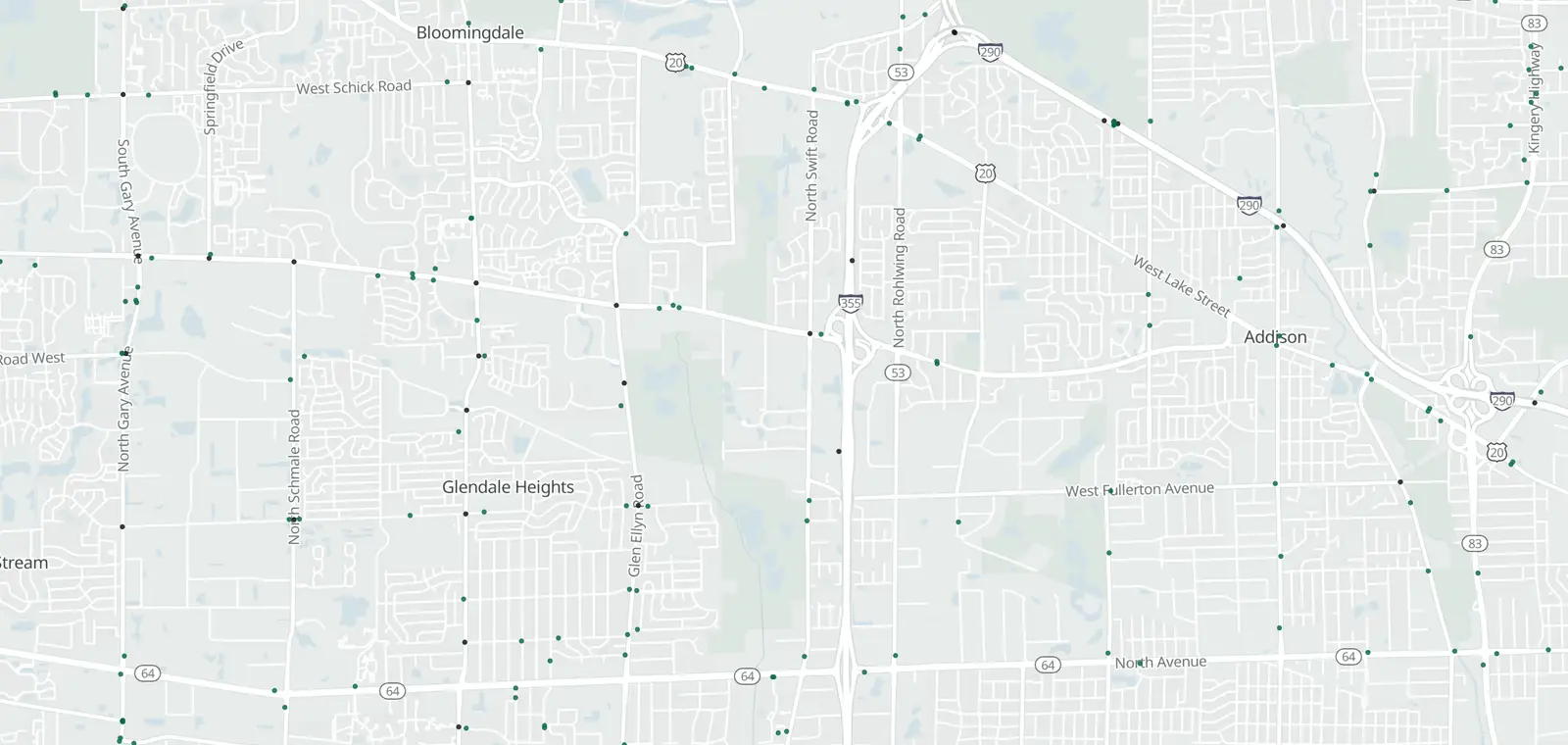
Addison, by camera type.
Addison: 36 plate readers mapped. Nearby: Wood Dale 31, Glendale Heights 26, Elmhurst 43 and Elk Grove Village 63.
Speed cameras in Addison
None listed in Addison. Nearest city program in Illinois: Chicago, about 1 mi from the city line (running, as of Oct 2026).
Red light cameras in Addison
A red light camera program in Addison is listed, not yet verified.
- Red light cameras Listed program · not yet verified
The law, in short:
625 ILCS 5/11-208.6 (red light), 5/11-208.8 (speed safety zones, cities at least 1M only), work zones (citation not yet confirmed).
License plate readers in Addison
36 plate readers are on the map in Addison, and 17 of them carry the Flock Safety tag. Most don't say who runs them. Addison Police Department is tagged on 6.
First-mapped dates here run from Apr 9, 2025 to Oct 26, 2026. 20 of the 36 were first mapped in 2025, with 10 in April alone.
The EFF's Atlas of Surveillance lists Addison Police Department as an agency that uses plate readers.
Who can search plate reads in Addison
EyesOnFlock lists no transparency portal for the Addison Police Department (Oct 14, 2026). It posts no sharing list, so who can search reads from its cameras is not stated. The sharing lists of 142 agencies name it, so it can search their reads.
Addison Police Department
- Agencies on its posted sharing list
- Not stated
- Keeps each read for
- Not stated
- Agencies whose reads it can search
- 142
No transparency portal listed, Oct 14, 2026 · See its sharing lists, as of Oct 14, 2026
Get one summary email a month on new plate readers in Addison
Portal figures and sharing lists: EyesOnFlock (CC BY-SA 4.0), from Flock Safety transparency portals.
Traffic cameras in Addison
From Illinois Department of Transportation.
Camera tickets in Addison
Follow the instructions and the deadline on the notice.
Know when cameras in Addison change.
Free email alerts for cameras on your routes that start issuing tickets. One summary email a month.
- In your monthly summary: the day a camera near you starts issuing tickets
- New cameras mapped or reported near you
- What plate readers keep, and who runs them
- Your street, your distance, the camera types you pick
156,883 cameras listed or mapped so far.
Sources and updates
How this page was made: CamsAhead writes each page type once, then fills it with this place's data from the sources below.
- Addison: red light camera program; Listed program · not yet verified
- IIHS (Insurance Institute for Highway Safety): lists of cities and counties with camera programs, for the 1 program marked "Listed program · not yet verified" that rest only on its lists
- OpenStreetMap contributors: plate readers, data as of Nov 7, 2026; ODbL 1.0
- EFF Atlas of Surveillance: agencies that use plate readers, data as of Aug 2026; CC BY 4.0
- Illinois Department of Transportation: Camera locations: Illinois DOT, CC BY-SA 2.0. Read November 7, 2026.
- US Census Bureau: city boundary (cartographic file 2025)
Plate reader points are mapped by OpenStreetMap volunteers (data as of November 7, 2026).
How CamsAhead counts cameras · Report a problem · Report a camera