
October 25, 2026Los Angeles
The first 26 LA speed cameras switch on Oct 26. The clock that matters starts then.
If you drive Venice Blvd between Lincoln Blvd and Pisani Pl, you pass one of the first 26 speed cameras in Los Angeles. It starts on Monday, Oct 26, 2026. For now, these cameras only send warnings in the mail, with no fine.
That warning period is the easy part to miss. It lasts 60 days, and the first tickets are expected from these 26 cameras.
How the warning period works
In the first 60 days of enforcement, the notice in the mail is a warning with no fine (California Vehicle Code §22425(f)). After that, a notice can carry a fine. The first tickets are expected from about Dec 25, 2026, but that date follows the 60-day rule, not a city notice, so it can move.
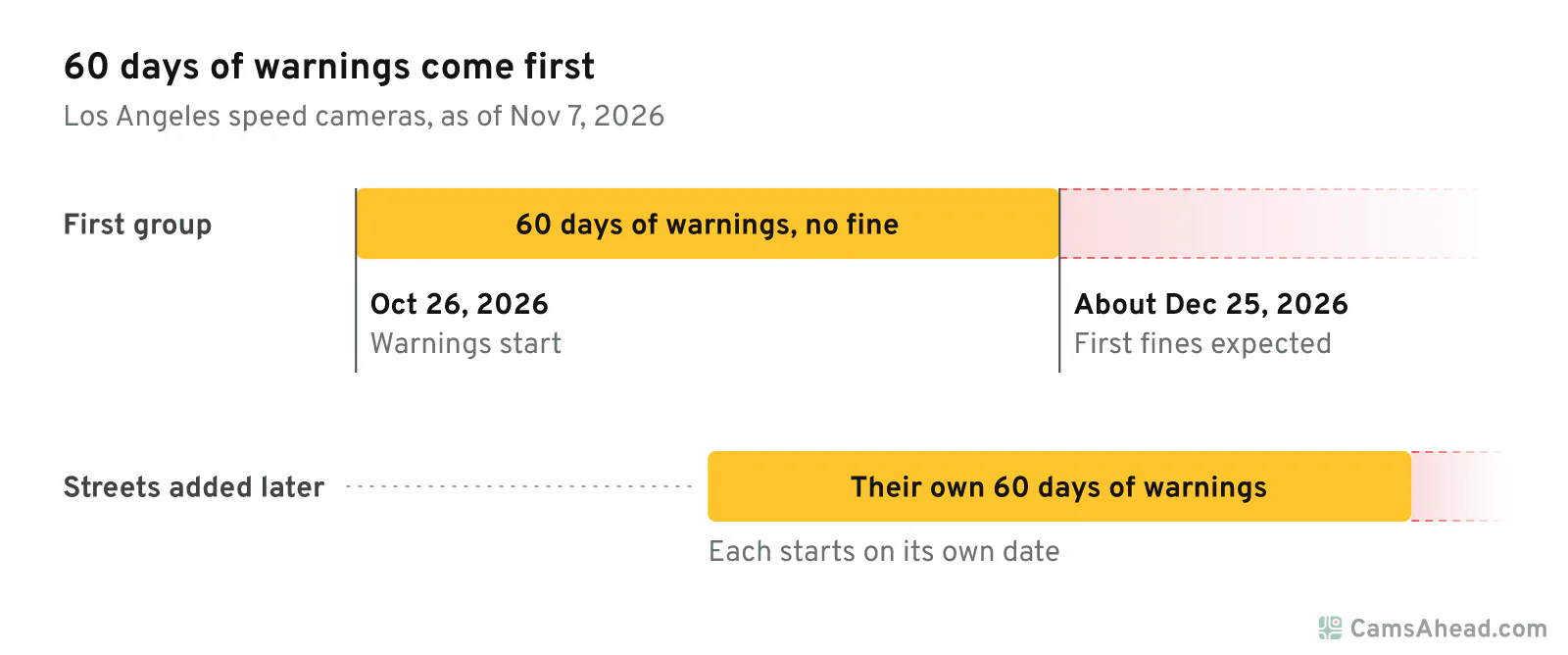
The other 99 cameras are listed as under construction. LADOT expects all 125 to be active by the end of 2026. The law gives each street added later its own 60 days of warnings (California Vehicle Code §22425(f); LADOT, via Spectrum News, Oct 1, 2026). That holds even after the first group starts sending fines.
Where the first 26 are
They are spread wide. The 26 sit in 21 neighborhoods, across 12 of the city's 15 council districts. Valley Glen has the most, with 3, on Coldwater Canyon Ave, Oxnard St and Victory Blvd. Westlake, North Hills and Vermont-Slauson have two each.
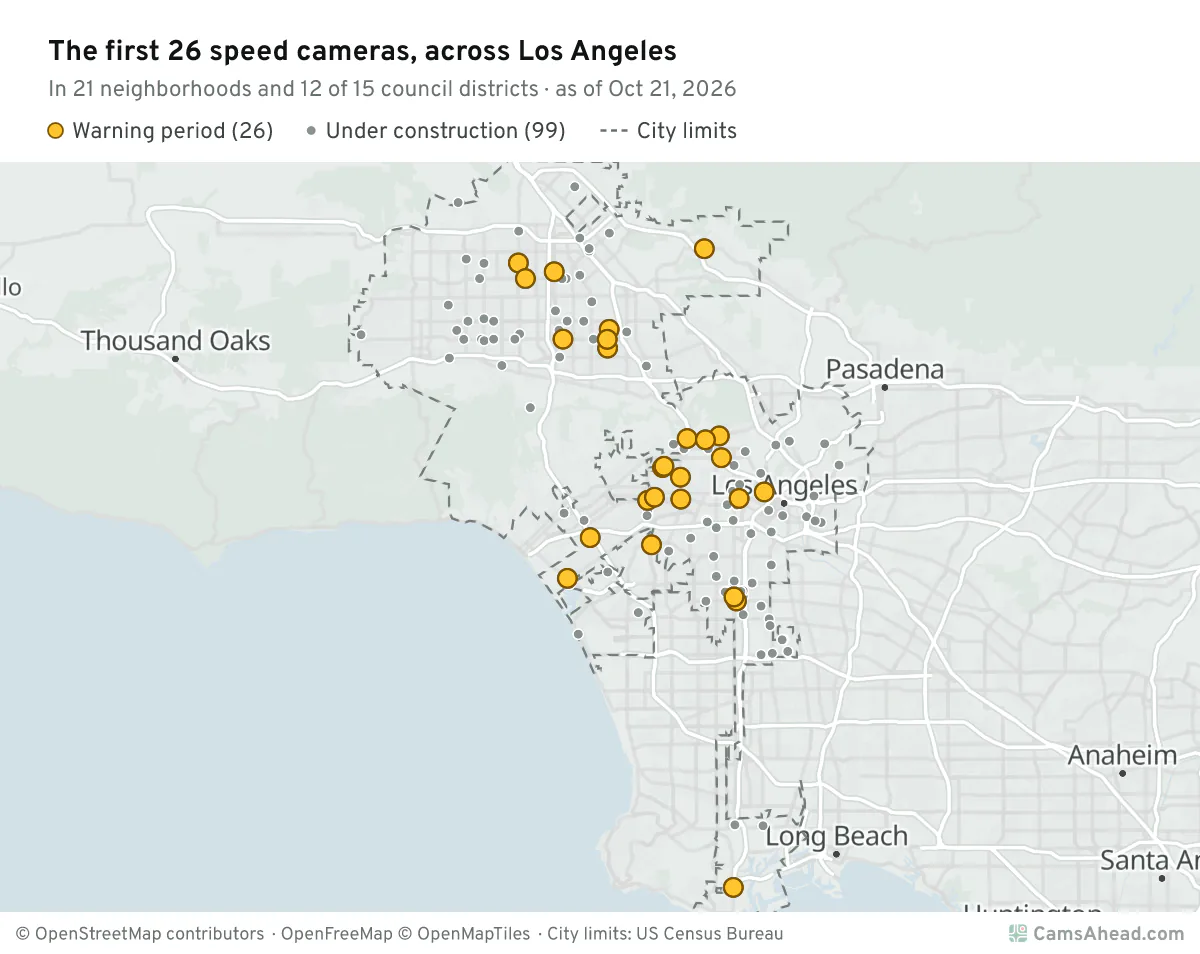
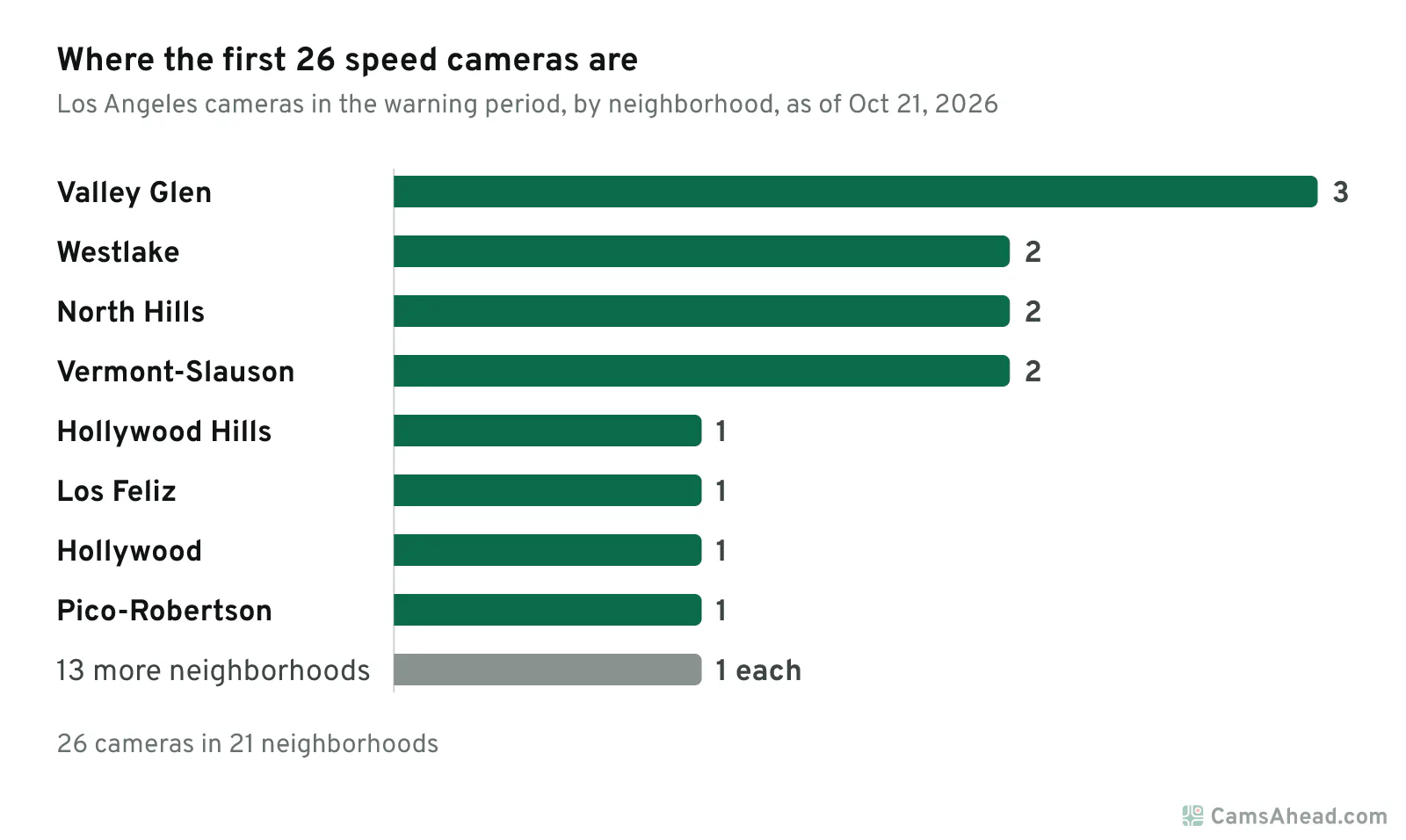
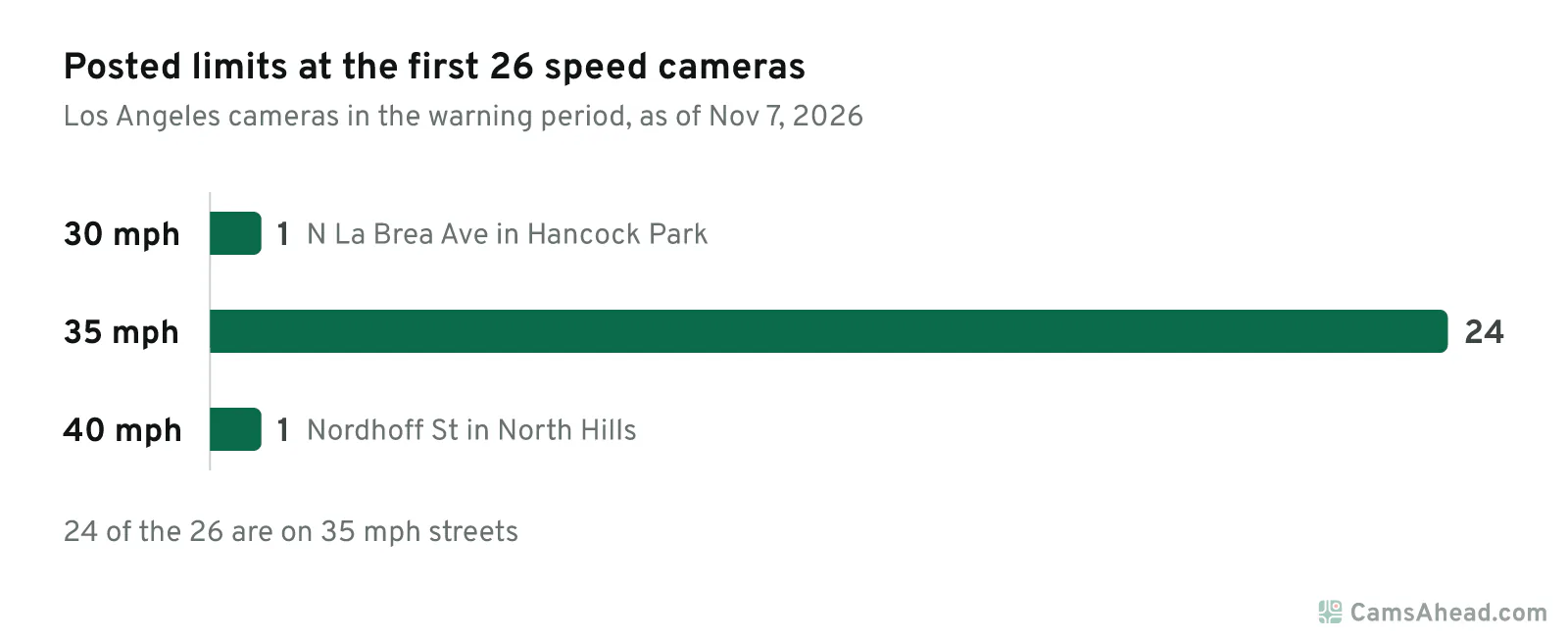
The rest have one each, in places as far apart as Sunland, Venice and San Pedro. Most sit on 35 mph streets: 24 of the 26. The exceptions are N La Brea Ave in Hancock Park, at 30 mph, and Nordhoff St in North Hills, at 40 mph.
What a notice means
A sign comes first. It says "Photo Enforced" and shows the posted limit, within 500 feet before the camera (California Vehicle Code §22425(d)). The camera records the rear plate only when a car breaks the speed rule in the law (California Vehicle Code §22426(b)).
The notice goes to the car's registered owner within 15 days (California Vehicle Code §22426(e)). Once fines begin, a fine is a civil penalty with no points on your license (California Vehicle Code §22426(a)). You get 30 days from the mailing date to pay.
To contest, there is a free review first. The next step is an administrative hearing. The last is an appeal to superior court (California Vehicle Code §§22427 and 22428).
Cost is the other half of the story. Drivers with low incomes can ask for a smaller fine or a payment plan (California Vehicle Code §22429). People who qualify as indigent get 80% off. People with incomes up to 250% of the federal poverty level get 50% off, and payment plans cost at most $25 a month.
The bigger picture
AB 645 lets Los Angeles run these cameras until January 1, 2032 (California Vehicle Code §22431), and caps the city at 125 (California Vehicle Code §22425(b)(2)). The city's list is at that cap. All 125 are on city streets. The law keeps speed cameras off freeways and other state routes (California Vehicle Code §22425(e)).
Six cities are named in the law: Los Angeles, San Jose, Oakland, Glendale, Long Beach and San Francisco. In LA County, that means Los Angeles, Glendale and Long Beach. Malibu is separate. Under SB 1297, the city lists 10 cameras at 5 sites on Pacific Coast Highway.
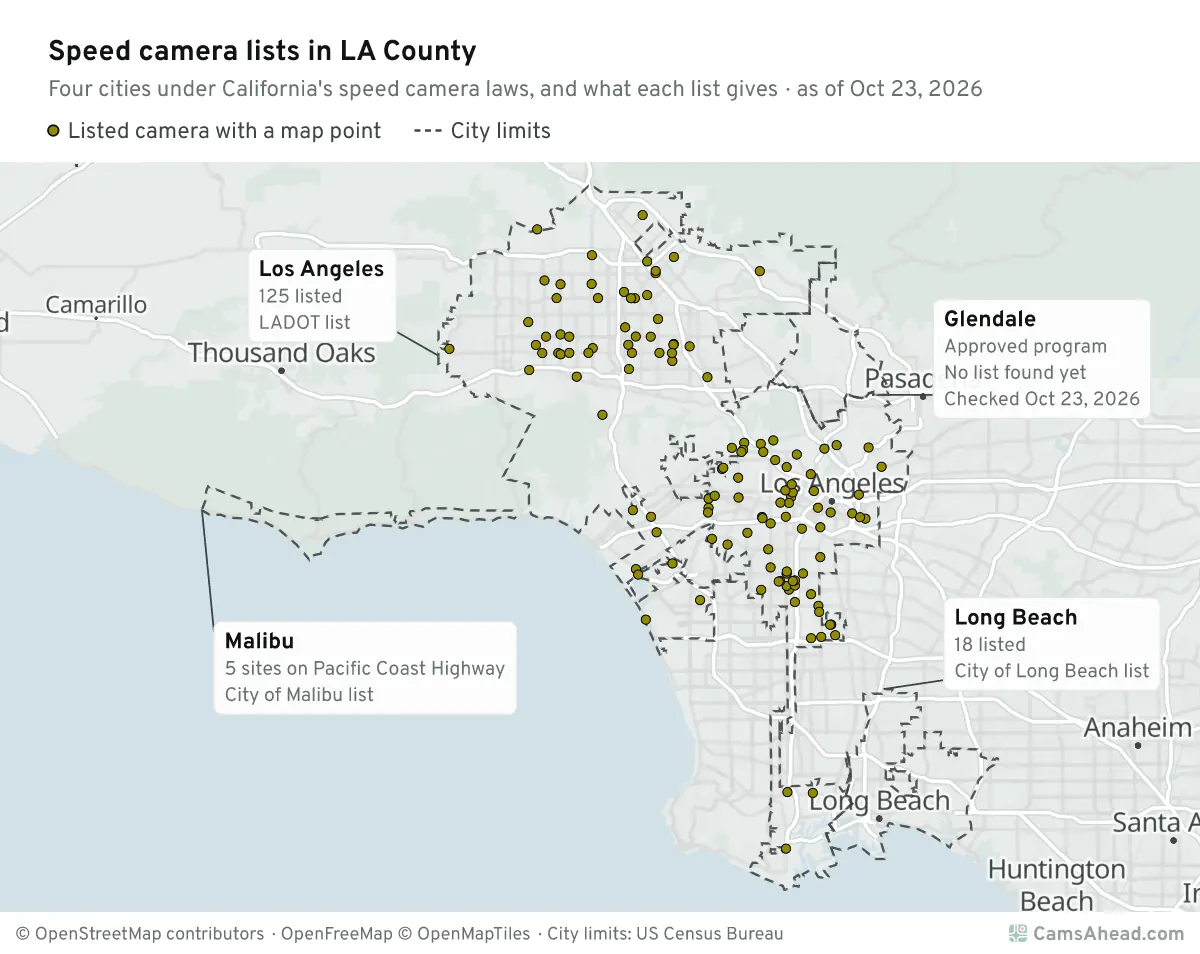
Each location is on the Los Angeles speed camera page, with its street, posted limit and status. See the first 26 on the map.
Sources and updates
- LADOT: speed camera program page and map layer, checked Nov 7, 2026
- California Vehicle Code: §§21453–22431 (AB 645): the warning period, signs, notices, contest steps, low-income rules, the cap, state routes and the end date in this post; §§22435–22441 (SB 1297) for Malibu.
- Spectrum News: “LA to activate new speed cameras starting Oct. 26 with more to come”, Oct 1, 2026: LADOT on the warning period for each camera
- City of Malibu: Speed Safety System Impact Report (June 9, 2025), Appendix A, checked Oct 21, 2026
How CamsAhead counts cameras · Report a problem · Report a camera