
 CamsAhead.com
© OpenMapTiles © OpenStreetMap contributors
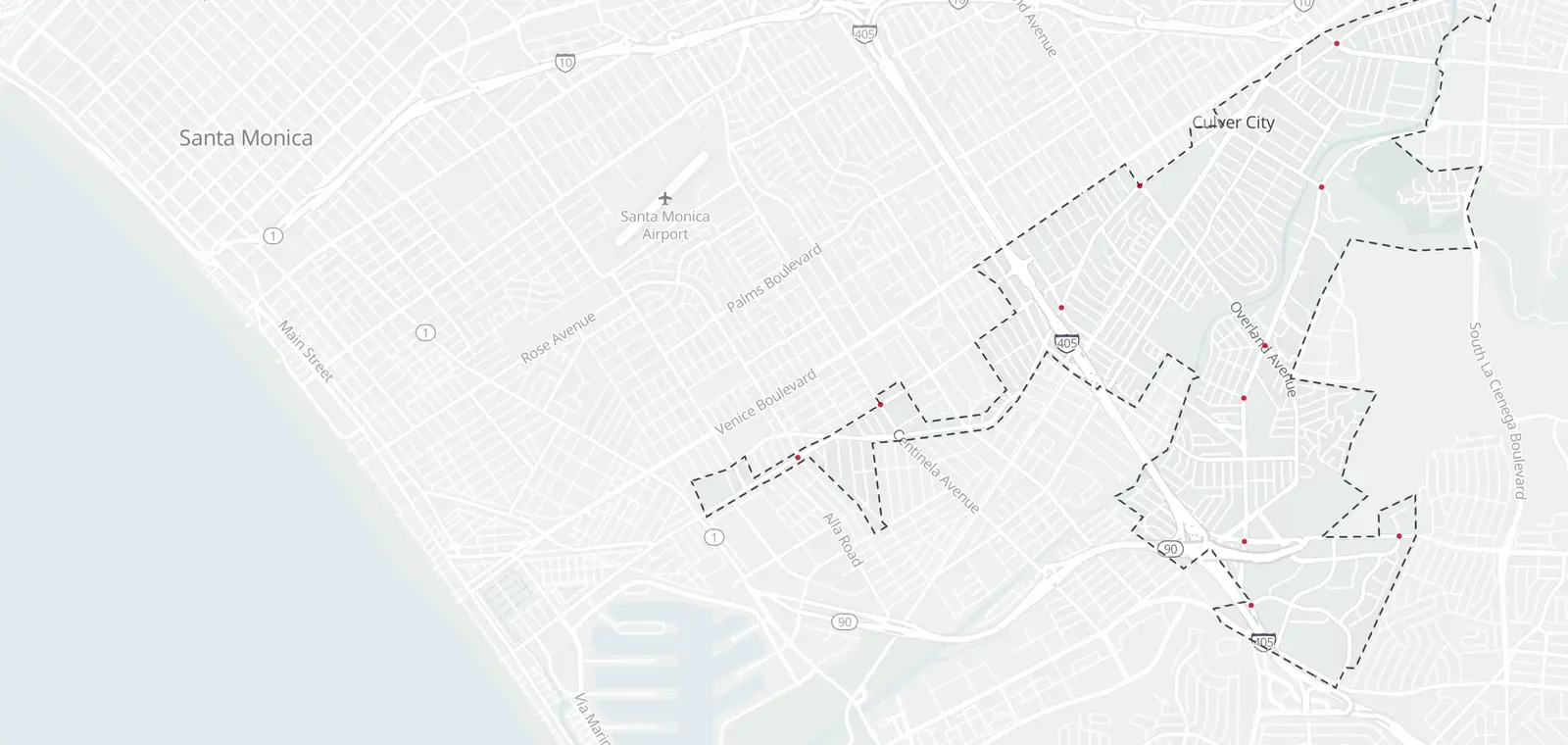
Culver City's police department lists 12 red light camera intersections with 20 approaches, checked October 22, 2026. The list gives no exact camera spots, so the map pins each one at the center of its intersection. A notice comes by mail and says how to pay or contest.
Culver City red light camera intersections
Red light camera tickets in Culver City
A red light camera notice is mailed to the vehicle's registered owner. Follow the notice for the amount, the deadline and how to pay or contest. All states' red light camera ticket rules.
Culver City's red light camera program
Culver City's police department runs the program and publishes the list on its photo enforcement page.
California red light cameras · Red light cameras in other states
Culver City red light camera questions
Does Culver City have red light cameras?
Yes. Culver City's police department lists 12 red light camera intersections with 20 approaches, checked October 22, 2026. The table on this page names each one, and the map pins each at the center of its intersection.
Where are the red light cameras in Culver City?
The table on this page lists the intersections on the city's list, with the number of approaches where the city gives it.
Does Culver City enforce red light camera tickets?
Yes. Culver City's police department runs the program and lists its intersections on its photo enforcement page. A notice is mailed to the car's registered owner and gives the amount, the deadline and how to pay or contest.
How do I know if a Culver City red light has a camera?
Look for the sign. In California, it stands within 500 feet of a camera intersection (California Vehicle Code §21455.5(a)(1) and §21455.9(b)(1)(A)(i)). The table on this page lists each intersection on the city's list.
Can I see the photos from a Culver City red light camera ticket?
Yes. In California, the car's owner, or the driver the owner names, can see the photos of their case (California Vehicle Code §21455.5(g) and §21455.9(g)(5)).
Culver City red light camera data
Reporters and researchers can ask for the intersections as a file: data for reporters and researchers.
Know when cameras in Culver City change.
Free email alerts for cameras on your routes that start issuing tickets. One summary email a month.
- In your monthly summary: the day a camera near you starts issuing tickets
- New cameras mapped or reported near you
- Your street, your distance, the camera types you pick
156,883 cameras listed or mapped so far.
Sources and updates
How this page was made: CamsAhead writes each page type once, then fills it with this place's data from the sources below.
- Culver City: official intersection list (undated), checked October 22, 2026
How CamsAhead counts cameras · Report a problem · Report a camera