
 CamsAhead.com
Plate readers © OpenStreetMap contributors · Caltrans (CC BY) · © OpenMapTiles
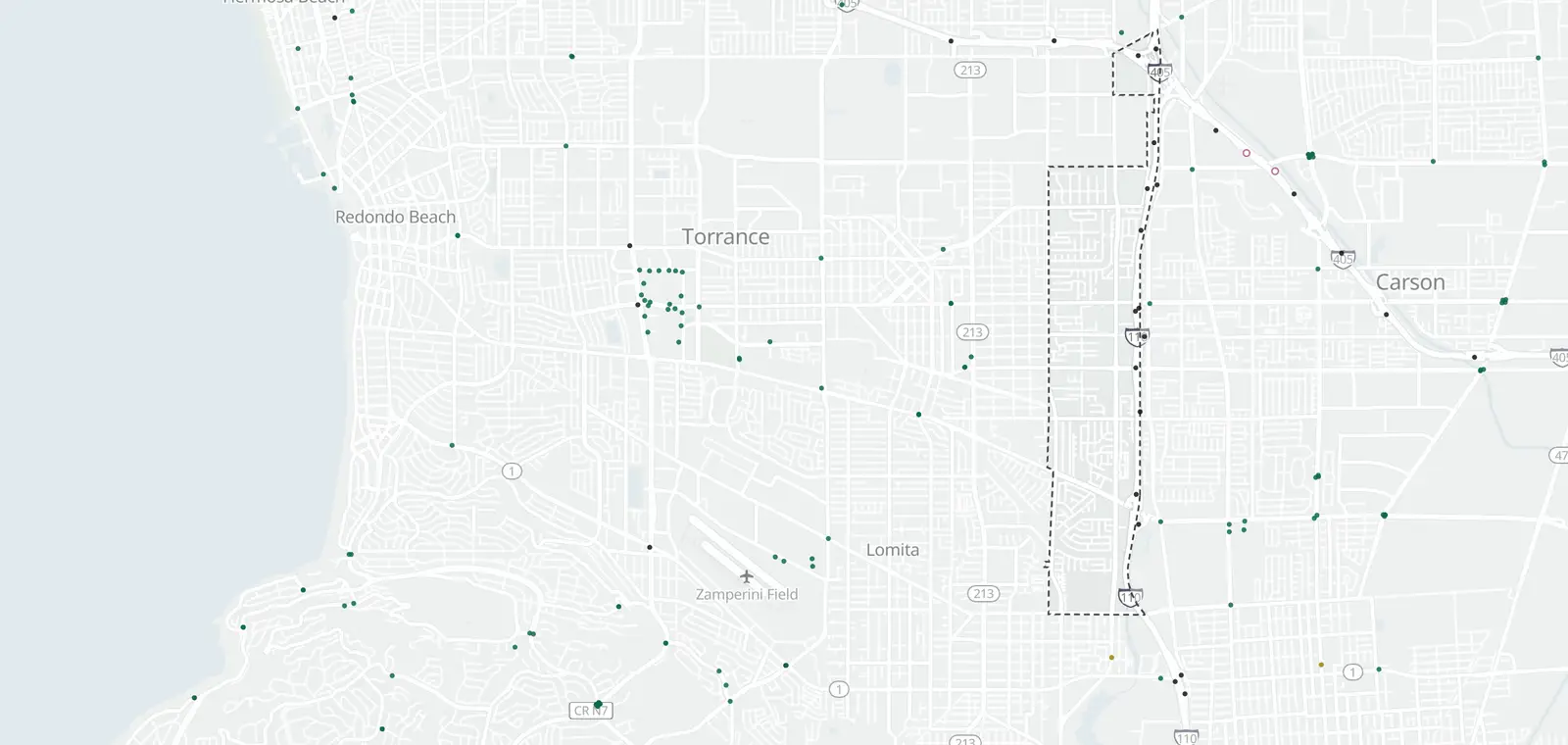
What is inside West Carson, by camera type.
West Carson: 9 cameras listed or mapped. Nearby: Carson 52, Harbor Gateway 14, Harbor City 10 and Wilmington 11.
Which streets in West Carson have cameras?
9 cameras on 2 streets. Tap a street to see it on the map, its cameras in order.
Speed cameras in West Carson
None inside West Carson. The nearest is on Vermont Ave (15-8), 0.3 mi outside the boundary.
Red light cameras in West Carson
No red light camera program is listed here.
License plate readers in West Carson
None are mapped inside West Carson. 7 are just outside.
Traffic cameras in West Carson
9 Caltrans cameras inside West Carson, on freeways and state highways. City streets are not covered.
| Route, direction and place | Status | Picture |
|---|---|---|
| I-110 1 | ||
| At Carson St On-Ramp · postmile 7.02 | In service | Road picture ↗ |
| I-110 Northbound 1 | ||
| South of Carson St · postmile 6.35 | In service | Road picture ↗ |
| I-110 Southbound 6 | ||
| North of I-405 · postmile 8.932 | Out of service | Image ↗ |
| At Sepulveda Blvd · postmile 5.60 | In service | Road picture ↗ |
| At 223rd St On-Ramp · postmile 6.52 | In service | Road picture ↗ |
| North of Carson St · postmile 7.44 | In service | Road picture ↗ |
| At Torrance Blvd On-Ramp · postmile 7.88 | In service | Road picture ↗ |
| South of I-405 · postmile 8.3 | In service | Road picture ↗ |
| I-405 Northbound 1 | ||
| West of I-110 · postmile 13.151 | In service | Road picture ↗ |
Cameras just outside West Carson
Just outside the boundary: 1 speed camera, 7 plate readers and 9 traffic cameras.
- Traffic camera · I-110 North, north of Sepulveda Blvd on the boundary
- Traffic camera · I-110 South at Sepulveda Blvd 100 ft
- Traffic camera · I-110 North at Torrance Blvd On-Ramp 100 ft
- Traffic camera · I-110 at Carson St Off-Ramp 200 ft
- Plate reader · Carson 400 ft
- Plate reader · Harbor Gateway 0.1 mi
- Plate reader · Carson 0.2 mi
- Plate reader · Carson 0.2 mi
- Speed camera · Vermont Ave (15-8) 0.3 mi
The closest 4 of each type. See them all on the map.
Areas near West Carson
Also near West Carson: Unincorporated Harbor Gateway · Palos Verdes Peninsula · West Rancho Dominguez
Camera tickets near West Carson
No speed camera program is listed here. The nearest is in Los Angeles: fines and how to respond.
Know when cameras in West Carson change.
Free email alerts for cameras on your routes that start issuing tickets. One summary email a month.
- In your monthly summary: the day a camera near you starts issuing tickets
- New cameras mapped or reported near you
- What plate readers keep, and who runs them
- Your street, your distance, the camera types you pick
156,883 cameras listed or mapped so far.
Sources and updates
How this page was made: CamsAhead writes each page type once, then fills it with this place's data from the sources below.
- LADOT: speed camera list, checked Nov 7, 2026
- OpenStreetMap contributors: plate readers (surveillance:type=ALPR), data as of Nov 7, 2026; ODbL 1.0
- Caltrans CWWP2: Districts 6 and 7 camera list, updated daily, last Nov 7, 2026; CC BY
Plate reader points are mapped by OpenStreetMap volunteers (data as of November 7, 2026).
How CamsAhead counts cameras · Report a problem · Report a camera