
 CamsAhead.com
Plate readers © OpenStreetMap contributors · Caltrans (CC BY) · © OpenMapTiles
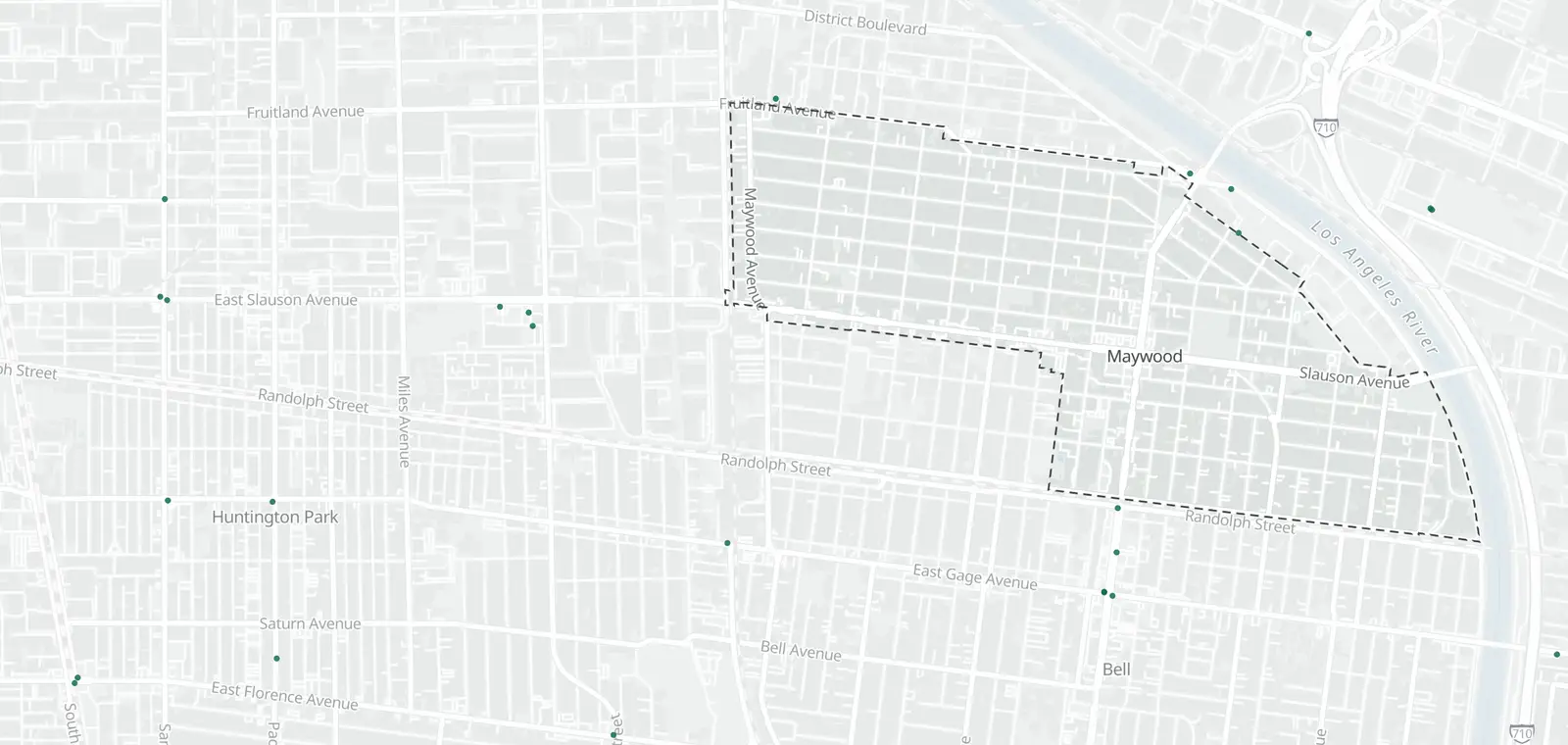
What is inside Maywood, by camera type.
Maywood: no cameras listed or mapped. Nearby: Bell 16, Vernon 11, Huntington Park 10 and Commerce 35.
Speed cameras in Maywood
None inside Maywood. The nearest is on E 4th St (14-2), 2.9 mi outside the boundary.
Red light cameras in Maywood
No red light camera program is listed here.
License plate readers in Maywood
None are mapped inside Maywood. 25 are just outside.
Traffic cameras in Maywood
None inside. Nearest: I-710 at Florence Ave., 0.8 mi outside.
Cameras just outside Maywood
Just outside the boundary: 25 plate readers.
- Plate reader · Vernon on the boundary
- Plate reader · Vernon 100 ft
- Plate reader · Vernon 100 ft
- Plate reader · Bell 150 ft
The closest 4 of each type. See them all on the map.
Areas near Maywood
Red light: some unverified (public records).
Speed camera pages nearby: Boyle Heights (3)
Also near Maywood: Bandini Islands · Walnut Park · Bell Gardens
Camera tickets near Maywood
No speed camera program is listed here. The nearest is in Los Angeles: fines and how to respond.
Know when cameras in Maywood change.
Free email alerts for cameras on your routes that start issuing tickets. One summary email a month.
- In your monthly summary: the day a camera near you starts issuing tickets
- New cameras mapped or reported near you
- What plate readers keep, and who runs them
- Your street, your distance, the camera types you pick
156,883 cameras listed or mapped so far.
Sources and updates
How this page was made: CamsAhead writes each page type once, then fills it with this place's data from the sources below.
- LADOT: speed camera list, checked Nov 7, 2026
- OpenStreetMap contributors: plate readers (surveillance:type=ALPR), data as of Nov 7, 2026; ODbL 1.0
- Caltrans CWWP2: Districts 6 and 7 camera list, updated daily, last Nov 7, 2026; CC BY
Plate reader points are mapped by OpenStreetMap volunteers (data as of November 7, 2026).
How CamsAhead counts cameras · Report a problem · Report a camera